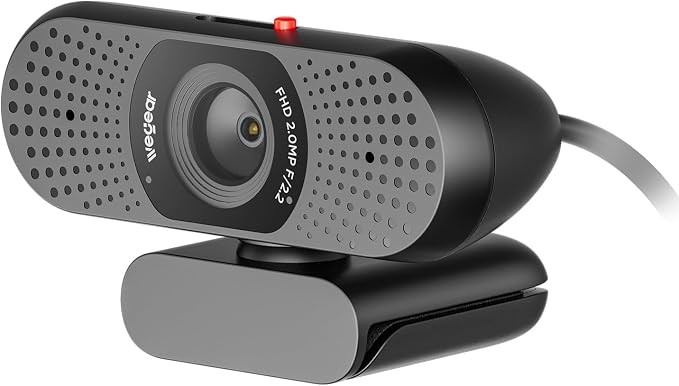
- 【Ultra HD 4K Clarity】Powered by an 8MP Sony 1/2.55'' sensor, this 4K webcam delivers exceptional image quality with sharp details and vibrant colors. Enjoy stunning 4K@30FPS resolution for crystal-clear visuals and smooth 1080P@60FPS performance for fluid motion capture, making it ideal for video conferencing, live streaming, content creation, and gaming
- 【Fast & Precise PDAF Autofocus】Powered by advanced PDAF autofocus technology, this webcam quickly locks onto your face with exceptional accuracy for consistently sharp video. Combined with intelligent auto light balance, it automatically adjusts to different lighting conditions to deliver clear, natural-looking images
- 【Built-in Cable for Stable Connection】Featuring a 5ft built-in cable, this web cam delivers a more stable and reliable connection for consistent performance. It ensures smooth data transmission, reduces interruptions, and offers a secure plug-and-play experience for video calls, meetings, and streaming
- 【Dual Noise-Canceling Microphones】Equipped with dual noise-canceling microphones, this 4K webcam captures your voice with exceptional clarity while minimizing distracting background noise. Whether you're in virtual meetings, online classes, or live streams, enjoy clear, natural-sounding audio
- 【Built-in Privacy Cover】The built-in sliding privacy cover lets you easily open or close the lens. When the usb webcam is not in use, simply slide it to cover the camera for instant privacy
- 【Wide Compatibility & Plug and Play】Featuring a USB-A connection, this webcam offers true plug-and-play setup with no drivers required. Compatible with Windows 10/11, macOS 10.14+, and ChromeOS, it works seamlessly with Zoom, Teams, FaceTime, Google Meet, YouTube, and more. The foldable tripod-ready universal clip ensures flexible placement on laptops, monitors, or tripods
Product description
Is there anything I should do before using the webcam for the first time?
How can I configure or control the webcam on Windows?
Can I use this webcam with a USB hub or docking station?
Are there any devices that are not compatible with this webcam?
Is there anything I should do before using the webcam for the first time?
Please remove the protective film from the camera lens before use to ensure optimal image quality. Also, select the wegear 4K Webcam as the default camera and mic device in your application (such as Zoom or Teams)and make sure the camera is enabled.
How can I configure or control the webcam on Windows?
You can configure in these ways (e.g., Windows 11): A. Settings: Go to Settings > Bluetooth & devices > Cameras and select your webcam, B. Built-in Camera app, C. Third-party tools (OBS Studio or AMCap) provide advanced controls.
Can I use this webcam with a USB hub or docking station?
Yes, the webcam works with USB hubs and docking stations. For best performance, connect it directly to your computer’s USB port. If using a hub or dock, ensure it provides stable power and data transfer, as low-power hubs may affect performance.
Are there any devices that are not compatible with this webcam?
Not supported: Windows Hello, TVs, tablets, game consoles or android devices.