CoreDrive
Webcam for PC Streaming Camera Web Camera for Desktop/Laptop Computer Webcam with Microphone Plug and Play USB Web Cam with Bracket Manual Focus for Live Streaming Video Calls (Black 1080P)
Webcam for PC Streaming Camera Web Camera for Desktop/Laptop Computer Webcam with Microphone Plug and Play USB Web Cam with Bracket Manual Focus for Live Streaming Video Calls (Black 1080P)
Couldn't load pickup availability
- 1080P WEBCAM - This webcam for pc supports 1080P resolution and features Manual focus, delivering crisp, vivid images and smooth video to capture every detail. It's the perfect choice for home offices - FLEXIBLE SUPPORTING FRAME - This webcam for laptop features a freely adjustable gooseneck stand (40 cm) for effortless angle positioning. A physical sliding privacy cover effectively protects the lens, while the USB cable measures 150 cm and comes with a dedicated desktop clamp - NOISE-CANCELING MICROPHONE - This streaming camera features an advanced noise-canceling microphone that filters out ambient noise, ensuring your voice remains clear and loud even in noisy environments - PLUG AND PLAY - This pc camera for pc desktop supports USB 2.0/3.0 interfaces and requires no additional drivers. Simply connect it to your device to start capturing high-definition video immediately - DOCUMENT CAMERA - This USB computer camera captures detailed images of documents during video calls. Equipped with image flipping functionality, it supports shooting from any angle. Ideal for document scanning, displaying hand-drawn illustrations, or sharing teaching materials
Product description
Can this Majiphi network camera really be used with both USB-C and USB-A type computers for plug-and-play functionality?
Does the Majiphi camera support video conferencing software?
Can I connect this webcam to a USB hub or an external docking station?
Does this camera perform well in low-light conditions?
What should I do if the Majiphi webcam is not working?
Can this Majiphi network camera really be used with both USB-C and USB-A type computers for plug-and-play functionality?
Yes. It is designed for a simple plug-and-play setup. The included USB-A to USB-C adapter ensures compatibility with almost all modern or older computers, and it can be used directly without the need for additional drivers
Does the Majiphi camera support video conferencing software?
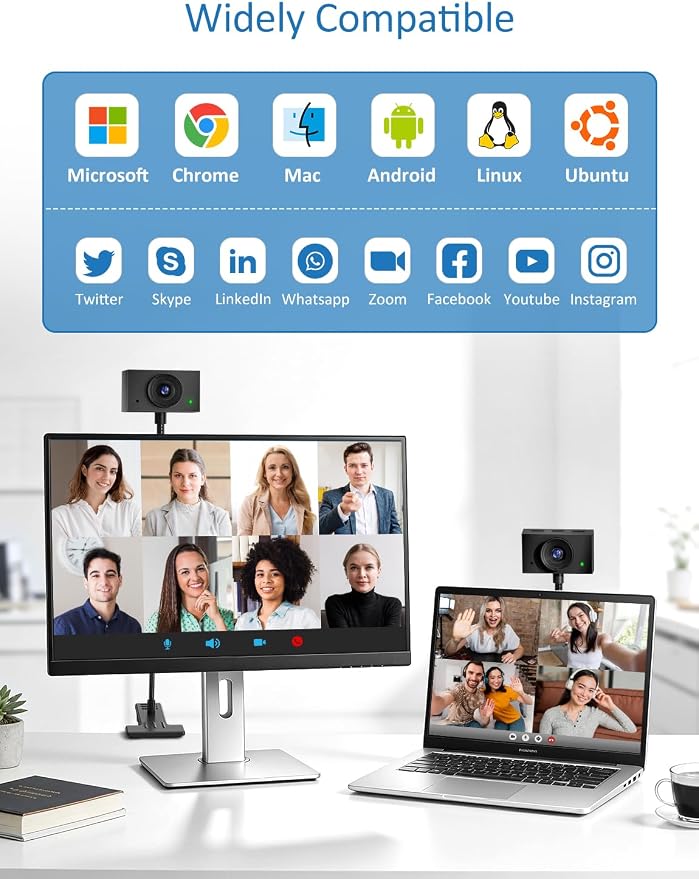
Yes, this Majiphi camera is compatible with a variety of video conferencing software. It can be used in conjunction with software such as Zoom, Microsoft Teams, Google Meet, CISCO Webex, FaceTime, GoToMeeting, Lifesize, Slack, Line, TrueConf, etc
Can I connect this webcam to a USB hub or an external docking station?
Yes, but to ensure stability, please connect directly to a USB port. The hub may cause intermittent video interruptions. Please use the included Type-C adapter. This will enable the device to be used stably for streaming or calls
Does this camera perform well in low-light conditions?
This network camera features automatic exposure, low-light enhancement and color optimization functions. It performs best under normal or bright lighting conditions. Avoid strong backlight or extremely dim environments
What should I do if the Majiphi webcam is not working?
If the network camera is not working, please follow these steps:
1. Check compatibility
2. Confirm the type of USB interface
3. Try replacing a different port or device and update the driver
Share