CoreDrive
WAVLINK Laptop Docking Station SM770 DockTriple HDMI Dual DisplayPort | Triple 4K@60Hz 100W PD in USB-C/A 10Gb 2.5G Ethernet Compatible with macOS/Windows Required SMI Driver & Host USB 3.
WAVLINK Laptop Docking Station SM770 DockTriple HDMI Dual DisplayPort | Triple 4K@60Hz 100W PD in USB-C/A 10Gb 2.5G Ethernet Compatible with macOS/Windows Required SMI Driver & Host USB 3.
Couldn't load pickup availability
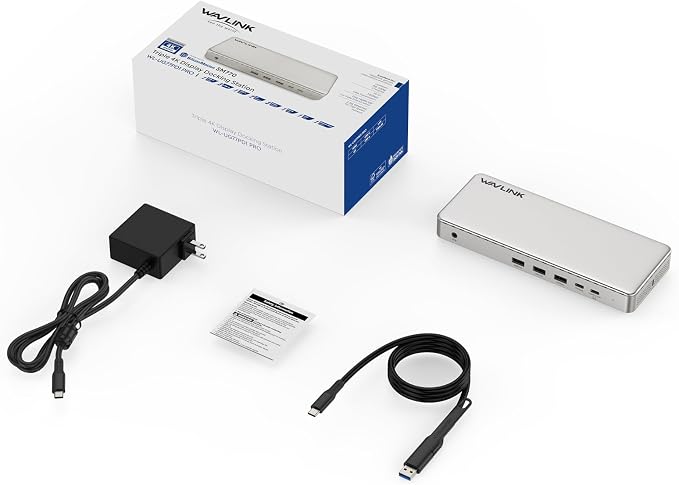
- Laptop Docking Station(13-In-1) - How to make your computer desk clean and tidy? Try this! WAVLINK 13-in-1 laptop docking station. It contains 3 HDMI 2 DP port, 100w PD IN, 10Gbps USB-A&C port, 2 USB2.0, 2.5 Gigabit Ethernet, Audio/Mic. One product, full set of functions, one solution! - Latest Technology SM770 Chip - Some customers have reported that their Intel/M1/M2/M3/M4 MacBooks/Macbook Neo are unable to expand beyond two displays due to chip limitations. Is this the end? No! The latest WAVLINK SM770 Docking Station, powered by the SM770 chip, breaks free of these limitations. Now let it bring you the latest technology and the ultimate triple-display expansion experience! - Docking Station 3 Monitors - Whether you're still deciding between HDMI and DP, we've got you covered with Triple HDMI and Dual DP. No need to hesitate, use whatever you need. Three 4K@60Hz outputs meet all your daily needs. Whether it's gaming, projection, meeting, or stock photography, this dock can solve them all. - More Useful Function - Say goodbye to low battery! Docking station with 100W power delivery, 85W for laptop charging. 2.5 gigabit ethernet port, 2500Mbps super speeeeeeeed network. 10Gbps USB-A&C port giving you a super fast transmission experience! And 2 USB 2.0? Of course, this is not used for data transmission, it is designed for your wireless devices using. - Note - Host USB3.2 Gen 2 Required. Please make sure that the type-C port of your host supports charging and video output. SMI Driver required for this product, do not support plug and play. The charger is not included. The charger you use must be 20V/5A, and cannot charge a laptop computer with a power of more than 85W. The USB-C to USB-A connector does not support charging your laptop. Can be expanded to up to 3 displays. - Product Guarantee - If you purchase the WAVLINK docking station, you’ll benefit from a two-year warranty and responsive customer service. Please feel free to contact us at any time. We are happy to provide technical support and replacement services, and we welcome your suggestions. Try WAVLINK, trust WAVLINK, and progress together with WAVLINK!
Product description
WAVLINK SM770 Docking Station
Why is charging not working with the supplied cable?
Does it require any software installation?
Why am I unable to install/download the driver?
Why my monitors are not detected by the system?
Why is the macOS InstantView requesting to record my screen?
SMI 770 driver
Why is charging not working with the supplied cable?
The USB-C to USB-A connector does not support charging your laptop, please use the USB-C port to charge.
Does it require any software installation?
Yes, the SMI instantview driver must be installed before using the docking station. Detailed steps are provided on the product page and in the manual.
Why am I unable to install/download the driver?
Note: Security software may block or report errors during driver download/installation. Rest assured, the driver is safe and functional. Should this occur, please do not hesitate to enquire.
Why my monitors are not detected by the system?
Please verify that your computer's Type-C port supports video output functionality. Otherwise, the docking station will not operate correctly. (Note: Thunderbolt 3/4 ports should support video output. if you are not sure,pls be be free to ask us)
Why is the macOS InstantView requesting to record my screen?
InstantView requires screen recording permission to create a virtual display, which is necessary to overcome the limitations of Apple M1/2/3/4 chips. It uses this access solely to generate the image and does not record or retain any data.
Share