CoreDrive
WAVLINK DisplayLink Laptop Docking Station - Quad Monitor 5K/4K@60Hz 100W Charging - Thunderbolt 5/4 USB-C/A - M1-M5 Mac/MacBook Neo/Windows/Chrome- 4 HDMI 4 DP 180W Power SD 4.0 CR 2.5Gbps LAN
WAVLINK DisplayLink Laptop Docking Station - Quad Monitor 5K/4K@60Hz 100W Charging - Thunderbolt 5/4 USB-C/A - M1-M5 Mac/MacBook Neo/Windows/Chrome- 4 HDMI 4 DP 180W Power SD 4.0 CR 2.5Gbps LAN
Couldn't load pickup availability
- Experience Immersive Work and Entertainment: With support for quadruple monitors at 5K/4K@60Hz resolution, this docking station offers an unparalleled visual experience that is perfect for multitasking or streaming. - Quadruple Monitor Support: The maximum resolution will be 5120x1440p60 (5K UItrawide) or 4096x2160p60 (Cinema 4K) if quad DisplayPort video outputs for quad monitors. Quad Display (HDMI/HDMI+DisplayPort ) resolution up to 3840x2160@60Hz or 4096x2160@60Hz (Cinema 4K). This docking station provides an immersive visual experience that is perfect for professional multitasking or entertainment purposes. - Lightning-Fast Data Transfer and Charging: Equipped with a 2.5Gbps Ethernet and SD 4.0 card reader, as well as a powerful 100W host charging capability, so you can transfer large files quickly and charge your laptop fast. - Comprehensive Compatibility: The WAVLINK Universal USB C Docking Station is compatible with Thunderbolt 3,4 and 5, USB-C Windows and Mac devices like Mac M1-M5,New Macbook Neo, allowing for seamless integration into your existing setup. - What you get:1 x USB-C Quad 4K Dock, 1 x 2-in-1 USB-C to USB A/C cable, 1x DC20V/9A 180W power adapter, 1 x AC power cable, 1x Cable holder, 1x CD-shaped Driver Download Links, 1 x Quick start guide. 18 months worry-free warranty and life-long friendly customer service and technical support.
Product description
19-in-1 USB C Quad 4K Universal Laptop Docking Station with 100W Host Charging
Super-Speed USB 3.0
Dual PD Quick Charging
Impressivne 2.5G Ethernet port
SD/Micro SD V4.0 Reading Simultaneously
Do i have to install Display link driver for laptop to use 4 monitors?
Why can't my laptop get charged through USB C port?
Can this dock support for four displays even on MacBook Neo, M1, M2, or M3?
Is the power suply ready for 230 vac?
Why does ask for “Screen Recording” permission on macOS?
More Docking Stations from WAVLINK
WAVLINK WL-UG69PD8PRO Quad monitor dock with 4 HDMI/DP ports for USB-C, USB4, or Thunderbolt laptops, including M1-M5 Macs and MacBook Neo. Delivers up to 100W host charging via rear USB-C and 30W fast charging via front USB-C. Note: Corporate laptops may restrict driver installation.
3 x USB3.0(5Gbps) & 1 x USB3.1(10Gbps) for different needs.
USB3.1 port provides effortless data transfer up to 10Gbps and supports BC1.2 and Apple 2.4A fast charging.
The USB-C (host) charges your laptop with max.100W power, and the USB-C port on the front supports 30W PD charging for any device that complies with USB PD charging.
Supports high speed broadband up to 2.5Gbps, it is perfect for professionals and enthusiasts who need the highest data streaming speeds, including high efficiency parsers, PC enthusiasts, overclockers, live streamers, and video content producers.
Integrated SD V4.0 Card Reader with SD/Micro SD slot supports UHS-II theoretical bus speed up to 312MB/s, capacity up to 2TB.
Do i have to install Display link driver for laptop to use 4 monitors?
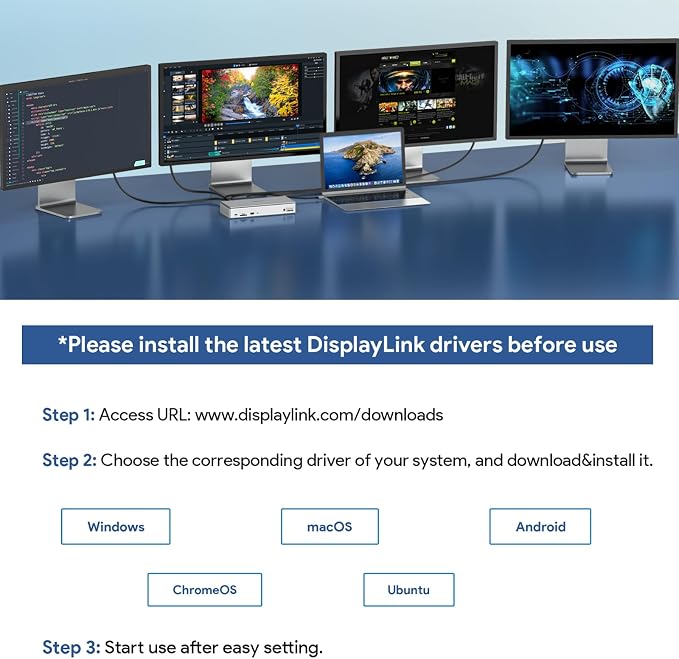
Yes, docking station is based on Displaylink USB graphics technology which manages the Graphics and the audio and the gigabit ethernet functions. Please install the latest displaylink driver before using.
Why can't my laptop get charged through USB C port?
Not all USB-C port support charging capabilities. Making sure that your laptop complies with USB C Power Delivery or claims Thunderbolt 3/4 charging capabilities. If it’s not supported, that comes with the system must be used to charge the battery.
Can this dock support for four displays even on MacBook Neo, M1, M2, or M3?
Sure. Enabled by DisplayLink technology, UG69PD8PRO can connect four displays (4x 4K@60Hz) even if the computer supports only one display output on its own. DisplayLink Manager installation required on Mac.
Is the power suply ready for 230 vac?
Yes, 100-240 V AC
Why does ask for “Screen Recording” permission on macOS?
macOS requires Screen Recording permission for DisplayLink to send display data over USB to connected monitors. No content is recorded or stored. This permission is required by macOS for USB graphics to function properly.
Share