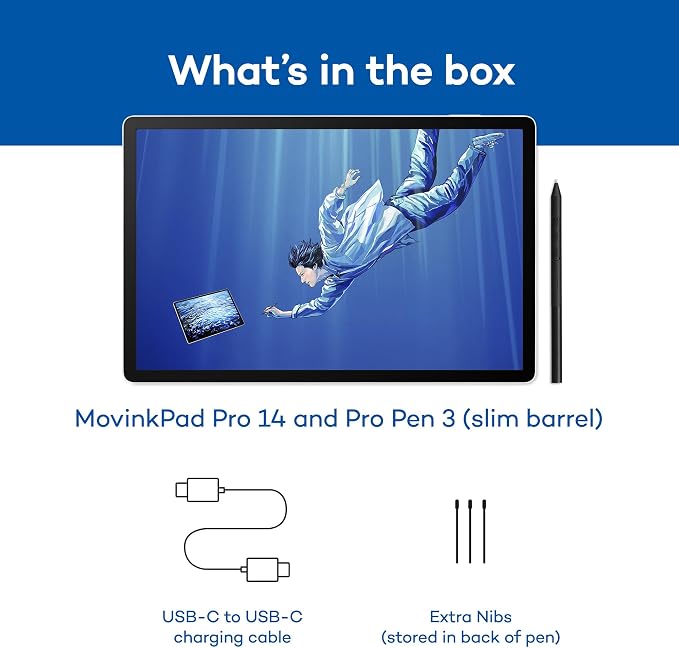
- ALL-IN-ONE DESIGN: 11.45" Android 14 tablet, 8 GB memory/128 GB storage, battery-free, slim barrel Pro Pen 3, no computer needed; comes with Wacom Canvas app, 2 years of CLIP STUDIO PAINT DEBUT & trials of Ibis Paint, Magma blaze & Artwod training
- QUICK DRAW READY: Tap and hold the pen on screen to instantly launch Wacom Canvas and start sketching or taking notes the moment an idea hits, just like opening a sketchbook or notebook
- BEST-IN-CLASS PEN PERFORMANCE: Designed for MovinkPad, this slim version of Wacom Pro Pen 3, delivers 8,192 pressure levels, has three buttons, and comes with replacement nibs stored in the pen's back end
- PAPER-LIKE DRAWING EXPERIENCE: bright, sharp display with matte etched glass surface that feels like paper with subtle texture - reduces glare and fingerprints so you can focus on creating without distractions
- THIN, LIGHT, PORTABLE: Weighs just 1.3lbs, lighter than most laptops and easily fits in a bag or backpack, supports popular digital pens (Dr. Grip, LAMY, STAEDTLER); goes wherever a sketchbook can go
Product description
Once you use a Wacom pen, everything else feels like a compromise.
Drawing surfaces shouldn't need fixing.
We didn’t add a pen to a tablet. We built a tablet around a pen.
Most tablets begin with the screen and add a pen later. MovinkPad 11 takes a different approach. It’s a full Android tablet built around Wacom’s most advanced pen technology, so everything you do feels more natural from the start. Sketch, design, write, annotate, or capture ideas the moment they happen. With a screen that feels like paper and apps you already use, MovinkPad is ready the second the pen touches it - whether you're at a desk, in a meeting, or sketching outdoors.
Just pick up the pen and go. That's it. No charging, no pairing, no mode-switching. Pro Pen 3 is ready the moment you reach for it - so the idea you had walking in the door doesn't disappear while you wait for hardware. When you do put pen to screen, 8,192 levels of pressure and ±60° tilt recognition mean every line, shade, and stroke lands exactly where your hand intended it.
MovinkPad 11 is built with a precision etched-glass surface that's physically textured, not coated - so your pen grips naturally from the first stroke to the last. No additional films or accessories needed to make it feel right. The micro-texture diffuses light for a true matte finish, reducing reflections while maintaining details and accurate color. It also repels fingerprints, so you can focus without constantly tilting or wiping the screen - especially useful in bright environments where glare would ruin a glossy surface.
Ultra-portable at 1.3 pounds, MovinkPad 11 goes wherever you do. A 7700 mAh battery powers all-day use, while front and rear cameras make it easy to capture, scan, or join calls. With WiFi and Bluetooth, it keeps you connected and creating.
MovinkPad 11 puts the full Android world in one place. Download your apps from the Google Play Store and move between sketching, notes, and downtime without missing a beat.
Just tap and hold the pen to the screen to wake the tablet and use Wacom Canvas. No unlocking, no loading, no hunting for the right app. The moment an idea hits… a sketch, a note, a thought worth keeping - you’re already there.
For over 40 years, Wacom has focused on one thing: making digital pen input feel natural. Professionals choose Wacom because that focus shows up in every detail - from pressure that responds correctly, to a surface that isn't slick glass, to a pen that never needs charging. Other tablets can work with a pen. MovinkPad is designed for it. Pick it up and you'll know.