- Upright USB-C Hub ? This USB-C hub multiport adapter features an adhesive strip on the bottom for easy attachment to your desk, simply peel off the protective film. Its sleek vertical design saves space and helps keep your workspace tidy and organized, whether at home or in the office. The 1.6ft (48cm) cable provides enough length to connect to your laptop comfortably, reducing desk clutter and improving workflow.
- 8-in-1 USB-C Multi Port Hub ? Are you tired of your laptop having too few ports or struggling with unreliable connections? Our RGB USB-C hub solves that problem! It features a USB-C 100W PD-in 85W output, a 4K@30Hz HDMI, a USB-C 3.0 and three USB-A data ports, microSD/SD card slots. The multi-port adapter USB-C hub combines functionality with a striking howling wolf design and subtle RGB elements. It supports high-speed data transfer and fast charging for laptop, making it perfect for work, daily use, or gaming.
- 100W Power Delivery Charging ? When paired with a 100W wall charger and cable, USB-C PD hub can deliver up to 85W of pass-through charging to your laptop, reserving 15W for the hub’s own operation to ensure smooth performance. (Note: The USB-C PD-IN port is NOT supports for data transfer. Wall charger and cable not included. For optimal charging for MacBook Air, we recommend using a 45W wall charger and cable for this wolf usb c hub.)
- Stunning 4K HDMI Output ? Our USB-C hub with HDMI supports 4K@30Hz, delivering every incredible moment in crisp, vivid detail. Easily mirror or extend your devices to a TV, monitor, or projector?perfect for professional presentations, team meetings, or movie nights. Imagine watching the latest films with friends on a large screen or collaborating with colleagues in high definition. (Please ensure that your device’s USB-C port supports DP Alt Mode. Mac OS only supports Mirror mode.)
- Super-Fast Data Transfer ? USB C multi-port hub with a USB-C and three USB 3.0 ports, delivering data transfer speeds up to 5 Gbps. Quickly connect external drives, keyboards, or mice for seamless responsiveness. Transfer large files in seconds and enjoy read speeds up to 104 Mbps on SD/microSD cards. Perfect for efficient data management in your office, dorm, or home office. (USB 3.0 and USB-C ports are for data transfer only, do NOT support charging.)
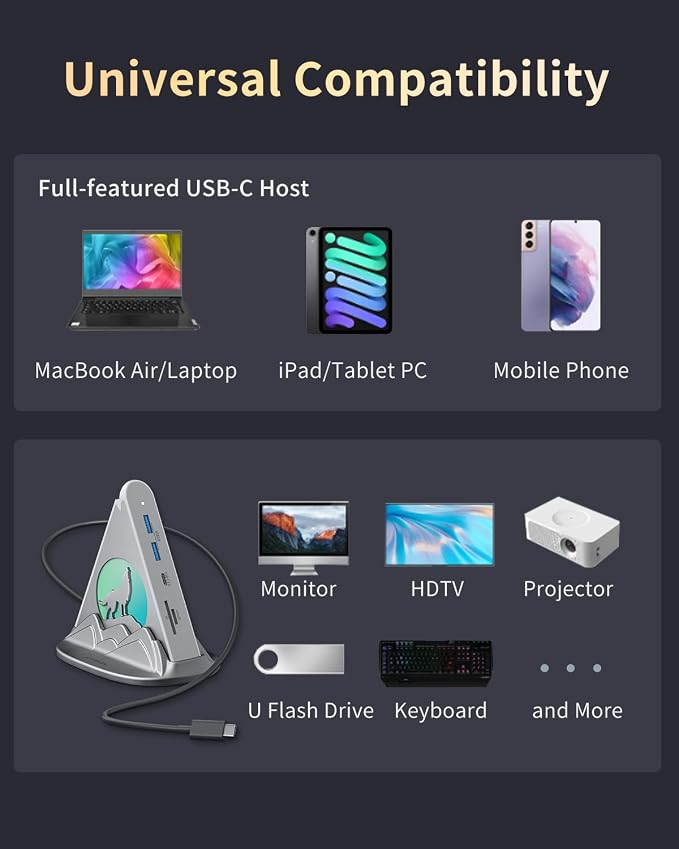
- Universal Compatibility ? Multifunctional USB-C hub is great for laptop, compatible with MacBook Pro (2018-2024), MacBook Air (2018-2024), iMac, Mac Mini, Dell, Lenovo, HP, Chromebook, and other USB-C devices support the display port ALT mode. It’s plug-and-play, no requiring complicated setup, so you can easily connect to your devices and start working.
- What You’ll Get ? Joyreken Wolf USB-C Hub 8-in-1 (Plastic Material), Welcome Guide, 12-Month Worry-Free Warranty, and friendly customer support.
Product description
Macbook Air Adapter Multiport
Howling Wolf 8-in-1 USB C Hub
How can I use this hub to get 85W pass-through charging for my laptop?
Why can't I use the HDMI port?
Could I use USB C PD-IN port for data transmission?
Why isn't my iPad Pro or MacBook Air charging at full speed when I use this USB-C hub with a 30W charger?
Note: Charger not included; PD-IN port is for input only (no output, data, or display).
Note: HDMI cable is not included.
Note: Single screen only, dual screens are not supported.
Note: The button is used to turn the dynamic RGB light on/off and does not support color selection.
Note: The button is only used to turn the dynamic RGB on/off and does not support color selection.
Note: HDMI cable is not included.
Before buying, ensure your laptop has Thunderbolt 3/4/5, USB 4, or a full-featured USB-C port supporting DP-ALT and PD 100W. This enables multi-display and PD 100W charging.
How can I use this hub to get 85W pass-through charging for my laptop?
To get 85W charging, use a USB-C wall charger and a USB-C to C cable that both support 100W PD charging. Reserve 15W for the USB-C hub's functions to ensure smooth operation.
Why can't I use the HDMI port?
1.Please check your laptop's USB C port support DP-ALT mode or not.
2.Try using a different laptop and HDMI cable to see if the problem persists.
3.Ensure your monitor is set to the correct input (HDMI).
Could I use USB C PD-IN port for data transmission?
Sorry, you couldn't, If you try it, may damage this port. This port entry supports charging.
Why isn't my iPad Pro or MacBook Air charging at full speed when I use this USB-C hub with a 30W charger?
To charge your iPad Pro or MacBook Air at full speed, please switch to an adapter that delivers at least 45W.