CoreDrive
USB C to Dual HDMI Adapter 4K@60Hz 2-in-1 Dual Monitors Adapter USB C Hub with 2 HDMI Docking Station USB C to HDMI Splitter for MacBook Air/Pro Dell XPS HP etc
USB C to Dual HDMI Adapter 4K@60Hz 2-in-1 Dual Monitors Adapter USB C Hub with 2 HDMI Docking Station USB C to HDMI Splitter for MacBook Air/Pro Dell XPS HP etc
Couldn't load pickup availability
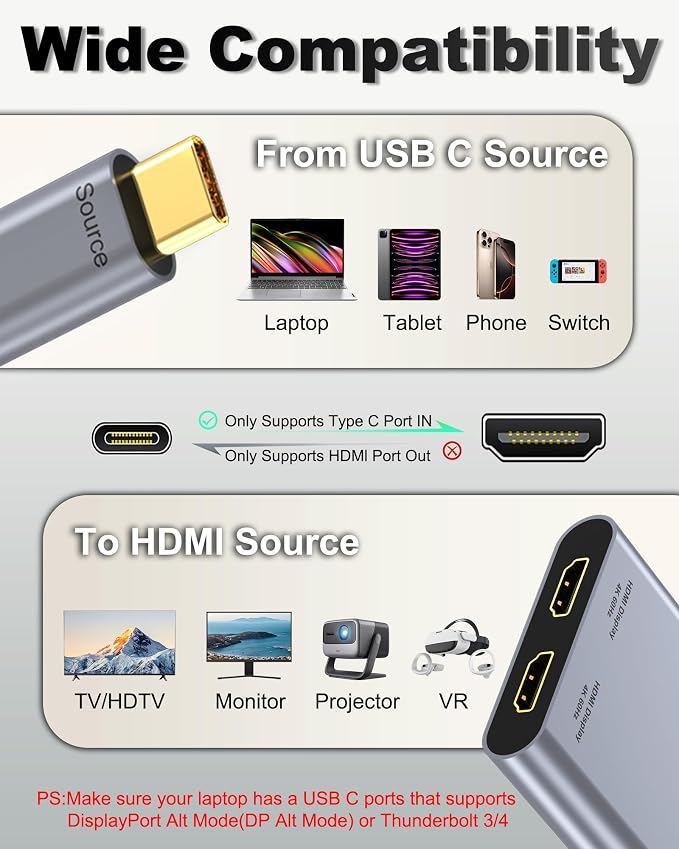
- 【USB C to Dual HDMI Adapter】With 2 HDMI ports, this hdmi splitter for dual monitors supports expand your workspace or media content on two screens simultaneously, allows you to stream movies,games from Macbook, iPad pro or other USB C host device to a HD big Screen for Enjoy clearer and more stunning image - 【Dual 4K@60Hz Video Output】This usb c to hdmi adapter resolution up to 4K(3840X2160P@60HZ) on both single and dual displays, while others only support 4K@30Hz; Suitable for gaming enthusiasts, professional draftsmen and video editors.(Important: ONLY when your devices support 4K resolution, the video output will be 4K,please make sure to use a HDMI 2.0 cable or better) - 【Plug and Play】No additional driver or software is required for this usb c to dual hdmi adapter, the dual hdmi adapter for 2 monitors compatible with laptop, desktop or tablet with Type C or thunderbolt 3/4 port, The transmission is Uni-directional, only from the USB-C host device to HDMI displays - 【Wide Compatibility】The dual monitor adapter compatible with a wide range of USB-C devices, including MacBook Pro, MacBook Air, iMac, iMac Pro, Mac Mini, iPad Pro (2020/2019/2018), iPhone 16/15/Pro Max, Chromebook, Dell, HP, and many other smartphones, laptops, and tablets,before you purchase, please confirm your usb c laptop supports Thunderbolt 3/4 video output or DisplayPort Alt Mode - 【Mirror Mode & Extend Mode】Windows supports Mirror Mode and Extend Mode and MST mode; For Mac OS, it ONLY supports Mirror and Extend Mode, Not supports MST mode (Can't extend two different Screen), due to Mac OS limitation; Android only support Mirror Mode
Product description
Please Note:Not For All USB C Laptop. Please Check If your laptop's USB Type-c port support video output function, Basically, Thunderbolt 3, Thunderbolt 4, and USB C 3.1 Gen 2 (or above) all support video output.
Windows System Settings:
Mirror Mode: Plug and play, no setup required.
Extended Mode: When using the Windows system, press the "Windows" key and the "P" key simultaneously. In the pop-up window, select the "Extend" option to enter extended mode.
Share