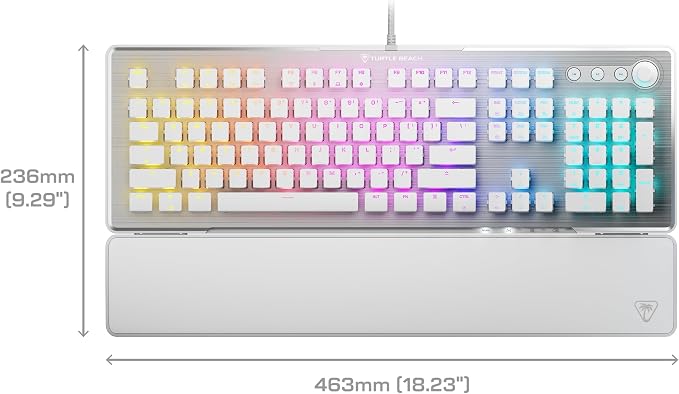
- Hall-Effect, Magnetic Switches Rated at a 150M Click Lifestyle
- Rapid Trigger Performance for Ultra-Fast Key Response
- Adjustable, Multi-Point Actuation for Each Individual Key
- AIMO Intelligent RGB Lighting
- Advanced Customization with Swarm II Software
- 5 On-Board Profiles
- Easy-Shift [+] Button Duplicator
- Advanced Anti-Ghosting
- 3rd Party Keycap Compatible
- Push-to-Mute Volume Wheel
From the manufacturer
aplus content video
Vulcan II TKL Pro
Hall-Effect Magnetic Switches
Per-Key Sensitivity Adjustment
Advanced Customization with Swarm II Software
Rapid Trigger Performance
ReactTap Enhanced Directional Control
AIMO Intelligent RGB Lighting
Comparison
Tenkeyless
Form Factor
Tenkeyless
Anti-Ghosting
32-Bit ARM Cortex M3
Processor
32-Bit ARM Cortex M0
Smart Keys
Hall-Effect, 150M
Switches
Titan 50M
8MB, 5 Profiles
On-Board Memory
Yes
Tenkeyless
Form Factor
Full-Sized
Anti-Ghosting
32-Bit ARM Cortex M3
Processor
32-Bit ARM Cortex M0
Smart Keys
Hall-Effect, 150M
Switches
Titan II 200M
8MB, 5 Profiles
On-Board Memory
4MB, 5 Profiles
What type of switches are used?
How do I adjust the actuation/sensitivity of the keys?
What does Rapid Trigger mode do?
What keycaps are compatible with the Vulcan II TKL Pro?
Do I need the Swarm II software to use the keyboard?
Insanely responsive, and immensely customizable, the Turtle Beach Vulcan II TKL Pro Magnetic Mechanical RGB PC gaming keyboard delivers pro-level performance in a compact TKL form.
Ultra-responsive magnetic switches are rated at a 150M click lifecycle and give you smooth key presses plus features like Rapid Trigger, controller emulator, adjustable multi-point actuation & more.
Adjust the actuation point of every key for faster response, and more precise control with 40 preset heights from 0.1mm to 4mm and up to three inputs per key.
Enhance your keyboard performance and aesthetics with the Swarm II desktop software to adjust RGB lighting, assign up to three different inputs per key, assign controller emulator features & more.
Rapid Trigger eliminates downtime between key presses, so you can continuously and repeatedly repress, resulting in better movement control, responsiveness and faster aiming.
ReacTap prioritizes the most recent key pressed between two keys to ensure continuous movement, and the quickest, most accurate directional changes, counter-strafing and peeking ability.
Our Easy-Shift [+] technology adds a secondary function to compatible keys. Simply hold down the designated modifier key to double the command power in an instant.
What type of switches are used?
Vulcan II TKL Pro is equipped with Hall-Effect, magnetic switches which are linear and fast. They feature pre-lubed stabilizers for a smooth feel.
How do I adjust the actuation/sensitivity of the keys?
Use onboard FN controls & LED indications to adjust all the keys together between 0.1 and 4mm. For per-key customization, use Swarm II software for this fine tuning and many more settings.
What does Rapid Trigger mode do?
Rapid Trigger eliminates downtime between key presses, so you can continuously and repeatedly repress, resulting in better movement control, responsiveness and faster aiming.
What keycaps are compatible with the Vulcan II TKL Pro?
The Vulcan II TKL Pro is equipped with T-shaped ABS keycaps and is fully compatible with 3rd party keycaps to customize your layout.
Do I need the Swarm II software to use the keyboard?
While not required to use the keyboard, we highly recommend installing the Swarm II software to take full advantage of adjustable key actuation settings, lighting & more.