CoreDrive
Tripp Lite 4-Port USB 3.1 Gen 1 USB-C to USB-A Portable Hub with x4 USB-A & USB-C Charging Port 5 Gbps (U460-004-4A-C)
Tripp Lite 4-Port USB 3.1 Gen 1 USB-C to USB-A Portable Hub with x4 USB-A & USB-C Charging Port 5 Gbps (U460-004-4A-C)
Couldn't load pickup availability
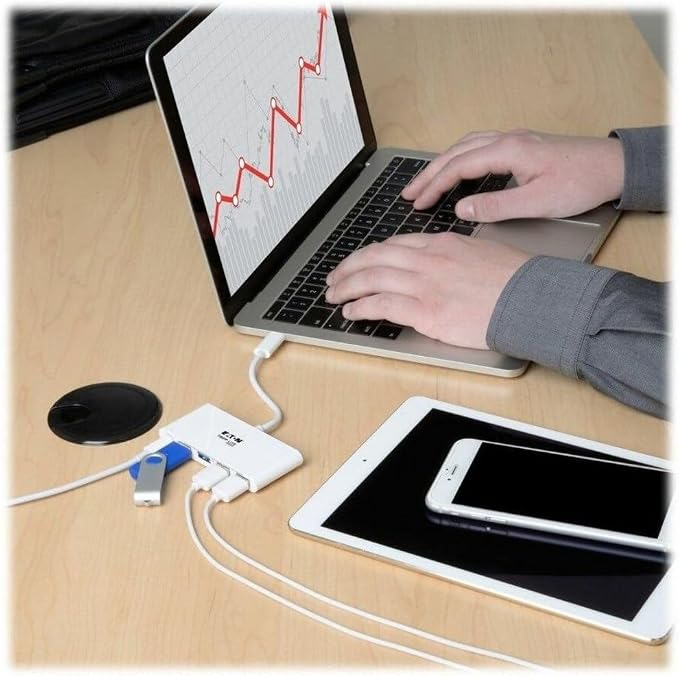
- TURN YOUR DEVICE’S USB-C PORT INTO A WORKSTATION: USB-C portable hub adds USB-A and USB-C PD charging ports to the USB-C or Thunderbolt 3 port on your tablet, laptop, notebook, MacBook, Chromebook, smartphone or PC. - CONNECT FOUR USB DEVICES: Four USB-A ports accept USB peripherals, such as a flash drive, mouse, keyboard or printers. Works with USB C laptops including Lenovo Yoga 900 / ASUS Transformer book T100HA / LG Gram / Razer Blade Stealth / Acer Aspire R 14 / Acer Aspire V 15. - SUPPORTS PD CHARGING & DATA TRANSFER: USB-C PD charging port supports power input up to 20V 3A (60W). BC 1.2-compliant USB-A port provides up to 1.5A for charging devices. Supports USB 3.1 Gen 1 data transfer rates up to 5 Gbps. - WHITE HOUSING & SIMPLE TO USE: Plug-and-play operation with no software or drivers required. Reversible USB-C plug connects in either direction.
From the manufacturer
Transform Your Laptop’s USB-C Port into a Multiport Workstation Wherever You Go
Typical Applications
Newer tablets, laptops, Chromebook and MacBook notebooks and even desktop computers often have one or more USB-C (USB Type-C) ports, but come equipped with few others. Tripp Lite’s portable USB-C multiport hub expands the functionality of the USB-C (or Thunderbolt 3) port on your device and makes it compatible with your existing equipment. From a single USB-C port, you can:
Because just one USB-C connection provides several different ports, you don’t need multiple adapters while on the go. This hub is also bus-powered, so you don’t have to travel with the weight of a separate external power supply.
- With a footprint similar in size to a credit card, it fits almost anywhere.
- Lightweight, streamlined design doesn’t add weight to your load.
- Built-in cable eliminates the chance of losing or forgetting the USB-C cord.
- Plug-and-play operation means you don’t need software or drivers.
The USB-A ports allow you to connect a huge variety of USB devices, including flash drives, cameras, keyboards, mice and external hard drives. You can also connect a printer with a USB cable when a wireless connection isn’t feasible. The ports support USB 3.1 Gen 1 data transfer rates up to 5 Gbps. They are also backward compatible with previous USB generations and support device charging.
Limited USB-C ports can force you to choose between connecting a peripheral and charging your device. The USB-C Power Delivery (PD) port powers and charges your device without affecting the other connections. Your device’s wall charger connects to the USB-C PD port, which supports power input up to 20V, 3A (60W).
Share