- Dual Mode Bluetooth Mouse: With dual mode connection (BT 5.1 + 2.4GHz), you can seamlessly switch between two devices by clicking the mode switch.【Note: In Bluetooth mode, please press and hold the mode switch for 3 seconds to find the "BT5.1 Mouse" and pair.】
- Battery Indicator: Visible battery indicator on the top of the mouse enables you to know the battery level and charge the mouse in time. Say goodbye to battery anxiety.
- USB C Rechargeable: Built-in rechargeable battery, could be recharged easily with the included USB C cable without replacing the battery. It will enter sleep mode after 8 minutes of inactivity for power saving, please click the mouse button to wake it up.
- Noiseless Mouse: The Bluetooth mouse features noiseless click on left and right button. Specifically designed for users who prefer a quiet work environment, effectively reducing noise interference to enhance your focus while working.
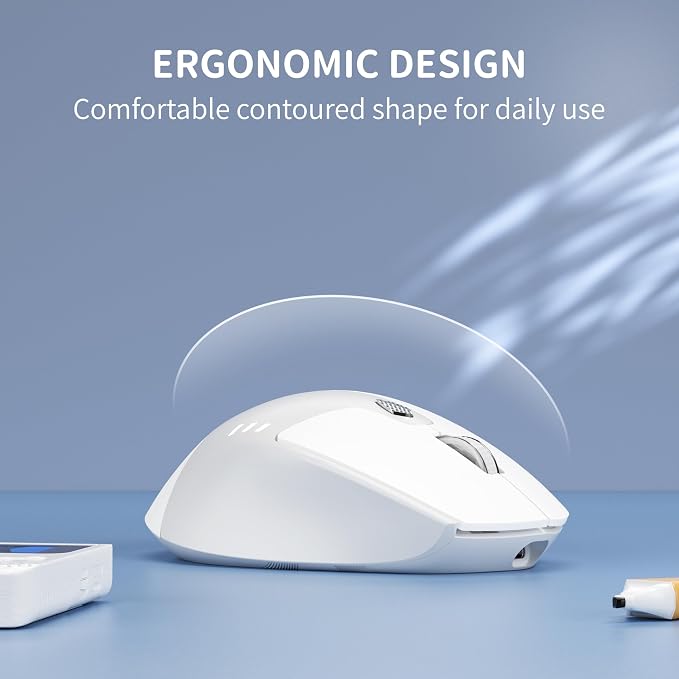
- Ergonomic Design for Comfort: The contoured shape of this wireless mouse is ergonomically designed to fit the natural curve of your hand, offers a comfortable grip for extended use.
Product description
3 Adjustable Level
Visible Battery Indicator
Silent Wireless Mouse
Portable Travel Mouse
How do i connect the mouse to Bluetooth?
How to use the Type-C adapter that included?
Where is the USB receiver?
Is the Bluetooth feature incompatible with Apple M4 chip?
TENMOS Wireless Mouse
The Bluetooth mouse offers 3 adjustable DPI levels (1000/1200/1600), allowing you to easily customize DPI to suit your preferences.
Visible battery indicator on the top of the mouse enables you to know the battery level and charge the mouse in time. Say goodbye to battery anxiety.
Quiet design for the left and right button ensures silent clicks. You can use the mouse anywhere and won’t bother others, ideal for use in public, such as library, dormitory, office and so on.
Portable design makes it easy to store in bag for traveling. It’s a good choice for taking around from home to office and business trip.
How do i connect the mouse to Bluetooth?
Turn "ON" the mouse, single tap the "Mode Switch" button to the "BT", hold for 3 seconds, blue light flashes quickly, find "BT5.1 Mouse" on your device and pair.
How to use the Type-C adapter that included?
If your devices with USB-C port, you need to insert the Type-C adapter into the device first and then insert the USB receiver into the Type-C adapter.
Where is the USB receiver?
The USB receiver is stored at the bottom of the mouse, you need to take it out.
Is the Bluetooth feature incompatible with Apple M4 chip?
Sorry, the Bluetooth feature incompatible with Apple M4 chip.