CoreDrive
Satechi 11-in-1 Thunderbolt 4 Dock 2X 4K/60Hz Displays 3 USB-A 3.2 | 100W charging 3 Thunderbolt 3 USB-A 3.2 USB-A 2.0 ports SD card reader for MacBook Air/Pro Mac Windows
Satechi 11-in-1 Thunderbolt 4 Dock 2X 4K/60Hz Displays 3 USB-A 3.2 | 100W charging 3 Thunderbolt 3 USB-A 3.2 USB-A 2.0 ports SD card reader for MacBook Air/Pro Mac Windows
Couldn't load pickup availability
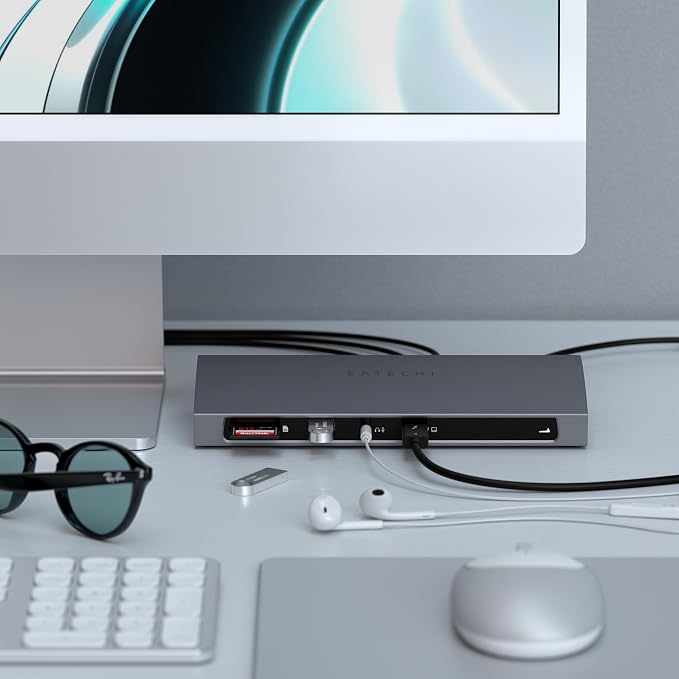
- ???????????????? ?????? ????????-?????????????????????? ???????????????????????? ? An 11-in-1 Thunderbolt 4 dock with 96W host charging, 40Gbps data transfer, dual 4K/60Hz display support (Windows), and comprehensive port expansion in a premium aluminum desktop design. - ?????????????? ???????????????? ???????? ???????????? ? Crafted from premium aluminum for efficient heat management and durable long-term use. Clean desktop footprint delivers a professional, organized workstation setup built for intensive daily workflows. - ???????????????? ?????????????????????? ?? ?????????????????????? ? Supports 96W host charging, dual 4K/60Hz displays (Windows), 40Gbps data transfer, daisy-chaining up to 6 devices, SD card reader, Gigabit Ethernet, and USB-A/USB-C ports for complete connectivity. - ?????????? ?????????????????????? ?? ?????????????????????????? ? Designed for MacBook Air/Pro and compatible with Thunderbolt 4 and USB4 Windows laptops. - ???????? ?????? ?????? ? With your purchase you'll receive a Thunderbolt 4 docking station, a Thunderbolt 4 cable, 135W Power supply, customer support, and a user manual for easy installation. Satechi products are covered by a 2-year limited warranty against defects in materials and workmanship under normal use
Product description
Thunderbolt 4 Collection
Can I use the Thunderbolt 4 Dock with older Thunderbolt 3 devices?
Does this device require firmware updates?
Does this dock come with its own power supply?
Does this dock support dual HDMI monitors?
Can my Mac Studio M1 run dual displays with the Thunderbolt 4 Dock?
Can I use the Thunderbolt 4 Dock with older Thunderbolt 3 devices?
Yes, the dock is fully compatible with Thunderbolt 3 devices. However, features such as power delivery or maximum data transfer rates may be limited to the Thunderbolt 3 specifications.
Does this device require firmware updates?
No, the Thunderbolt 4 Dock is designed for plug-and-play functionality and does not require any firmware updates. It is ready to use straight out of the box.
Does this dock come with its own power supply?
The dock provides 96W for the host device, and the rest is used for both self-power and to charge connected peripherals through the Thunderbolt 4 downstream ports found on the back.
Does this dock support dual HDMI monitors?
Yes, supports display at a maximum resolution of 4K at 60Hz. For your current setup, you will need to use a USB-C to HDMI cable. Dual display is not supported on Apple M1 or M2 Macs.
Can my Mac Studio M1 run dual displays with the Thunderbolt 4 Dock?
While the M1 and M2 MacBooks support just one external display, the M1 Mac Mini (or M1 Mac Studio) supports up to two external displays?one via the HDMI port and a second via USB-C.
Share