CoreDrive
SANWA Vertical Trackball Mouse 2.4G & Bluetooth Ergonomic Right-Hand | For Medium Hands Silent Click Programmable with Software Type-C Rechargeable Precise Thumb Control Compatible Win/ Mac
SANWA Vertical Trackball Mouse 2.4G & Bluetooth Ergonomic Right-Hand | For Medium Hands Silent Click Programmable with Software Type-C Rechargeable Precise Thumb Control Compatible Win/ Mac
Couldn't load pickup availability
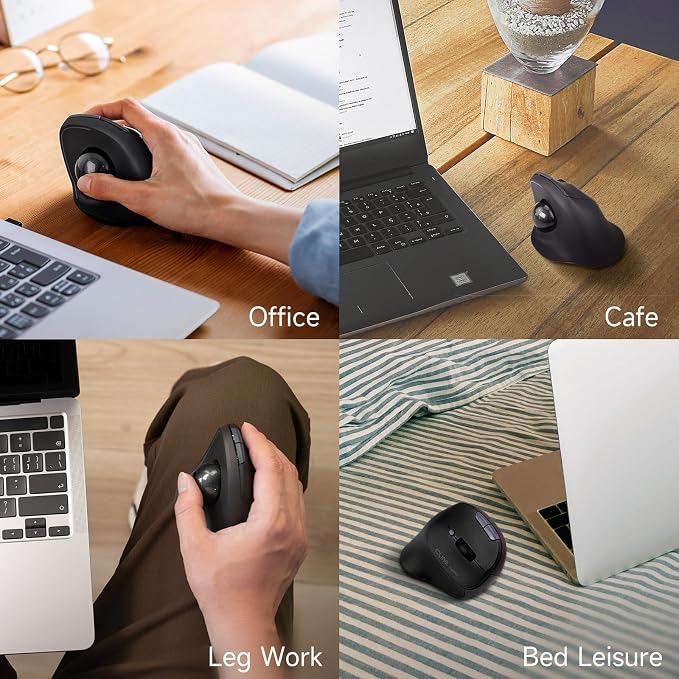
- Vertical Ergonomic Design - Crafted with a technical 54° vertical angle, this ball mouse keeps your wrist and hands in a natural postures for comfortable grip. Help to relieve wrist strain, muscle stiffness & tension, and reduce fatigue during long hours of work. 34mm trackball, move the cursor accurately without shifting your hand. Say goodbye to repetitive wrist movements. - Dual Wireless Modes for Multitasking - Switch effortlessly between 2 connected devices using the 2.4GHz USB receiver or Bluetooth mode. A convenient button on the bottom lets you jump between your computer, tablet, or laptop?perfect for multitasking professionals. Have a bottom USB dongle storage slot to prevent loss when not in use. - Silent Clicks & 3 DPI Adjustable - Enjoy quiet clicks that won't disturb your surroundings, whether you're working late at night or in a shared space. 3 DPI settings: 800/1200/1600 allows fine-tune of your cursor speed for smooth, accurate control. This thumb mouse adopts advanced Blue LED sensor, and ruby tracking point & smooth trackball, shows superior tracking on a wider range of surfaces and higher precision than red sensor. - Customizable Buttons & Quick Web Navigation - You can download SANWA software to remap the buttons on this computer trackball to boost productivity. Features forward/backward navigation keys?ideal for browsing the web or managing documents. Rechargeable ergo mouse, come with auto sleep function for energy saving after long-time no working. Click the left/right button to awake the mouse. - Wide Compatible System - SANWA wireless roller ball mouse is compatible with Windows 11/10/8.1/8, Mac OS 12/11/10.14~10.15, Chrome OS, Android 8~12、iPad OS13~16、iOS13~16,and the versions below. Great idea for limited space, not only work on flat surfaces but also on your leg, sofa, bed, carpet, etc. Come with 1-year warranty and lifetime technical support.
Product description
3 Level DPI Switchable
Detachable Trackball Design
Accurate Track Positioning
Charging Cable on Package
How to charge the mouse and check the charging status?
Why the mouse doesn’t work in 2.4G mode?
My trackball does not Work Smoothly?
Failure to download the programmable software?
Mouse cursor jumps, lags, or moves slowly?
SANWA Trackball Comparison
Easily switch between 800, 1200, and 1600 DPI. From precise tasks to quick browsing, adjust your speed to match your workflow with one click.
Smooth and accurate tracking. Glide effortlessly and enjoy precise control for work, browsing, and gaming.
Pinpoint precision at your fingertips! Enjoy accurate track positioning for flawless control and effortless navigation.
Please use the original charging cable. This mouse does not support fast charging.
How to charge the mouse and check the charging status?
1. Before first use, charge fully. LED turns red while charging and turns off when complete.
2. Use the included cable. Fast charging is not supported.
Why the mouse doesn’t work in 2.4G mode?
1. Check if the mouse is still paired, the switch is set to 2.4G mode, and the power is on.
2. If the battery is low, recharge it fully before trying again.
My trackball does not Work Smoothly?
Causes: 1. Dust, hair, or grease on the ball or support beads. 2. Dust on the optical sensor or beads affecting detection.
Solution: Remove the ball, clean ball and beads with lint-free cloth, and clean the sensor gently. Avoid use in dusty areas.
Failure to download the programmable software?
Check for typos or missing characters in the download information. If this does not work, we will tackle it for you.
Mouse cursor jumps, lags, or moves slowly?
1. Adjust DPI?high DPI may cause jumps, low DPI moves slowly.
2. Test on another device to rule out system issues.
Share