CoreDrive
RedThunder Wireless One-Handed Gaming Keyboard 2.4Ghz RGB Backlit Mini Gaming Keypad Rechargeable 2000mAh Battery for PC Gamer
RedThunder Wireless One-Handed Gaming Keyboard 2.4Ghz RGB Backlit Mini Gaming Keypad Rechargeable 2000mAh Battery for PC Gamer
Couldn't load pickup availability
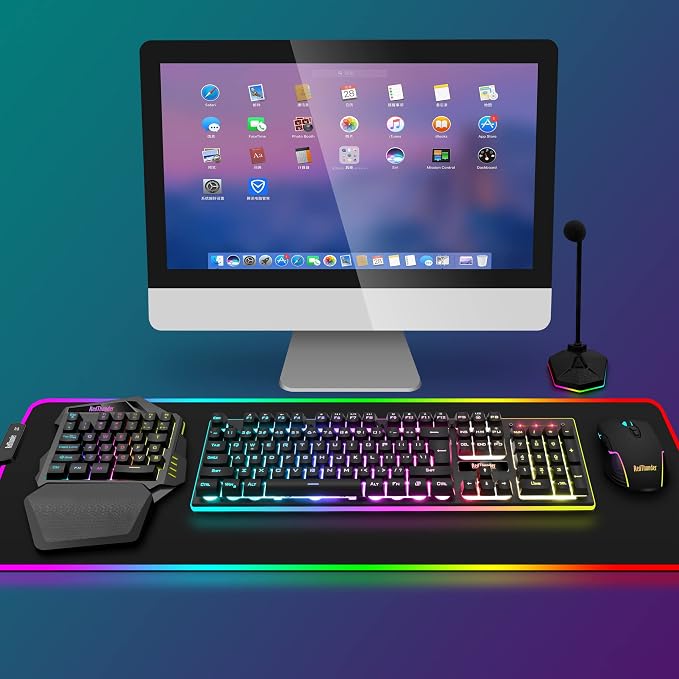
- 【2.4GHz Wireless Freedom |Total Mobility】Not Bluetooth. Say goodbye to cable clutter. The high-speed 2.4GHz wireless transmission delivers ultra-low latency response and stable connectivity, ensuring every keystroke registers instantly during fast-paced gameplay. Note: Insert the USB receiver and turn on the power switch before use?no complex pairing, just plug, play, and dominate(Note: Use only after inserting USB receiver and turning on switch). - 【2000mAh Rechargeable Battery | 20 Hours Non-Stop Gaming】Power your marathons without frequent recharges. The built-in 2000mAh lithium battery provides 15?20 hours of continuous use with RGB backlight on (up to 30 hours with lights off). Recharge via detachable Type-C cable (full charge in 8 hours)?charge overnight, game all day. Smart auto-sleep mode (activates after 6?8 minutes of inactivity) preserves battery life. Note: Only charge via DC 5V PC port; avoid incompatible high-voltage chargers. - 【35-Key One-Handed Layout | Compact & Game-Optimized】Optimized for left-hand gaming, the portable 40% 35-key layout packs all essential keys: WASD movement, Tab, Shift, Ctrl, Alt, and multimedia shortcuts (play/pause, volume up/down, mute). Full anti-ghosting technology ensures accurate simultaneous key presses?critical for combos and quick maneuvers. Lightweight and compact, it fits easily in backpacks for LAN parties or travel. Note: This is a gaming keypad, not a full keyboard?ideal for gaming, not for daily typing. - 【7-Color RGB Backlight | Immersive & Customizable】Customize your gaming setup with vibrant RGB lighting. Choose from 7 static colors or dynamic breath mode with adjustable brightness and speed. The eye-catching glow adds atmosphere to your gaming station and helps you locate keys in low-light environments?perfect for late-night sessions. - 【Ergonomic Comfort | All-Day Gaming Without Fatigue】 the integrated large wrist rest uses textured ABS material with an ergonomic slope, providing firm wrist support and reducing strain. Non-slip rubber pads on the bottom keep the keypad stable during intense use. The sleek, durable construction withstands daily wear and tear, making it a reliable choice for casual and hardcore gamers alike.
Product description
Note
The switch and the charging port are located above the mini gaming keyboard independently. It can be unaffected by the switch and charging position when playing games.
The one-handed mini keyboard wrist rest is ergonomically designed with ABS material and pattern texture, so that you are no longer tired and more comfortable to use.
The cool RGB will bring an immersive gaming experience. When you do not use the one-handed gaming keyboard for 6~8 minutes, it will automatically turn off and appropriately reduce the number of charging times and charging time.
1. Use only after inserting USB receiver and turning on switch. The keyboard RGB lights will light up only when the receiver is plugged in
2.The USB receiver is located in a small bag.
3. Please fully charge it before the first use, otherwise it will not last as long as expected when it is not fully charged. (Because we didn't fully charge the keyboard/mouse before shipment to ensure transportation safety)
4. No software installation is required before using the keyboard, just plug the USB receiver into the USB port and turn the switch to the ON position.
5. There will be a little delay or the lights will not turn on when the keyboard/mouse battery is too low, please charge the keyboard/mouse in time, the charging indicator will go off after full charge.
6. To protect battery life, please use a lower than DC:5V adapter to charge, preferably using the computer's USB port to charge directly. Due to the different currents of different computer USB charging ports, some users may need longer charging time to fully charge.
7. Turning off the keyboard light can extend the battery life of the keyboard moderately.
8. For RGB lighting adjustment, some shortcut keys and other information about the product, please refer to the user manual. Of course, you can also press FN key and the key with the function icons button yourself to try out different functions.
9. If the keyboard is not working, they may lose connection with the USB receiver. Please try pairing with the USB receiver again.
Keyboard pairing steps: Make sure the keyboard fully charged and re-pair with the USB receiver. Step 1: Turn on the keyboard switch; Step 2: Press and hold the ESC key and the Q key at the same time; Step 3: After 3 seconds, insert the receiver into the computer, and pairing is complete.
10. If you have any problem, please tell us at the first time, we will try our best to solve it.
Share