- 20 On-the-Fly Macro Keys, No Software Required - A dedicated 4x5 macro zone plus media controls let you record combos or adjust volume and tracks instantly, without installing anything first.
- Switch Devices Without Re-Pairing, Zero Lag - Tri-mode connectivity jumps between USB-C, Bluetooth, and 2.4GHz wireless, so you can move from PC to laptop to tablet without sacrificing speed.
- 30% Slimmer for Faster Actuation - A low-profile design throughout the switches and keycaps shortens travel distance, so keystrokes register quicker and typing feels lighter on your wrists.
- One-Touch Win/Mac Switch Meets Crisp Tactile Feedback - Toggle instantly between operating systems, while stock Blue switches deliver responsive feedback for gaming or typing.
- Pro Software for Even Deeper Customization - Remap any key and set infinite keybinding combinations, plus design your own 16.8 million-color lighting effects.
Product description
Superb RGB For Gamer
Solid Use Durability
What is the difference between low-profile switches and standard switches?
Troubleshooting for wired mode
Troubleshooting for common keyboard situations
How do I use the software?
Why won't my keyboard connect via Bluetooth?
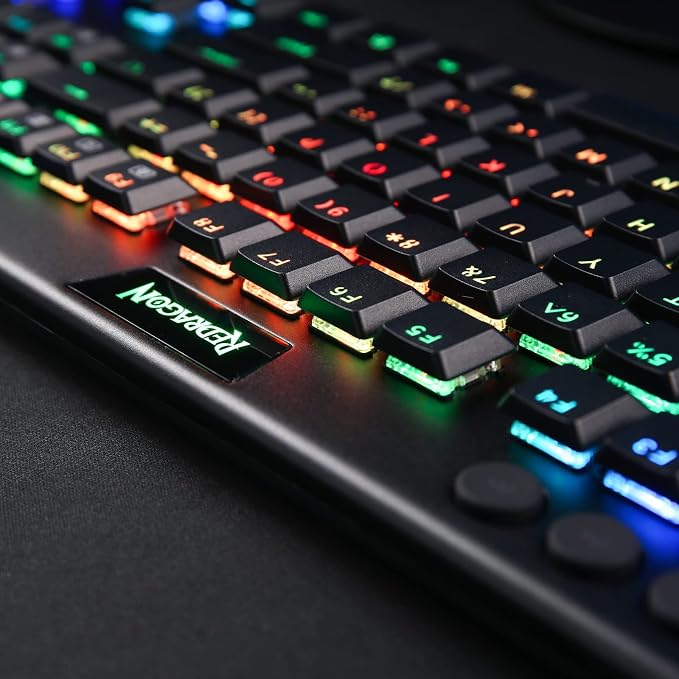
Up to 20 preset vibrant backlight modes can be adjusted easily by onboard keys and software, the brightness is also adjustable by scroll section. Redragon logo filled with sync RGB colors offers extra active buff for the gamer.
Equipped with an advanced dependable battery, the keyboard provides a prolonged using time in wireless mode. Low battery indicator makes sure the keyboard will always online if you don't forget to recharge.
What is the difference between low-profile switches and standard switches?
Low-profile switches feel slimmer and require less key travel, making them faster and lighter to press. Standard switches have a taller profile with deeper key travel, giving a more traditional, solid, and tactile typing feel.
Troubleshooting for wired mode
If the keyboard is not recognized by the computer when using a wired connection, please try replacing the USB cable, USB port, and device for testing.
Troubleshooting for common keyboard situations
If you encounter any issues while using the keyboard, you can reset it by holding Fn + ESC for 3 seconds or by performing a reset in the software.
How do I use the software?
On Windows, use the software in wired mode. Turn the switch OFF and plug in the cable.
Why won't my keyboard connect via Bluetooth?
Make sure it's charged, reset it (Fn + ESC), turn switch to BT then reconnect(press FN+1/2/3).