CoreDrive
Plugable USB C Laptop Docking Station Dual Monitor 4K 60Hz for Apple Mac M1/M2/M3/M4/M5Neo 2X HDMI or DisplayPort for MacBook 100W Charging DisplayLink Dock Driver Install Required (UD-6950PDH)
Plugable USB C Laptop Docking Station Dual Monitor 4K 60Hz for Apple Mac M1/M2/M3/M4/M5Neo 2X HDMI or DisplayPort for MacBook 100W Charging DisplayLink Dock Driver Install Required (UD-6950PDH)
Couldn't load pickup availability
- 14-in-1 Dock for Mac: Premium aluminum housing with space gray finish; supports 2x 4K monitors in HDMI, DisplayPort or both, front-facing USB-C and USB port for charging, 3 additional USB 3.0 ports, SD and microSD card readers, 3.5mm headset jack, Ethernet, and 100W charging - Enable Dual 4K Displays on M1-M5 Macs: Enable 2x 4K 60Hz monitors via HDMI and DisplayPort?even on Macs and Neo devices that natively support only one external display. Perfect for productivity-driven environments like business workstations, teaching stations, and healthcare documentation setups - Work around Mac Display Limits: Some Macs only support a single extended monitor. Named the Best DisplayLink Dock for MacBook by Macworld, this USB-C dock uses DisplayLink technology to circumvent display limitations. It’s an ideal solution for multitaskers and M1/M2/M3/M4/M5/Neo MacBook, MacBook Air, and MacBook Pro users - Ideal for Office and Hybrid Work Setups: Compatible with macOS 11+, Windows 10+, and ChromeOS 100+ on supported Thunderbolt, USB4, or USB-C systems. Requires driver installation for full functionality. HDCP not supported - Lifetime Support: This MacBook docking station has been designed with reliability at its core and was built to meet the deployment demands of IT departments and the ease of use necessary for home offices. Includes lifetime support from our North American team of connectivity experts
Product description
macbook neo docking station
How to download displaylink
Does the UD-6950PDH support dual 4K@60Hz monitors in addition to any laptop displays?
Do I need to install software in order to use the device and connect my external monitors?
Is the Playback of Copy-Protected or Encrypted Video Content Supported on macOS while using the UD-6950PDH?
I plugged into the front USB-C and nothing happened. Why?
When installing DisplayLink software on my Mac, why is it necessary to grant ‘Screen Recording’ permission?
Plugable Docking Stations
Does the UD-6950PDH support dual 4K@60Hz monitors in addition to any laptop displays?
Yes, this dock allows for two additional 4K@60Hz displays to be connected via HDMI, DisplayPort, or a combination of both.
Do I need to install software in order to use the device and connect my external monitors?
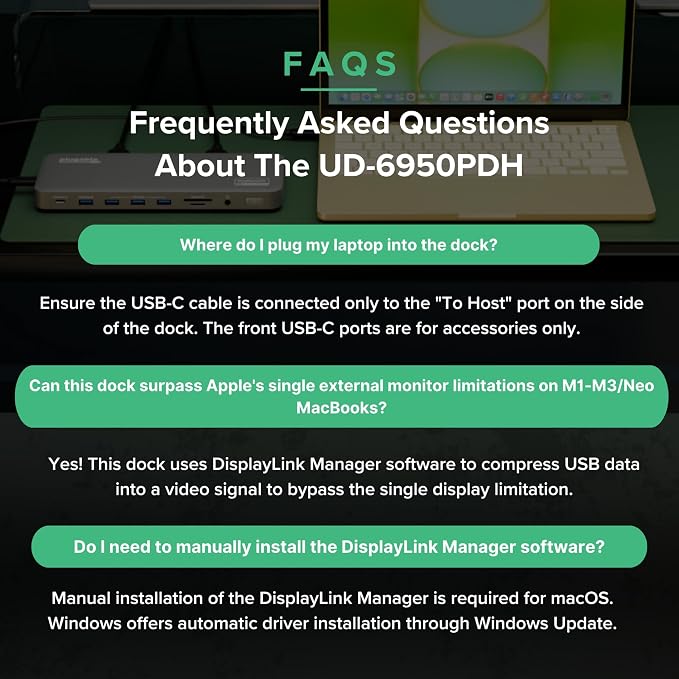
Yes, DisplayLink software is required for the UD-6950PDH to display an image. Manual installation is required for macOS, Windows installation is typically automatic. We recommend installing the latest DisplayLink software for the best performance.
Is the Playback of Copy-Protected or Encrypted Video Content Supported on macOS while using the UD-6950PDH?
No, HDCP (High-bandwidth Digital Content Protection) is not supported on macOS when this docking station is connected. HDCP content will not play on any displays, including the built-in display or those connected directly to the computer.
I plugged into the front USB-C and nothing happened. Why?
The front USB-C port is for accessories and peripheral charging only (wireless earbuds, keyboards, phones). The USB-C port on the side of the dock is the host connection
When installing DisplayLink software on my Mac, why is it necessary to grant ‘Screen Recording’ permission?
macOS requires "Screen Recording" for the DisplayLink driver to work properly. Approving it enables the driver to send data over USB from your computer to the DisplayLink-powered display. No data, images, or pixels are being stored or recorded.
Share