CoreDrive
Plugable USB C Hub Multiport Adapter: 9-in-1 with 140W PD Charging 4K 60Hz HDMI 10Gbps Data Transfer Gigabit Ethernet SD for USBC USB4 Thunderbolt MacBook Windows Chromebook (USBC-9IN1E)
Plugable USB C Hub Multiport Adapter: 9-in-1 with 140W PD Charging 4K 60Hz HDMI 10Gbps Data Transfer Gigabit Ethernet SD for USBC USB4 Thunderbolt MacBook Windows Chromebook (USBC-9IN1E)
Couldn't load pickup availability
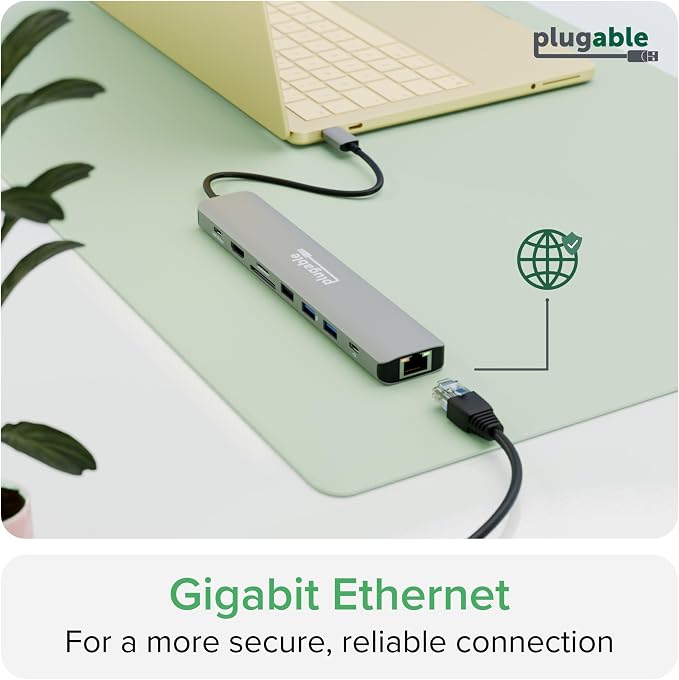
- 9-in-1 Portable Dock for MacBook Neo & More: Named Macworld’s Best Overall USB-C Hub 2026, this compact hub turns one USB-C port into a more capable workspace with 4K 60Hz HDMI, 140W pass-through charging, 10Gbps USB-C, 2x USB-A 10Gbps ports, USB 2.0 for keyboard or mouse, Gigabit Ethernet, and SD/microSD (UHS-II) card readers. Works with MacBook Neo, MacBook Air, and many other full-featured USB-C laptops running macOS, Windows, or ChromeOS. - Fast 140W Charging: Supports up to 140W input / 125W output to your laptop when used with a PD 3.1 EPR charger and cable. The hub uses 15W to power its ports, so actual charging depends on your laptop, charger, and cable. Most PD 3.0 systems typically charge at up to 100W input / 85W to host. - 4K 60Hz HDMI Display: Connect one external display at up to 4K 60Hz for a bigger, smoother workspace for school, streaming, spreadsheets, and everyday productivity. Important: your laptop’s USB-C port must support DisplayPort Alt Mode for HDMI video output. - Works with Modern USB-C Laptops: Compatible with many USB-C, USB4, and Thunderbolt 3/4/5 systems that support Power Delivery and DisplayPort Alt Mode, including MacBook Neo, MacBook Pro/Air, Dell XPS, HP, Lenovo, Surface, Chromebook, and more. Plug-and-play with macOS, Windows, ChromeOS, and Linux. No drivers required. - Compact Design, Lifetime Support: A portable USB-C dock built for students, first-time Mac users, home offices, and travel-friendly setups. The built-in 7.48-inch cable is best suited for close-to-laptop desk use. Backed by lifetime support from Plugable’s North American team of connectivity experts.
Product description
9 port hub
Tech Specs
How much power can the USBC-9IN1E provide to charge my device?
Why doesn’t the HDMI port work with my laptop?
Can I use this with my MacBook/iMac, Windows, or ChromeOS host?
Do I need to install software in order to use the device?
Can I connect a USB-C monitor to this hub?
Compare Plugable Multiport Adapters
Plugable USBC-9IN1E is a 9-in-1 USB-C hub for school, home office, travel, and everyday productivity, with up to 140W PD 3.1 input / 125W to host and support for 1x 4K 60Hz HDMI display. It’s a strong fit for students, first-time Mac users, families, and other everyday productivity users.
OS: Windows 10/11, macOS 11+, ChromeOS 100+, Linux
Host Port: Full-featured USB-C with PD + DP Alt Mode, or USB4 / Thunderbolt 3 / 4 / 5
Display: 1x 4K 60Hz HDMI
Power: Up to 140W input / 125W to host on EPR; 100W input / 85W on SPR
How much power can the USBC-9IN1E provide to charge my device?
The hub accepts up to 140W input, with 125W available to charge your laptop (using a PD 3.1 host and EPR charger). Most laptops and chargers support up to 100W input (85W to laptop). Charging speeds depend on your device and charger.
Why doesn’t the HDMI port work with my laptop?
Your laptop’s USB-C port must support DisplayPort Alt Mode for HDMI video output. If it does not, the hub’s HDMI port will not work. When supported, it can drive one external display up to 4K at 60Hz
Can I use this with my MacBook/iMac, Windows, or ChromeOS host?
USBC-9IN1E is compatible with any macOS, Windows, or ChromeOS device that supports USB Type-C (with USB Alt Mode and Power Delivery), USB4, Thunderbolt 3, Thunderbolt 4, or Thunderbolt 5. For HDMI, your system must support DisplayPort Alt Mode.
Do I need to install software in order to use the device?
No, the USBC-9IN1E does not require any drivers to download or install, but we do recommend updating all system drivers to avoid any compatibility issues.
Can I connect a USB-C monitor to this hub?
No, the two USB-C ports are for passthrough USB-C Power Delivery charging and 10Gbps USB data only. Video output from the USB-C PD input and 10Gbps USB-C ports is not supported.
Share