CoreDrive
Plugable 7-in-1 USB-C DisplayLink Dock – Dual 4K 60Hz HDMI USB-C & USB-A (10Gbps) SD Card Gigabit Ethernet 100W PD Charging – Compatible with macOS & Windows MacBook Dual Monitor Support
Plugable 7-in-1 USB-C DisplayLink Dock – Dual 4K 60Hz HDMI USB-C & USB-A (10Gbps) SD Card Gigabit Ethernet 100W PD Charging – Compatible with macOS & Windows MacBook Dual Monitor Support
Couldn't load pickup availability
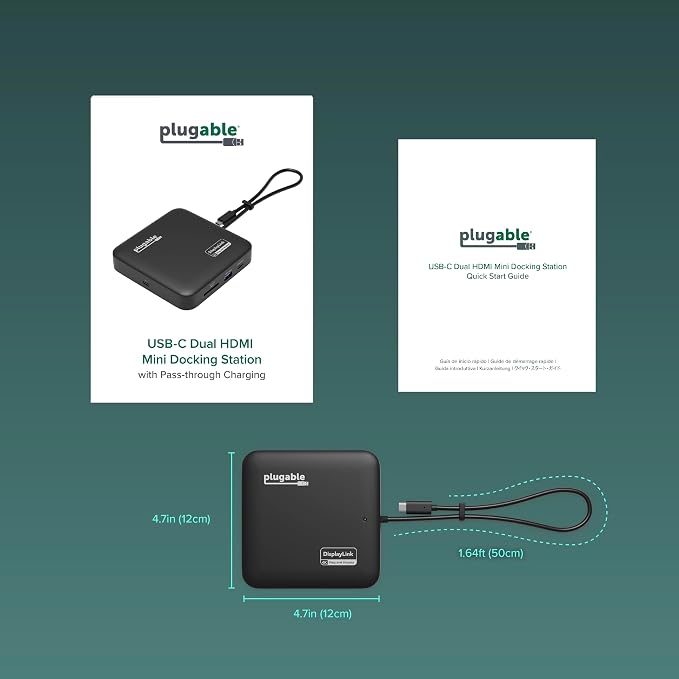
- 7-in-1 Compact Docking Station: Simplify your workspace with the Plugable DisplayLink docking station designed for Windows and macOS. This laptop docking station adds 2x HDMI outputs, USB-A, USB-C, Gigabit Ethernet, and an SD slot with dual-lane SDR104/DDR support via the GL3232S chipset for quick file transfers. All in a compact, travel-ready design. Supports up to 82W pass-through charging for laptops via USB-C. - Dual 4K Extended Displays: This DisplayLink dock uses DisplayLink technology to output two extended 4K 60Hz HDMI displays, even on systems without native dual video support. Ideal for productivity, presentations, and multitasking across two screens. A DisplayLink driver is required for dual display functionality (automatically installed on Windows; manual software installation required on macOS). - USB-C Power Delivery: For systems that charge via USB-C, plug your laptop’s power adapter directly into the dock to keep your system powered while connected. The dock accepts up to 100W from a power adapter, providing up to 82W pass-through to the host. Compatible with USB-C power adapters from 45W to 100W. Charging performance depends on both your laptop and charger capabilities. - Compatibility: Works with Windows 10+, macOS 11+, Thunderbolt 3-5, and USB4 systems. Fully compatible with MacBooks, including Apple Silicon (M1-M5) and MacBook Neo. Supports dual extended displays through DisplayLink technology. The DisplayLink driver required. Works with HDMI portable monitors using separate USB-C power; USB-C-only portable displays are not supported. Not compatible with HDCP protected video playback, gaming, or 3D rendering. - 2-Year Coverage, Lifetime Support: Every Plugable product, including this docking station dual monitor, is covered against defects for 2 years and comes with lifetime support. If you ever have questions, contact our North American-based team - even before purchase.
Product description
How to download displaylink software
Do I need to install software in order to use this device?
When installing DisplayLink software on my Mac, why is it necessary to grant ‘Screen Recording’ permission?
Does this dock allow for two displays even on base Apple M-Series Macs that can only support a single display normally?
Can I connect a portable USB Type-C display to the docking station?
Does this docking station support HDCP for streaming protected content?
Plugable Docks
Do I need to install software in order to use this device?
Yes, DisplayLink software is required. For macOS we recommend following our step-by-step installation guide, and for Windows install from Windows Update (internet connection required) or manually from our download page.
When installing DisplayLink software on my Mac, why is it necessary to grant ‘Screen Recording’ permission?
macOS requires “Screen Recording” for DisplayLink to send display data over USB. No data is saved or recorded. Without DisplayLink, only the Alt Mode HDMI port works. IT-managed systems may need admin approval to install drivers.
Does this dock allow for two displays even on base Apple M-Series Macs that can only support a single display normally?
Yes. Enabled by DisplayLink technology, USBC-6950PDZ can connect two displays even if the computer supports only one display output on its own. DisplayLink Manager installation required on Mac.
Can I connect a portable USB Type-C display to the docking station?
No, this docking station supports only HDMI displays, many portable displays include a mini-HDMI port and cable for connecting to this docking station, these will require a secondary power supply (typically USB Type-C) to power the display.
Does this docking station support HDCP for streaming protected content?
No, we recommend this docking station for office and browser based workflows, High-bandwidth Digital Content Protection is not supported which may prevent some streaming video from playing back correctly or at all.
Share