CoreDrive
Plugable 13-in-1 USB C Docking Station 4K Triple Monitor with 100W Power Delivery | USB C Dock for Windows Mac ChromeOS Thunderbolt | Driver Required | 3X HDMI and 3X DisplayPort (UD-ULTC4K)
Plugable 13-in-1 USB C Docking Station 4K Triple Monitor with 100W Power Delivery | USB C Dock for Windows Mac ChromeOS Thunderbolt | Driver Required | 3X HDMI and 3X DisplayPort (UD-ULTC4K)
Couldn't load pickup availability
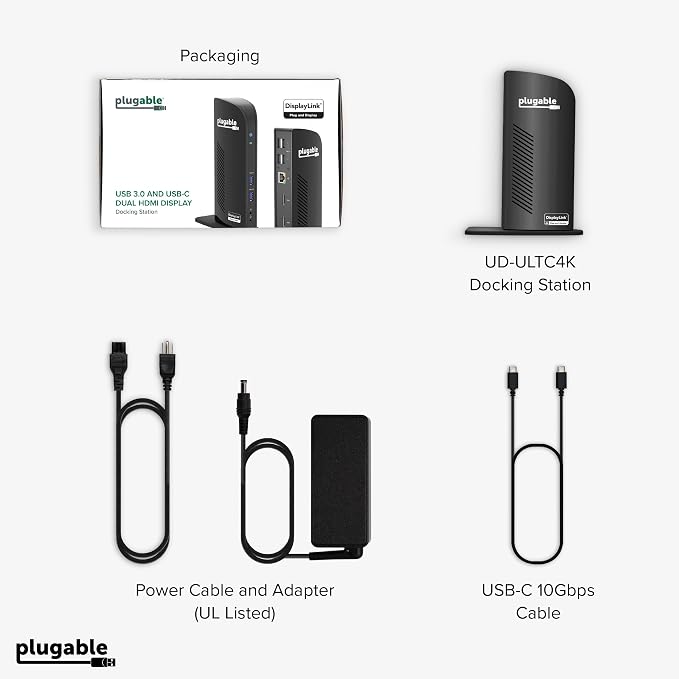
- Award-Winning 13-in-1 Dock for Complete Workstations: Named “Best Docking Station 2025” by How-To Geek, the Plugable UD-ULTC4K turns a compatible laptop into a complete multi-monitor workstation. Connect displays, USB accessories, Ethernet, audio, SD cards, and laptop charging through a single 10Gbps USB-C connection. - Triple 4K Display Support: Drive up to three 4K 60Hz monitors - ideal for IT deployments, financial analysts, and developers who need serious screen real estate. With 3× HDMI and 3× DisplayPort outputs, mix and match display connections without extra adapters or dongles. - 100W Laptop Charging + 20W Accessory Charging: Charge your laptop through the rear USB-C host connection with up to 100W Power Delivery, 96W certified. The front USB-C port is for accessories only, supporting up to 10Gbps data transfer and up to 20W charging for compatible phones, tablets, and peripherals. - Compatibility & Setup Requirements: Compatible with supported Windows 10 or later, macOS 11+, and ChromeOS 100.x or later systems with Thunderbolt, USB4, or USB-C. DisplayLink drivers are required on macOS. Screen Recording permission is required by the driver to enable external displays; no screen recording occurs. - Built for Productive Workspaces + Lifetime Support: Designed for office productivity, hybrid work, and IT deployments that need multiple displays, wired Ethernet, USB expansion, and reliable laptop charging. HDCP is not supported, so protected streaming content may not play on connected displays. Includes lifetime support from Plugable’s North American team of connectivity experts.
Product description
UD-ULTC4K Video Overview
Tech Specs
Do I need to install software in order to use the device?
When installing DisplayLink software on my Mac, why is it necessary to grant ‘Screen Recording’ permission?
Does this dock allow for three displays even on base M1, M2, or M3 Macs?
Which USB-C port on the dock can be used to connect my computer?
Why aren’t all three displays connecting to my dock?
How to install driver on macOS
How to Install DisplayLink on macOS
Plugable Docking Station
Do I need to install software in order to use the device?
Yes, DisplayLink software is required for the UD-ULTC4K for full functionality. Manual installation is required for macOS, Windows installation is typically automatic. We recommend installing the latest DisplayLink software for the best performance.
When installing DisplayLink software on my Mac, why is it necessary to grant ‘Screen Recording’ permission?
macOS requires "Screen Recording" for the DisplayLink driver to work properly. Approving it enables the driver to send data over USB from your computer to the DisplayLink-powered display. No data, images, or pixels are being stored or recorded.
Does this dock allow for three displays even on base M1, M2, or M3 Macs?
Yes. Enabled by DisplayLink technology, UD-ULTC4K can connect three displays even if the computer supports only one display output on its own. DisplayLink Manager installation required on Mac.
Which USB-C port on the dock can be used to connect my computer?
The USB-C port on the rear of the dock is dedicated for connecting your laptop. The front port is a hub port only, so it doesn’t work to connect a computer to the dock.
Why aren’t all three displays connecting to my dock?
Please confirm your laptop’s USB-C port supports video output (Alt mode), and that you have the DisplayLink driver/software installed.
Note - macOS requires ‘Screen Recording’ permission for the DisplayLink software to work. Granting this permission enables sending data from your computer over USB to the HDMI outputs. No data, images, or pixels are being stored or recorded.
Share