CoreDrive
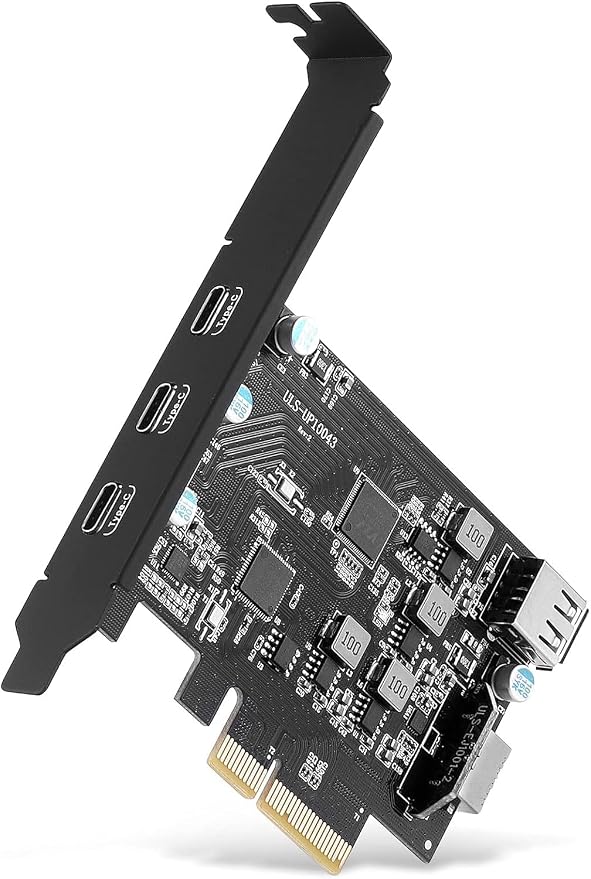
PCI-E to USB 3.2 Expansion Card3.2 gen2 10Gpbs (3X USB C 1x USB A 1x USB Type E A Key) USB C PCI Express Card A-Key 20 Pin Header for Type C Front Panel Mount Adapter
PCI-E to USB 3.2 Expansion Card3.2 gen2 10Gpbs (3X USB C 1x USB A 1x USB Type E A Key) USB C PCI Express Card A-Key 20 Pin Header for Type C Front Panel Mount Adapter
Couldn't load pickup availability
- 【5 Ports USB Expansion Card】 Add 3 USB C 3.2 gen 2,1 internal USB A 2.0 and 1 USB E 10Gpbs ports to the PC via PCIe slot. Can Connect multiple devices at the same time, USB 2.0 can use some devices that need power supply inside the case, USB E can be connected to the USB C interface on the front panel of the case - 【Fast and efficient USB 3.2】3 USB C 3.2 Ports, Support up to 10Gbps transmission speed, Transfer videos, photos, files, etc. between the USB device and the computer to achieve higher efficiency. - 【Wide Compatibility】 This PCIE expansion card compatible with PCIE 3.0 PCIE 2.0 and PCIE 1.0 motherboards, Operating System Supports Windows 7, 8, 10, MacOS, Linux. Note:Win 10/8 MacOS 10.9 Linux does not need any driver,Windows 7 requires installing a driver and you can find the driver on the CD provided by us. - 【Easy to install】1.Turn off the computer power, then remove the cover from the computer case.2.Find the corresponding PCI-E card slot.3.Insert the card into a empty PCI Express slot.4.Lock the screw. - 【Safe and Stable】 Explosion-proof capacitors are made of polymer dielectric materials,Each interface is equipped with a voltage-regulating capacitor.Can provide good temperature control during operation and ensure stable power supply for each interface.
Product description
SINEFINE PCI-E to USB 3.2 Expansion Card,3.2 gen2 10Gpbs (3X USB C, 1x USB A, 1x USB Type E A Key)
NOTE:
Technical Specifications:
Compatible Devices
Support Motherboard:
Not Support Motherboard:
Frequently Asked Questions (FAQs)
1. Question : I installed the card, but it doesn't show up in device manager. Nor does it work with any of the USB devices I have plugged in. Driver installation claiming device missing?
2. Question: Mouse or keyboard plugged into these ports will go to sleep?
3. Question: The USB-A slot is too close to the top of the expansion slot. You'll have to make some minor adjustments to get your USB's in and out
Because they will hit the upper part of the chassis slot every time
4. Question: The card works very slowly. Over 100 MByte/s not included - versus the theoretically possible 400+ MByte/
5. Why 10Gbps speed not achieved?
6. Why is this USB 3.2 port detected as USB 3.1 by the computer system?
Share