CoreDrive
Mobile Pixels Duex Float 2 Pro 16 2.5K Portable Laptop Monitor | Ultra-Thin Laptop Screen Extender with Built-in Kickstand USB-C/HDMI Plug and Play Built-in Speakers for Mac Windows
Mobile Pixels Duex Float 2 Pro 16 2.5K Portable Laptop Monitor | Ultra-Thin Laptop Screen Extender with Built-in Kickstand USB-C/HDMI Plug and Play Built-in Speakers for Mac Windows
Couldn't load pickup availability
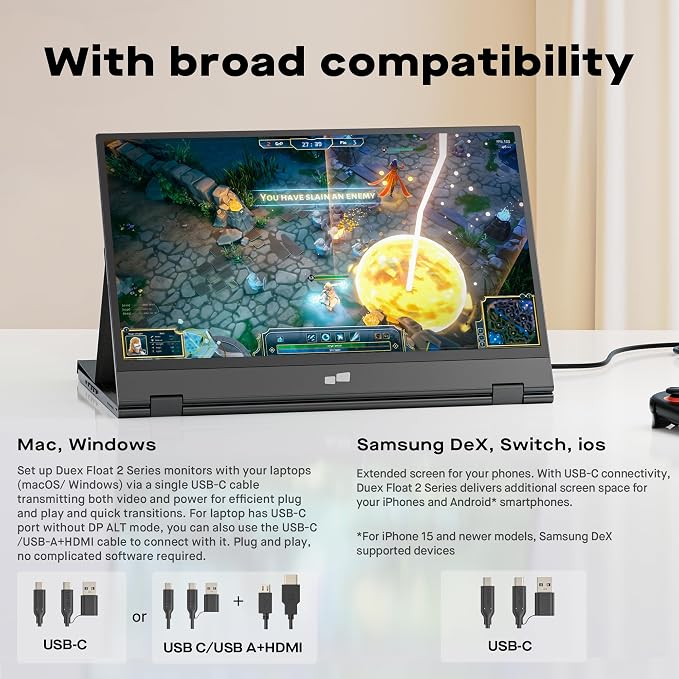
- New 16" 2.5K Portable Stacked Screen: Enjoy stunning visuals on a 16-inch anti-glare 2.5K (2560x1600) display with 100% sRGB color, offering sharp details and vibrant accuracy for work and entertainment - All-in-One Connectivity Hub: Features two USB-C ports (supporting 65W pass-through charging) and a mini HDMI port for universal compatibility with laptops, phones, and gaming consoles in seconds - Ultra-Portable & Stacked Design: Our innovative stacked design makes it 33% lighter and 20% thinner than before, effortlessly fitting in your bag alongside your laptop for true on-the-go productivity - 3-Mode Versatile Stand: Switch seamlessly between Stacked, Presentation, and Free-Standing modes using the redesigned built-in kickstand, optimizing your workspace for any task or environment - Complete Mobile Office: More than a second screen, it's a portable workstation with built-in stereo speakers, an anti-glare screen, and plug-and-play setup, maximizing efficiency anywhere
Product description
What is the main difference between the Duex Float 2 and the Float 2 Pro?
How is the screen held in place when used in the "Stacked Mode" on top of my laptop?
Does the "pass-through charging" mean I can charge my laptop through the monitor?
Can I use this monitor with a laptop that only has HDMI, not USB-C?
Highest-Rated Mobile Pixels Laptop Monitor for Professionals
What is the main difference between the Duex Float 2 and the Float 2 Pro?
The Duex Float 2 Pro features a superior 16" 2.5K display with 100% sRGB color, while the standard Duex Float 2 offers a 15.6" 1080p screen. Both share the same ultra-portable design and core features.
How is the screen held in place when used in the "Stacked Mode" on top of my laptop?
The portable monitor is designed to rest securely on your laptop lid using its stable base and low center of gravity. For a stronger hold, four included adhesive magnets can be attached to your laptop lid.
Does the "pass-through charging" mean I can charge my laptop through the monitor?
Yes. It charges your connected device. The 65W USB-C port transmits power from your charger (plugged into the monitor) to your laptop, delivering video and charging simultaneously.
Can I use this monitor with a laptop that only has HDMI, not USB-C?
Absolutely. The package includes a mini HDMI to HDMI cable. Connect this from the monitor's mini HDMI port to your laptop's standard HDMI port for video. You may need a separate cable for power, depending on your laptop.
Share