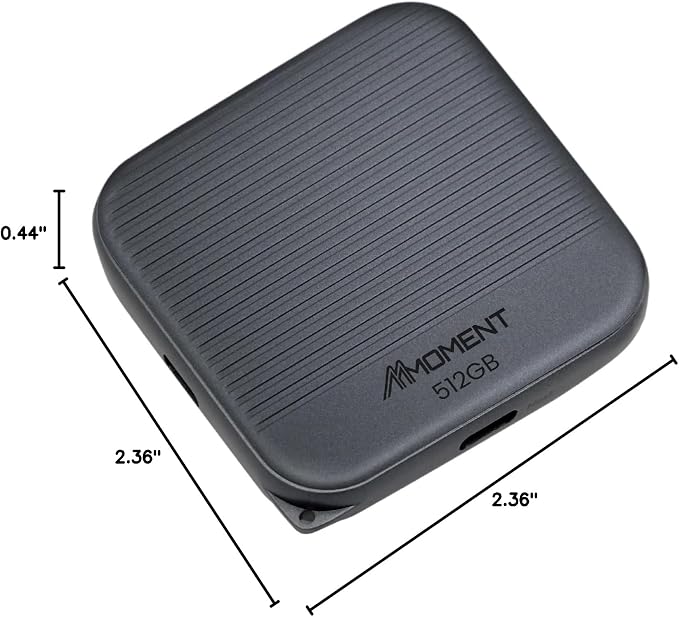
- 1TB SSD-Class Speed ? USB 3.2 Gen2 Type-A, up to 1000MB/s read and 800MB/s write
- Built for Professionals ? Ideal for system imaging, 4K editing, large file transfer
- Sleek & Durable ? Compact flash drive design with performance-grade components
- Universal Compatibility ? Works with Windows, macOS, Linux, consoles, and car stereos
- Made in Taiwan ? Trusted quality from a professional storage manufacturer
Product description
Ultra-High Speed Performance
High-Performance for Creators and Gamers
Efficient Storage for Enhanced Gameplay
Premier Storage Choice
Why is the speed slower than expected?
Why can't I transfer files to the USB drive?
Why doesn't the USB drive show up when I plug it in?
Achieve read speeds up to 1000MB/s. Featuring a USB 3.2 Gen2x1 interface. This ultra-high speed solution ensures fast and efficient data transfers for all your storage needs*.
Ideal for creators and gamers, supports 8K video recording and delivers exceptional performance for demanding tasks.
Supports gaming consoles with high-speed data transfers and ample storage, reducing load times and efficiently storing your favorite games.
Ideal for storing photos, videos, and important documents. Available in multiple capacities up to1TB. Keep all your valuable data secure and easily accessible.
Why is the speed slower than expected?
Ensure your device and port support the same USB version as the USB drive. Speed may vary due to device performance or file type.
Why can't I transfer files to the USB drive?
For files over 4GB, reformat the USB drive to exFAT, which supports larger file sizes.
Why doesn't the USB drive show up when I plug it in?
Check if the USB drive format is compatible with your device. You may need to connect the USB drive to a computer and reformat it to a compatible file system.