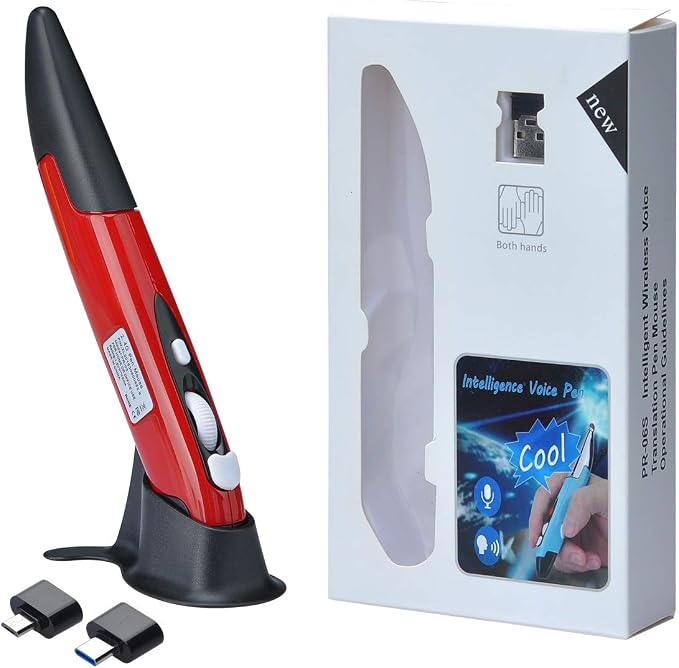
- **Ultra-portable: 5.7 x 0.6 x 1 inches mini size, just like a pen. It fits in your pocket, take it to your class, meeting and wherever you go. You can use a wireless mouse anywhere you like.
- **DPI Adjustable ? 800/1200/1600 DPI adjustable. The adjustable DPI helps in finding a proper 'speed'. The grip is very natural and you can position your arm close to the body, or even on the body for comfort.
- **Power Saving - Wireless 2.4G touch screen pen mouse, come with USB receiver, up to 33ft effective distance. The mouse is power by one AAA battery(Not Include), plug and play, no extra driver needed. The auto sleeps function, no worry about waste of your battery.
- **Easy to Use ? Good for using in limited space or unusual places where a normal mouse is a bit bull to use, fits comfortably in the hand, button placement for left and right mouse clicks are in good placements for easy clicks.
- System Supported: Compatible with: Windows10/ ME/ NT/2000/XP/Vista/7/8 ,Android ,Mac, OC etc. Battery: 1 x AAA battery (not included).
Product description
Best mouse for who suffered from "mouse pain"
Natural Hand Position
Standard Mouse
Ergonomically Design
The wireless mouse still not work after install battery,how to do it?
The wireless mouse was worked for about few hours and than stopped working,how to do it?
Office
Business Trip
Meeting
Teaching
Reduce pressure on carpal tunnel area
A Standard mouse may put pressure on the wrist after a long time, leading to "mouse pain"
This mouse unlike standard mouse, it like a pen you can handle,more comfortable.
The wireless mouse still not work after install battery,how to do it?
Tips:This wireless mouse is powered by 1x AAA battery,please make sure use the right type battery and use it in right way.
The wireless mouse was worked for about few hours and than stopped working,how to do it?
1.Check if this mouse device keep “on “.Right side have a little power button.
2.Check USB port or receiver if well connected.
3.Try to use other computers.
4.Try to change a new brand battery .
5.Re-connect the receiver.