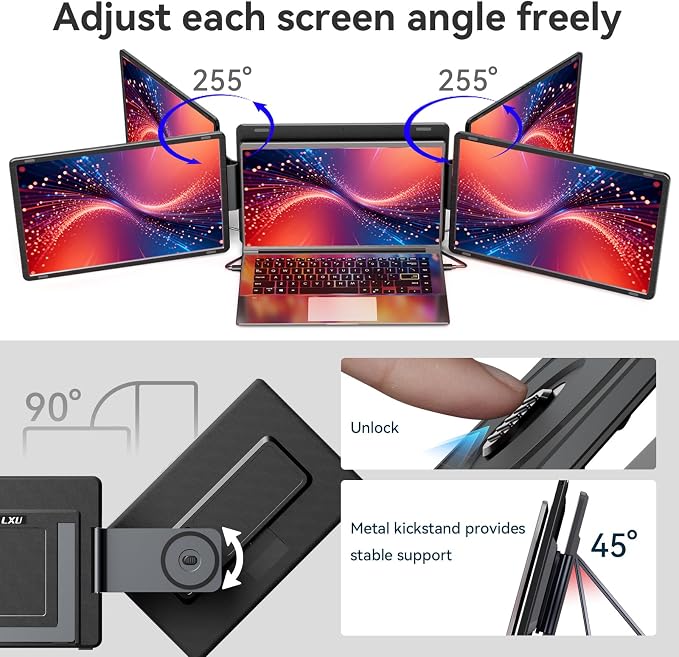
- Boost Your Productivity with Quad Monitor Setup: Suitable for remote workers, college students, programmers, teachers, graphic designers, accountants, and software developers, this triple-screen laptop extender supports both extended and mirror display modes, lets you simultaneously view code, charts, dashboards, and communication tools on one expanded workspace
- Enhanced Aspect Ratio for Productivity: 16:10 aspect ratio delivers a tangible upgrade for productivity and creative workflows
- Eye Comfort Technology: Low blue light tech cuts eye strain during marathon sessions
- Wide Compatibility: Compatible with MacBooks 2019 or later (include M1 M2 M3 M4 M5 chipset), Windows 10 or 11
- Lightweight and Portable Design: 4.84 lbs lightweight construction provides the ultimate balance of versatility and portability
- Durable Kickstand Design: Built-in integrated aluminum alloy kickstand avoids hanging weight on laptop screens
- High Resolution Display: 14 inch 1200P WUXGA portable triple monitor provides clear and sharp visuals for enhanced viewing experience
- Versatile Laptop Compatibility: Fits laptops ranging from 12 to 17.3 inches, offering flexible setup options for various laptop sizes
Product description
How to ensure that the top screen works?
Do I need to install driver for the quad monitor?
Why mouse losts while navigating between screens windows?
LXU S780 QUAD MONITOR FOR LAPTOP
How to ensure that the top screen works?
1. Unplug all cables from the quad monitor;
2. Connect the quad monitor to the power strip or power bank (>20W) first to ensure that all three screens can turn on, then conntact the quad monitor to your laptop.
Do I need to install driver for the quad monitor?
Yes, for Windows 10/11 systems, normaly the driver wil be installed automaticaly when the laptop is connected to the internet; For MacBooks, you have to install the driver manually. Load the driver into the laptop by inserting the U disk.
Why mouse losts while navigating between screens windows?
You need to rearange the order of displays via the 'Display Settings. Please referto the video on the detail page (locate to the "MacOS or Windows Display Settings" section).