- Logitech’s first mouse with palm cushion: The built-in palm cushion on the contoured mouse gives you a comfy spot for your hand making long hours of work feel a little more comfortable
- Feel a natural, confident fit: Shaped for right-handed users with most hand sizes, this comfortable mouse with cozy side grips helps you stay relaxed and in control, hour after hour
- Scroll faster, stay focused: Scroll line by line or fly through pages with SmartWheel; quiet clicks reduce noise in shared or home offices
- Make it yours: Customizable buttons via Logi Options+ adapt to your tasks and help you do more; in the app you can boost productivity across apps, adjust DPI levels and personalize your workflow.
- Simple connections: Connect this multi-device mouse with Bluetooth pairing, then swap up to 3 devices instantly with Easy-Switch?just a tap, no dongle needed; perfect for multitasking
- Power that just keeps going: Logitech Signature Comfort M850 L wireless Bluetooth mouse stays powered up for up to 24 months?no constant battery changes
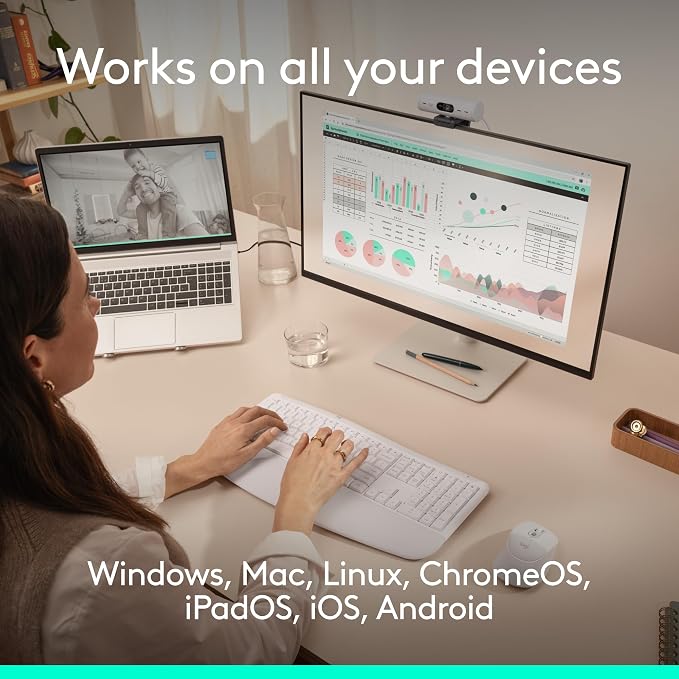
- Works on nearly any platform: Compatible with Windows, macOS, Chrome OS, Linux, ipadOS and Android; one mouse for all your devices and desk setups
- Designed for sustainability: The plastic parts of Signature Comfort Plus M850 L are made with a minimum of 49% post-consumer recycled plastic
From the manufacturer
Signature Comfort Plus M850L Video Tour
Logitech’s first mouse with palm cushion
Effortless scrolling, quiet clicks
Easy-Switch and Bluetooth pairing
Works on nearly any platform
Make it yours?customize your buttons
Get Signature Comfort Plus MK880 Combo
Look your best with Brio 500
Stay focused with Zone Wireless 2 ES
The palm cushion on the mouse gives you a comfy spot for your hand, making long hours of work feel a little more comfortable.
Scroll line by line or fly through pages with SmartWheel; quiet clicks keep things calm.
Connect with Bluetooth, then swap between devices instantly with Easy-Switch?just a tap, no dongle needed, perfect for multitasking.
Don’t worry about your device’s operating system - connect wirelessly to Windows, macOS, Chrome OS, Linux , iPadOS, and Android.
Do more than you ever dreamed with the Logi Options+ App. Personalize your experience to make it work for you.
All-day comfort and productivity?enjoy a curved palmrest, cushioned support, comfy grips, and effortless smart scrolling in one combo.
Brio 500 ensures that you always look and sound natural in meetings so you can connect more genuinely with others.
Adaptive hybrid ANC and noise-canceling microphones bring serenity to your workday by blocking distracting sounds like home appliances and kids playing.