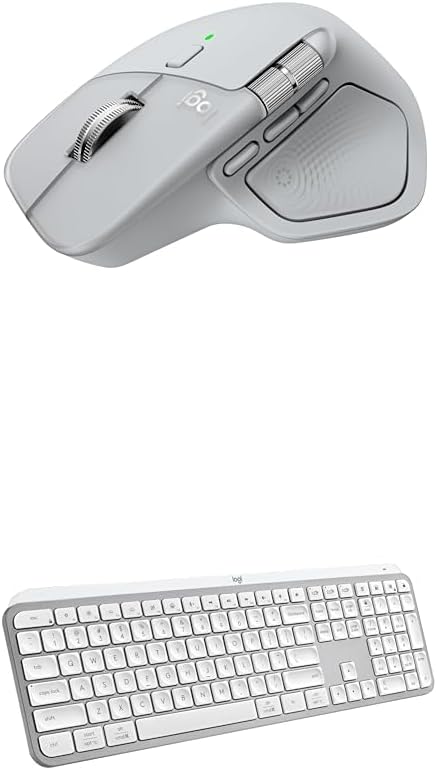
- Precision you can feel with the Haptic Sense Panel; customizable (1) haptic feedback on specific actions, shortcuts, notifications enhancing productivity on this wireless Bluetooth mouse
- Effortlessly access favorite tools with Actions Ring (2) on this MX Series mouse?a dynamic, customizable overlay adapts to each app, placing most used filters, adjustments, and shortcuts at your cursor
- Scroll 1,000 lines per second and stop on a pixel with the MagSpeed scroll wheel?Logitech’s fastest (3), quietest, and most precise (4) scrolling experience
- Enjoy 2X more powerful connectivity (7) with a USB-C dongle, advanced radio chip, and optimized antenna for faster, stronger, reliable performance?or use Bluetooth for more versatility
- Ergonomic mouse designed for comfort, MX Master 4 keeps you in flow with a natural tilt, intuitive buttons, and a thumb scroll wheel that reduces hand stress for fluid navigation
- Quiet Clicks on MX Master 4 reduce noise and distractions, offering a soft, satisfying feel with 90% less click noise (8)?perfect for focused workflows
- Get a complimentary 1-month Adobe Creative Cloud subscription with your purchase of MX Master 4
- Designed for a positive future: Plastic parts include recycled plastic - 54% Graphite; 48% Pale Grey (12); 100% recycled cobalt in the battery; built to last with improved stain resistance (7)
From the manufacturer
MX Master 4 Ergonomic Wireless Mouse
Immerse yourself with the Haptic Sense Panel
Personalize haptic feedback
Save up to 33% of time with Actions Ring
Reduce mouse movements by up to 63% (2)
Create shortcuts that work for you
Advanced haptics on Windows 11
Haptics in Powerpoint
Customize your workflow with Logi Options+ app
More comfort deeper focus
USB-C quick charging, long lasting
Work seamlessly across devices and OS
MX + Adobe Creative Cloud
Be more productive with MX Keys S
Get MX Brio Ultra HD webcam for sharper calls
Get MX Creative Console
Get premium audio with Zone Vibe 100
Experience tactile feedback, offering precision and customizable control (1) for an immersive workflow.
(1) Requires Logi Options+ app, available for Windows and macOS at app.logi.com
with Logi Options+ (1). Assign haptic feedback to the Actions Ring, Smart Actions and more. Use plugins for 3rd party apps and adjust feedback intensity.
Your favorite tools, shortcuts, and actions at the tip of your cursor through a dynamic overlay that adapts to the app you’re using (1).
Streamline navigation by cutting time from searching menus for shortcuts, tools, and actions to stay immersed in your workflow.
(2) Logitech Ergo Lab study (2025)
Tailor your Actions Ring with plugins for third-party apps and personalized shortcuts, tools, and actions designed for your workflows (1).
MX Master 4 brings native integration with advanced haptics on Windows 11. (11) Feel precision when managing windows, aligning in Powerpoint and other compatible apps.
(11) Charging cable not included
Responsive haptic cues in PowerPoint let you feel adjustments as you align, resize, and position objects for precise placement and intuitive control.
using shortcuts and app presets for editing, designing, or coding. Automate workflows with Smart Actions and expand functionality through powerful plugins
MX Master 4’s tilt angle supports natural arm posture, and intuitive button placement reduces strain ? keeping you comfortable and focused for longer.
Stays powered for up to 70 days on a full charge ? and gets 3 hours of use from a 1-minute quick charge (10). Work while you recharge with an USB-C cable (not included).
(10) Battery life may vary
Connect with up to 3 devices and switch between them via Actions Ring or Easy-switch buttons. Transfer files across devices seamlessly with Logi Options+.
Get a complimentary 1-month Adobe Creative Cloud subscription with your purchase of MX Master 4.
Laptop-like typing made better with keys shaped for your fingertips and smart illumination. The keyboard follows the mouse automatically when switching devices.
Level up calls with 4k video, streaming optimization and adjustable field of view settings. Optimized for streaming with a wide, adjustable field of view.
Access tools, shortcuts, and actions effortlessly with the customizable LCD display keypad and take control with precise tactile analog controls on the wireless dialpad.
Get premium audio for your music and calls, reliable wireless connectivity, and a background-noise cancelling mic.