- Reliable Plug and Play: The USB receiver provides a reliable wireless connection up to 33 ft (1), so you can forget about drop-outs and delays and you can take it wherever you use your computer
- Type in Comfort: The design of this keyboard creates a comfortable typing experience thanks to the low-profile, quiet keys and standard layout with full-size F-keys, number pad, and arrow keys
- Durable and Resilient: This full-size wireless keyboard features a spill-resistant design (2), durable keys and sturdy tilt legs with adjustable height
- Long Battery Life: MK270 combo features a 36-month keyboard and 12-month mouse battery life (3), along with on/off switches allowing you to go months without the hassle of changing batteries
- Easy to Use: This wireless keyboard and mouse combo features 8 multimedia hotkeys for instant access to the Internet, email, play/pause, and volume so you can easily check out your favorite sites
- Comfortable Mouse: This compact wireless mouse is designed to be equally comfortable for both left- and right-handed users, plus its smooth cursor control allows easy navigation on most surfaces
- Plastic parts in MK270 include certified post-consumer recycled plastic: 49% for the mouse and 54% for the keyboard.
- Upgrade to Logitech MK540 Combo: Experience increased comfort with the MK540 combo, featuring scooped keys, palm rest, full-size mouse with soft rubber grips, and customizable shortcuts
From the manufacturer
BOOST YOUR PRODUCTIVITY
COMPACT MOUSE
SIMPLY WIRELESS
FULL-SIZE KEYBOARD
BUILT TO KEEP GOING
FAVOURITE WIRELESS COMBO
DISCOVER SILENT VERSION MK295
RELIABLE AND DURABLE
Compare Wireless Combos
Have you lost your receiver?
How to reconnect your mouse/keyboard with the receiver?
Some keys are not working, what to do?
Connectivity and USB troubleshooting
My NumPad/KeyPad is not working, what should I do?
The comfortable, compact and wireless mouse is designed to be equally comfortable for both left- and right-handed users. Its smooth cursor control allows an easy navigation on most surfaces.
Forget about drop-outs and lag thanks to a strong, reliable 2.4 GHz wireless connection with a 33 ft range*. Simply plug the receiver into a USB port on your device to start working in seconds.
* Wireless range may vary based on environmental and computing conditions
Comfortable, full-sized, and with easy access to media controls, this keyboard lets you get more done in less time with eight media controls that let you access music, media, volume, and more.
The keyboard comes with a spill-resistant design, durable keys, and sturdy tilt legs. A 36-month keyboard and 12-month mouse battery life** means you can go for months without changing batteries.
** Keyboard and mouse battery life may vary based on user and computing conditions.
Enjoy the familiar typing of MK270, the world's best-selling combo***, built with high quality and reliability standards.
*** Based on independent sales data (in units) of MK270 wireless combo aggregated from: CA, CN, FR, DE, ID, KR, RU, SE, TW, TH, TR, UK, US (Apr'19 - Apr'20). Retail channel only.
Discover the silent version MK295 with Logitech SilentTouch Technology that reduces over 90% of disruptive sounds for you and those around you?all while keeping the familiar typing and clicking feel.
MK270 Wireless Combo brings together the convenience and comfort of a full-sized keyboard with a sculpted, compact mouse. With media keys, a number pad, and precise cursor control.
Have you lost your receiver?
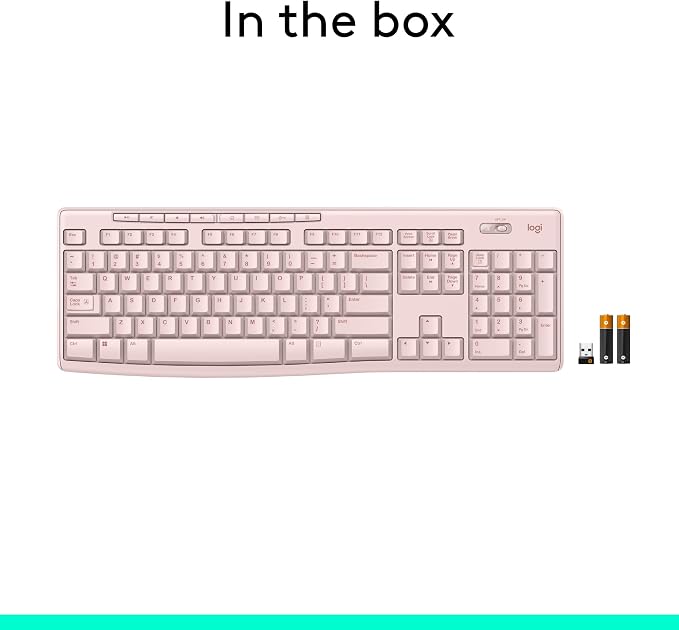
The MK270 receiver is stored in the product packaging next to the mouse. If you have lost it and need a replacement. Please see below for our Installation manual.
How to reconnect your mouse/keyboard with the receiver?
To reconnect the mouse/keyboard with the receiver, download and use the Connection Utility software from Logitech Support. Please see below for our Installation manual.
Some keys are not working, what to do?
Make sure the USB receiver is connected directly to your computer. Do not connect it through a USB hub, extender, switch or other types of extension devices. Please see below for our Installation manual.
Connectivity and USB troubleshooting
Restart your computer and make sure the mouse & keyboard are turned on and not too far away from the USB Receiver. Please see below for our Installation manual.
My NumPad/KeyPad is not working, what should I do?
Ensure that the NumLock key is enabled. Please see below for our Installation manual.