CoreDrive
LENRUE USB Computer Speakers for Desktop 10W PC Speakers for Desktop/Laptop/Tablet/Monitor Single-Wired USB Soundbar SpeakerPlug-n-PlayNo Sound Delay(NO 3.5mm AUX Plug)
LENRUE USB Computer Speakers for Desktop 10W PC Speakers for Desktop/Laptop/Tablet/Monitor Single-Wired USB Soundbar SpeakerPlug-n-PlayNo Sound Delay(NO 3.5mm AUX Plug)
Couldn't load pickup availability
- Clear Stereo Sound - LENRUE A39PRO Computer speakers equipped with 2x5W full-range sound amplifier and a customized bass diaphragm to enhance your listening experience when you enjoying indoor movies,videos,music etc. - One Cable for Both Audio & Power - No need for driver software, No need for 3.5mm AUX cables. Just plug-n-play, very easy to use.And the wired speaker has stable Sound signal without delay. - Support to Connect Extra 3.5mm Headphone and Microphone: The function is convenient for plug your headphone and micrphone to talk with families or friends on line. - Volume Controls at Ease: Volume knob of the PC speaker is designed on the top of the desktop speaker,you can control for instant adjustments at ease. - Soft Colorful Light: Colorful light is good for warm and happy atmosphere.And you also can turn on/off the light by the control button on the back of the pc speaker. - Wide Compatibility: Fits Most desktop computer.And one TYPE-C adapter included to compatible with more PCs,such as laptops and tablets,iMacs, MacBooks.
Product description
Troubleshooting Guide
LENRUE A39PRO Computer Speakers with one usb cable for Desktop, Laptop, PC
The 2*5W speakers can enhance your listening experience when you enjoying indoor movies, videos, music and games
Support Extra 3.5mm Computer Headphone and Microphone
There are microphone port and headphone port on the back of the speaker , more convenient to connect your computer headphone or microphone for video calls and movies.
Please Note:
1.There is no built-in microphone of the computer speaker.
2.If you need to connect this USB speaker to your computer monitor, first check whether your monitor has a USB port that supports both power delivery and audio output
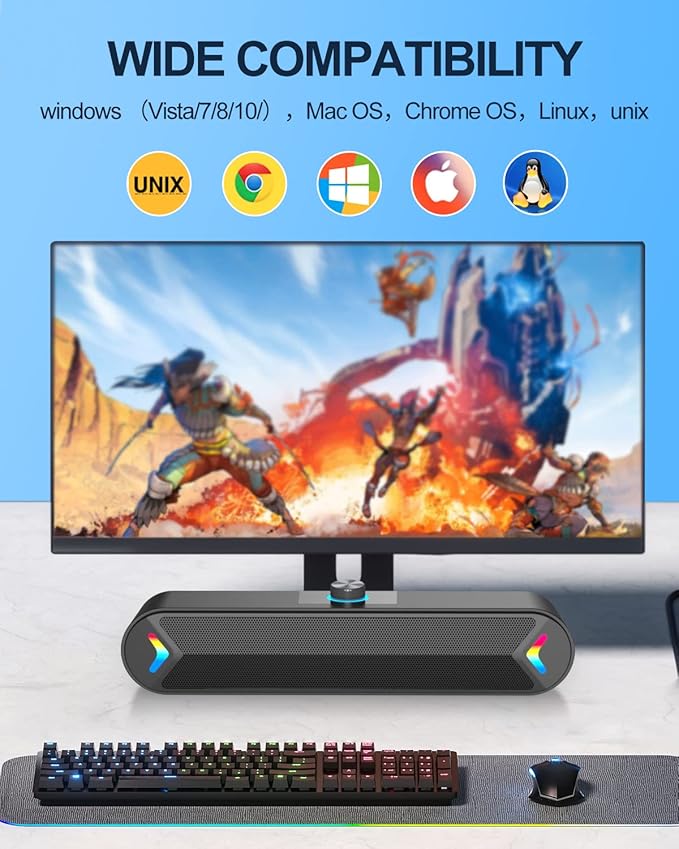
Wide Compatibility
This Laptop Speaker can work great for various brands of PCs, such as Apple Mac mini, Lenovo, ThinkPad, HP, Samsung, ASUS, Dell, Acer, LG, Google Chromebook, Microsoft Surface or more.
NOTE: This speaker can only be used for PCs, please DO NOT plug it into TV, TV-Box, Projector, Xbox or Play Station for use.
One USB Cable for Power & audio
Easy to Use, just plug-n-play.If the speaker still “Doesn't Work” after plugged in?
Make sure that the USB port of your computer can work properly.
Make sure that you had selected "LENRUE A39PRO" as your computer sound output device.
Frequently Asked Questions (FAQ)
Q: Can I use a 3.5mm aux cable with these speakers?
A: No. This product requires USB-only connectivity for both power and audio transmission.
Q:How to turn on or turn off speaker and light?
A:There is a button on the back of the speaker to control the statue.you can put the button on the relevant position for your need( OFF/ON/light).
Q:How to adjust the volume easily?
1.Set the volume up to about 85% on the computer , you can find the speaker icon on the lower right corner of the taskbar .
2.Adjust the volume up to 100% of your multimedia player.
3.Rotate the knob on the top of the speaker to adjust the volume when you need.
If your speakers aren’t working properly, try these steps:
Verify System Compatibility
a)Minimum Requirements:
Windows 10/11, macOS 12+, ChromeOS 100+
USB 2.0+ port (Type-A or Type-C)
Check: Go to your section to confirm OS version.
b)Test USB Connections
Try all USB ports (front/back on PCs, both sides on laptops).
For USB-C: Ensure the port supports data transfer (not just charging).
c)Driver/Audio Settings
Windows: Update via Device Manager > Sound Controllers.
macOS: Check System Preferences > Sound > Output.
Disable conflicting audio devices (e.g., Bluetooth headsets).
d)Power Cycle
Unplug the USB, wait 10 seconds, then reconnect.
Restart your computer to reset audio drivers.
e)Interference Check
Move away from high-power devices (routers, microwaves).
Avoid USB hubs ? connect directly to the computer.
Share