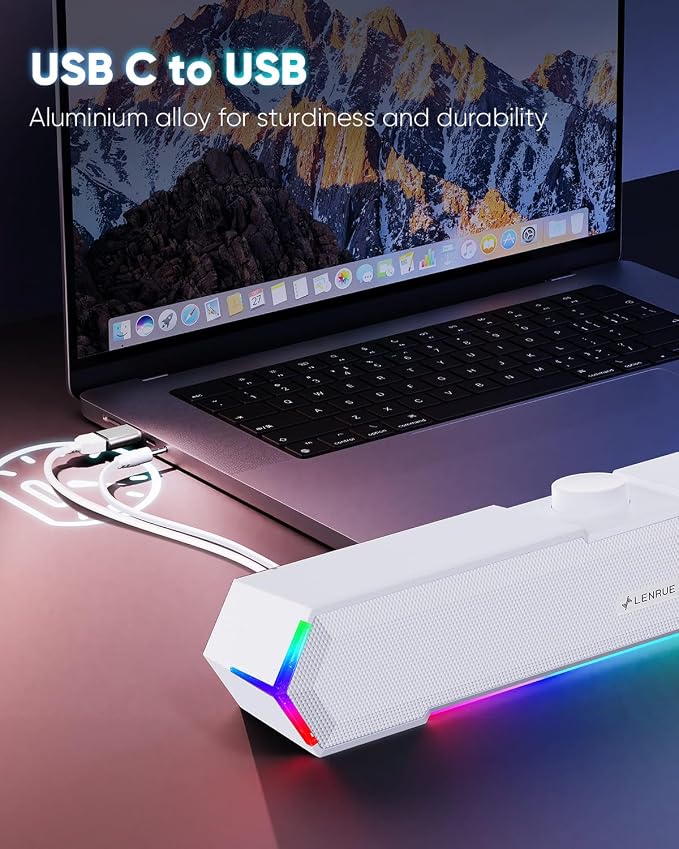
- Surge Stereo Sound - 4 large amplifier IC horns! Computer speakers achieved Distortion Free and Noiseless in stunning sound. Immersive cinema effect for movies, videos, games and music.
- Touch Angular Game Lights - Unique Dynamic Angular Game Atmosphere design! Desktop speaker with latest One Touch to turn on/off lights, avoid the traditional cumbersome button design.
- All In One Compact - Fits any desktop computer! Perfectly under the monitor without taking up any extra desktop space. Cables are glued together to avoid desktop clutter.
- Plug And Play - No need for any driver! Must Plug in the USB powered cable and 3.5mm audio cable to enjoy now! Top volume knob for easier volume adjustment.
- Type C Adapter Included & Compatibility - USB speakers match computers, desktops, PCs, laptops. Suitable for windows(Vista/7/8/10), Mac OS, Chrome OS, etc.
- Please Note:No Bluetooth. No Headphone Port. No Mic. Not compatible with TVs or headphones.
Product description
Easy to Setup without Sound
Frequently Asked Questions
G11 Computer Speakers Specification
Power Crisp Clear Sound: High-quality multiple horns for increased volume without distortion.
No Current Sound: Increase the shock absorber, even if the standby does not have any noise.
Top Knob: Designed to be on top, easy to adjust the volume. Turn on/off the computer speaker.
Touch on/off Lights: Newly upgraded one touch to turn off/on the light to avoid the tedium of buttons.
1 - Host backend: Connect BOTH the AUX plug and USB plug to the Host backend, more stable power supply and audio output.
2 - Click Speaker Icon in the taskbar.
3 - Select the " Speaker " as your computer playback device.
4 - Make sure the computer speaker is on and not at minimum volume.
5 - Make sure the computer or other device is not muted or at minimum volume.
Q: What should I do if there is still noise sound after I turn off my computer?
A: Please turn off the computer speaker when not in use or turn the speaker volume knob to the minimum.
-
Q: What devices can the type c adapter be compatible with?
A: Type C adapter is compatible with MacBook Pro after 2016 and MacBook Air after 2018, laptops, tablets, etc.
Power Source: USB
Audio Source: AUX
Turn on/off the Light: Touch on Top
Turn on/off Speakers: Knob
Cable Length: Both upgraded to 47ins extra long for extra wide display.
Packaging Includes: Type C Adapter; Computer Speakers; Manual