CoreDrive
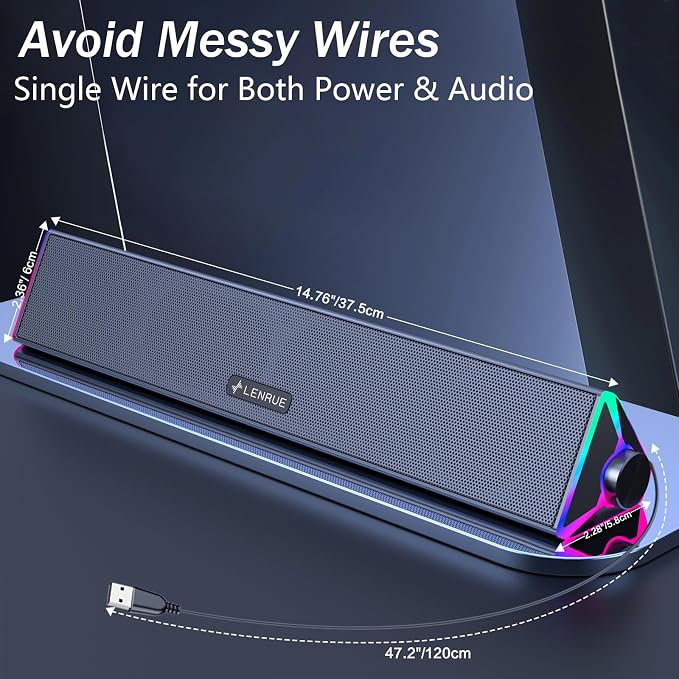
LENRUE Computer Speakers for DesktopPC Speakers with Single USB for Power and Stereo SoundTouch Lights Gaming Speakers Sound bar for Desktop PC Laptop(USB-C Adapter Included)
LENRUE Computer Speakers for DesktopPC Speakers with Single USB for Power and Stereo SoundTouch Lights Gaming Speakers Sound bar for Desktop PC Laptop(USB-C Adapter Included)
Couldn't load pickup availability
- ? Crystal-Clear Stereo Sound:Crisp audio with balanced bass for gaming, movies, or music. Ideal PC speakers for desktop or laptop speakers. - ? Dynamic Colorful Touch Lighting: Soft Breathing light effects,touch-sensitive to control on/off?ideal for adding flair to your monitor speaker or desktop. - ? Space-Saving Soundbar Design:Fits under monitors/laptops?perfect slim speakers for computer desktop with space-saving efficiency. - ? Universal USB-Powered Compatibility:Works seamlessly with PCs, laptops, and monitors via a single USB port (includes USB-C adapter). - ? Plug-and-Play Simplicity:No drivers or software required?just connect to your PC or desktop via USB/USB-C for stereo speakers performance. - ? Please note: 1.This USB-Powered Speaker is not compatible with Xbox gaming systems,Projector. 2.If you need to connect this USB speaker to your computer monitor, first check whether your monitor has a USB port that supports both power delivery and audio output.
Product description
LENRUE computer speaker - E-1103
This is a modal window.
Troubleshooting: No Sound or Low Volume
1. Check Windows Sound Settings:
Click the speaker icon in your taskbar.
Make sure the volume is up and the correct speaker "LENRUE E-1103" is selected as the playback device.
2. Check Physical Connections: Ensure the USB cable is firmly plugged directly into a computer USB port (not a hub).
3. Test the Speaker: Turn the speaker knob clockwise to ensure its volume is turned up.
4. Try a Different Port/Device:
Plug the USB cable into a different USB port on your computer.
If possible, test the speaker on another computer to see if the problem persists.
5.Check Application Volume:Ensure the volume is turned up in your specific application (e.g., media player, browser, game).
Warm Note:
1.This USB-Powered Speaker is not compatible with Xbox gaming systems,Projector.
2.If you need to connect this USB speaker to your computer monitor, first check whether your monitor has a USB port that supports both power delivery and audio output.
Share