- [Portable Monitor for Laptops]: kksmart portable screen is the ideal portable monitor for Macbook, Surface Pro, Surface Laptop, Lenovo Laptop, HP Laptop, Dell Laptop, ASUS Laptop, etc. This second monitor for laptop supports both Extended and Duplicated Mode
- [FHD Portable Monitor]: Featuring 1080P resolution, 86%sRGB color gamut, 178° FULL viewing angle, HDR, and Low Blue Light IPS A-grade screen, this 15.6 inch screen with two VESA holes on the back of monitor can be easily and stably mounted on a VESA stand for landscape and vertical mode
- [USB-C Portable Monitor Plug and Play]: kksmart portable laptop monitor provides 2 Full-featured USB-C ports and a HDMI port, is compatible with most laptops, PC, and gaming devices. For one USB-C cable connection, please note: Your devices should support thunderbolt 3/4/5 or DP Alt Mode
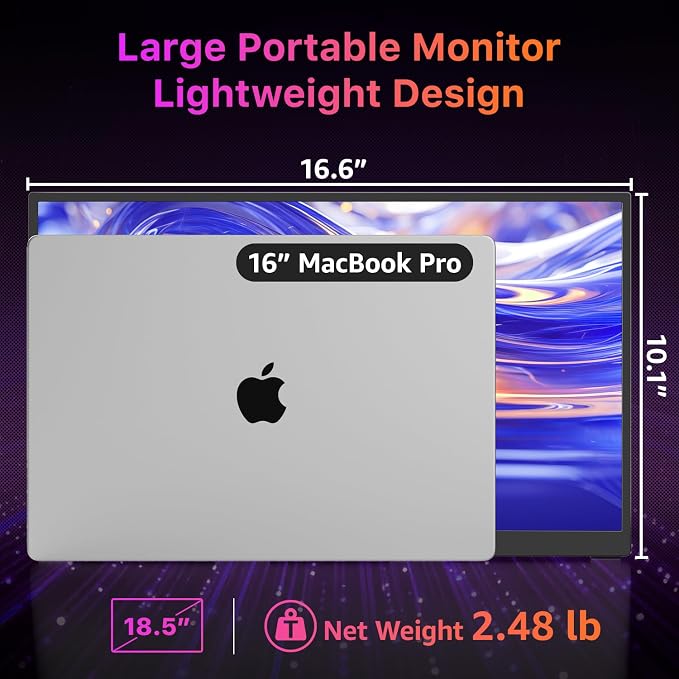
- [Portable and Light Weight]: kksmart travel monitor for laptop is the ideal companion for all your needs. Measures only 0.2 inches at the slimmest point and 1.5lb weight. With a smart cover case, this travel monitor is well-protected and flexible to use anywhere
- [Boost Productivity Anywhere]: This 15.6" portable monitor expands your workspace, allowing seamless multitasking between documents, spreadsheets, and video calls for maximum efficiency on the go.
Product description
Single USB-C Plug & Play
Single USB-C Plug & Play
HDMI Connection
the HDMI Connection
Three Display Modes
Three Display Modes
Monitor Flickering Troubleshooting
Monitor Flickering Troubleshooting
How do I connect my iPhone to the monitor?
My Android phone has a USB-C port, does this monitor work with my phone/tablet by the original USB-C to USB-C cable?
This monitor is compatible with NINTENDO SWITCH 2, but why isn’t it working when I connect them?
What should I do if my monitor flickers?
Why doesn't it work when I connect the monitor to my devices with my own USB-C cable?
Before connecting, check if your device’s USB-C port supports Thunderbolt 3/4/5 or DP Alt Mode.
You can find this information on the label next to the port or in your device’s specs.
Plug in both the HDMI cable and the power cable at the same time.
The HDMI cable only transfers the display signal, and the monitor needs power to work.
The monitor supports three display modes: Extended Mode, Duplicate Mode and Portrait Mode.
It works for your various needs: a spacious workspace to juggle multiple tasks, easy screen sharing, or scrolling through long documents.
This issue is usually due to insufficient power supply. If it happens, try using a 5V3A power adapter, like the one we provide, to power the monitor.
How do I connect my iPhone to the monitor?
1. iPhone 15/16 (Plus/Pro/Pro Max) works via USB-C with a USB-C display cable; also connect the monitor to power
2. iPhone before 15 with Lightning port needs Apple Lightning Digital AV Adapter
3. iPhone 16e doesn't work with external monitors
My Android phone has a USB-C port, does this monitor work with my phone/tablet by the original USB-C to USB-C cable?
Only some series of Samsung phones(Galaxy S8/S9/S10/S20/S21/S22series; Galaxy Note8/9/10/20series; Galaxy Fold, Z Fold 2/3/4) work with the monitor by the original USB-C cable we provided. Other phones/tablets need an HDTV cable to work.
This monitor is compatible with NINTENDO SWITCH 2, but why isn’t it working when I connect them?
You'll need to use the dock’s HDMI output to connect it to this monitor.
What should I do if my monitor flickers?
Please make sure you're powering the monitor by the original wall charger we provided in the package.
Why doesn't it work when I connect the monitor to my devices with my own USB-C cable?
Please make sure the USB-C port on your laptop is a thunderbolt 3/4/5 port or supports display
There are two kinds of USB-C cables, USB-C charging cable and USB-C video cable (the original one). Your own cable may be only a charging cable.