- 【96% Compact & Ergonomic Design】 The Phantom98 Lite mechanical keyboard embraces a 97 keys layout while inheriting the core design philosophy of the Phantom81 Lite, striking the ideal balance between space-saving efficiency and full-function convenience by packing all essential keys without bulky gaps?perfect for cramped desks or minimalistic setups. This keyboard ensures consistent, reliable performance, catering to both casual typists and competitive gamers in search of a compact yet fully-featured input device that doesn’t compromise on functionality or comfort.
- 【3 Modes Wireless + 8000mAh Battery】 Enjoy seamless performance in gaming and daily typing with the Phantom98 Lite wireless keyboard’s tri-mode connectivity options of 2.4GHz, USB-C, and BT 5.0 support. Thanks to this feature, users can easily toggle between 5 devices, which is great for those balancing work on a PC, laptop, or tablet. Compatible with Windows and Mac OS, this versatile keyboard serves well in an office setting while also doubling as a gaming controller.
- 【Vibrant RGB Backlight & Hot-Swappable Switch】 Enhance your workspace with a stunning array of 16.8 million RGB colors and customizable lighting modes that sync with music or games. The south-facing RGB backlighting on this keyboard offers dynamic and adjustable illumination, enhancing its aesthetic appeal. Pre-lubed at the factory, the Phantom98 Lite hot swappable keyboard features linear switches that produce a smooth and delightful sound reminiscent of soft marbles. Thanks to this, modifying your keyboard setup is effortless, enabling quick switch changes without the need for soldering.
- 【Sound-Enhancing Creamy Gasket】 Featuring a gasket-mounted Structure with various damping materials like latex sandwich foam, ixpe switch pad, PET sound dampening film, bottom Foam, and bottom Silicone, ensures rigidity and flexibility, the Pahntom98 Lite gasket keyboard provides a creamy typing foundation for mechanical switch enthusiasts. The plate-mounted setup helps reduce ping noise, and the pre-lubricated stabilizers eliminate unwanted rattling, yielding a refined sound quality. This versatility appeals to the DIY community, content creators, and ergonomic users looking for customized comfort.
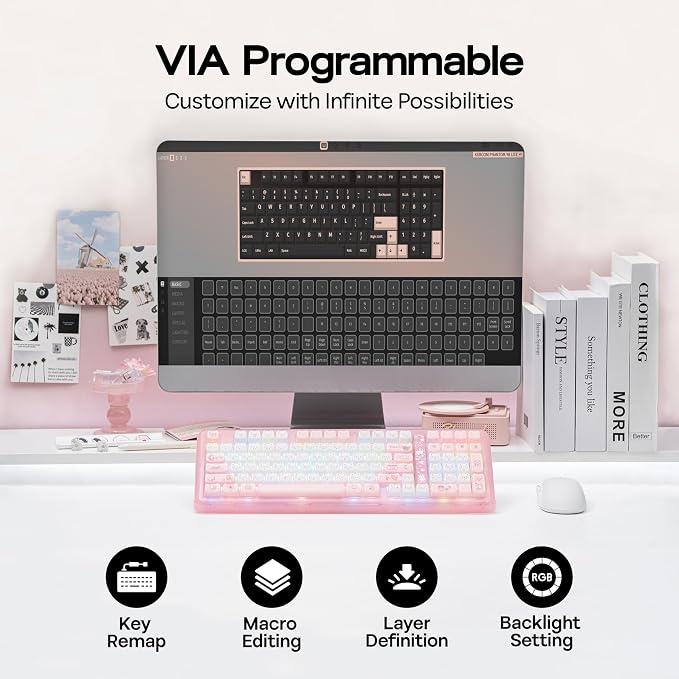
- 【Personalized Performance with VIA】 The Phantom98 Lite custom keyboard offers unparalleled creative freedom through its VIA compatibility, enabling users to customize every key, macro, and RGB lighting effect. Gamers can create intricate combinations for competitive advantage, while programmers can improve their efficiency by assigning shortcuts for coding applications. This KiiBOOM keyboard is designed for tech enthusiasts, DIY aficionados, and productivity-minded individuals who require a device that meets their specific needs.
Product description
Phantom98 Lite Clear Keyboard with RGB Backlit, Triple Modes Connectivity and VIA Software
RGB Control / Size & Weight / Receiver Storage / Packing List
Customizable with VIA Driver
Dynamic RGB Lights
Phantom98 Lite Clear
US QWERTY Layout, 98 Keys
Compact 96% Keyboard
Neat, Secure, Convenient
Magnetic 2.4GHz Receiver Storage
What will I receive?
Package Content
Where can I download the JSON file of the Phantom98 Lite keyboard to customize? Can I remap the FN key?
Why isn't the VIA software detecting my keyboard?
Why does my keyboard's RGB turn off suddenly?
Can I use this keyboard with a Mac system?
Why are my Alt key and Win key swapped functions?
KiiBOOM Custom Mechanical Keyboard
The Phantom98 Lite keyboard features a dedicated numeric keypad?ideal for crunching spreadsheets, balancing budgets, or inputting in-game codes without tab-switching. Plus, its full row of function keys lets you adjust volume, skip tracks, or launch shortcuts in one tap, boosting workflow efficiency.
The built-in magnetic storage slot securely holds the 2.4G receiver when not in use, effectively preventing loss and keeping your workspace clean and organized. Its magnetic design ensures easy insertion and removal, while making the keyboard more compact and portable for travel and daily use. This thoughtful feature brings better convenience and a tidier experience to your daily typing or gaming.
Where can I download the JSON file of the Phantom98 Lite keyboard to customize? Can I remap the FN key?
You can download it on the KiiBOOM official website. And yes, you can use QMK/VIA to remap the FN key.
Why isn't the VIA software detecting my keyboard?
1. Make sure your keyboard is connected in wired mode.
2. Verify you have downloaded the correct JSON file for the Phantom 98 Lite in the software.
3. Try resetting the keyboard to factory settings.
Why does my keyboard's RGB turn off suddenly?
1. Sleep mode: The keyboard enters sleep mode after two minutes without key presses, turning off the RGB. Press any key to wake it up.
2. Connection problems: Check if the cable is loose or if there are issues with the wireless connection.
Can I use this keyboard with a Mac system?
Yes, the KiiBOOM Phantom 98 Lite clear keyboard is compatible with both Windows and Mac systems. You can toggle between the two modes by pressing Fn + A (for Windows) or Fn + S (for Mac). Mac Keycaps are included.
Why are my Alt key and Win key swapped functions?
The keyboard might be in Mac mode. Press Fn + A to switch the keyboard back to Windows mode