CoreDrive
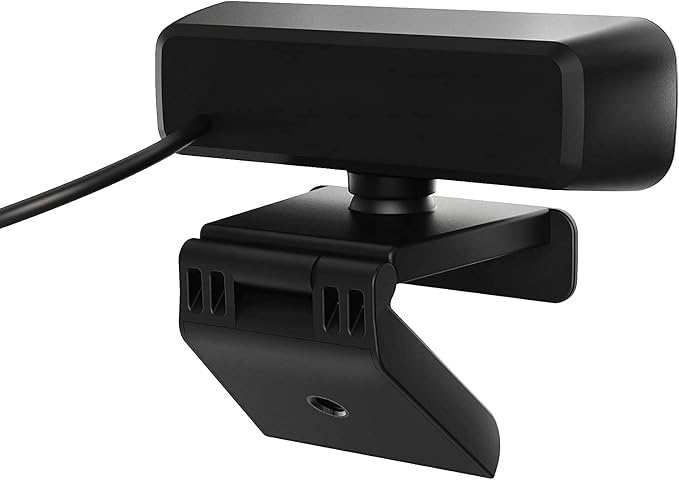
j5create USB Streaming Webcam - 1080P HD with 360° Rotation High Fidelity Microphone Plug and Play for PC/Mac/Laptop/Desktop/Skype/YouTube/Zoom/Facetime Suitable for Conferencing/Calling (JVCU100)
j5create USB Streaming Webcam - 1080P HD with 360° Rotation High Fidelity Microphone Plug and Play for PC/Mac/Laptop/Desktop/Skype/YouTube/Zoom/Facetime Suitable for Conferencing/Calling (JVCU100)
Couldn't load pickup availability
- High definition 1080p image sensor with wide angle lens, USB plug-and-play. *Note: App permissions may need to be authorized in order to use the camera - Built-in Low Light Enhancement with F/2.4 aperture lens - Built-in high-fidelity microphone (Note: the microphone is not available for Discord on Chromebook) - Maximum support 1920 x 1080/30 FPS image resolution, supports H.264 and MJPEG image formats - Wide Compatibility: Zoom, Facebook Messenger, Skype, Microsoft Teams, etc; supports Windows/macOS/Chrome OS systems. Note: Not suitable for the PS5
Product description
Full HD 1080P Video Conferencing
Low Light Enhancement
Brighter and More Vivid Images
Designed for Video Conferencing
FAQ
Take your video/conference calls to the next level with the JVCU100 HD webcam.
F/2.4 aperture lens and high-sensitivity camera image sensor with enhanced light sensitivity gives you the ability to capture more light and higher clarity images, making it ideal for better low light capture and blurless movement.
The low light enhancement feature automatically adjusts the brightness and color scales to accommodate low-light environments.
Extra-wide 82° field of view and rotatable by a full 360°, giving you the ability and flexibility to see more and fit more into the picture.
Q: Why I get an unexpectedly lower image quality when using Skype?
A: Normally, conferencing softwares like Skype, Zoom, or Teams only support up to 720p for video calls (Skype for Business supports up to 1080p). And these softwares will adjust image quality based on the internet connection speed. If the connection speed is low, the image quality will be automatically lowered to 480p, 360p, or even less.
Rotatable function means it can be swiveled a full 360° for maximum flexibility, so that you can easily adjust it to your own usage needs
Simply plug and play right out of the box, without the need for any software installation *Note: App permissions may need to be authorized on some operating systems in order to use the camera
Full compatibility with popular videoconferencing software such as Zoom, Google Meet, Microsoft Teams, Skype, Slack, and more
Share