CoreDrive
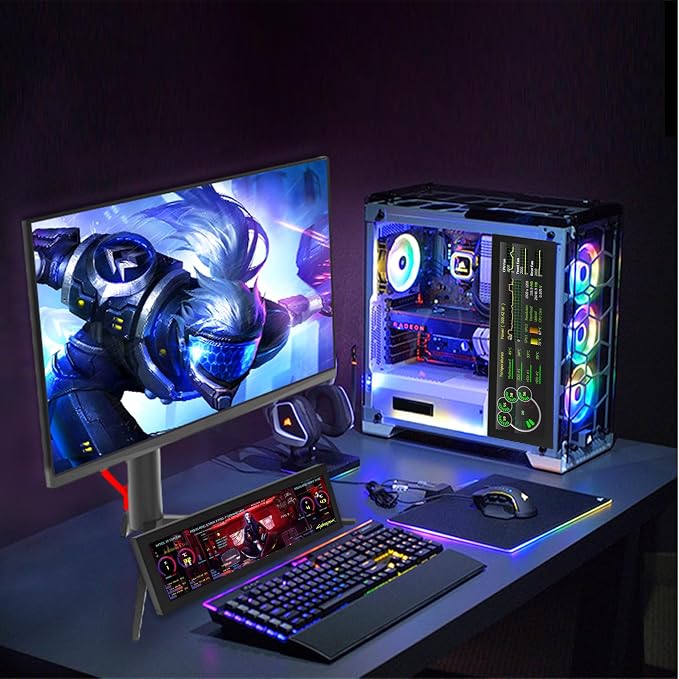
iPitstBit 8.8 Inch Touchscreen Monitor 1920x480 PC Temperature Display PC Sensor Panel Display IPS USB Mini Screen for Raspberry Pi AIDA64 CPU RAM Data Monitor ARGB Computer Case
iPitstBit 8.8 Inch Touchscreen Monitor 1920x480 PC Temperature Display PC Sensor Panel Display IPS USB Mini Screen for Raspberry Pi AIDA64 CPU RAM Data Monitor ARGB Computer Case
Couldn't load pickup availability
- Computer Secondary Monitor is equipped with 1920×480 high-resolution screens, and has adjustable brightness of 580cd/m². It supports IPS full-view display, delivering clear and smooth visual experiences. - Supports multiple display modes, including extend, duplicate, and secondary screen, meeting diverse usage scenarios. - Transmits signals via a mini HDMI interface (mini HDMI to HDMI cable included), compatible with all devices with HDMI ports. It also supports systems like WINXP, WIN7, WIN8, WIN 10, and Raspberry Pi 3B/3B+/4B, etc. - No driver installation is required, simply connect the PC and the monitor via the USB-C and mini HDMI ports to use it immediately. - iPistBit offers a 30-day money-back guarantee and a 12-month warranty. If you have any problems, please contact us.
Product description
When you use the capacitive touch screen, the display is normal but there is no touch function.
Why is the screen incompatible with my device?
Why does my screen not display/cast color?
When you use the capacitive touch screen, the display is normal but there is no touch function.
Please check and confirm that the 8.8-inch monitor is selected as the main display in the settings.
Why is the screen incompatible with my device?
Our screens are compatible with most HDMI devices - Raspberry Pi, Banana Pi, BeagleBone Black, NVIDIA Jetson Nano, etc.; PC or notebook (Win7/8/10/11 ); PS4, Xbox 360, Switch, mainstream TV boxes, digital cameras, etc. (not compatible with Mac/PS5)
Why does my screen not display/cast color?
1.Please check whether the cable is loose and moving.
2.Please check whether Windows treats the screen as "only the second screen but not extended".
User Manual & Image of built-in driver download
Share