- All-in-One Monitor for Work and Play: The 100% sRGB 2k portable monitor, combined with HDR and 16.7 million colors, the clear picture quality and vivid colors bring cinematic visual enjoyment. This is a versatile travel monitor that is perfect for both professional office and immersive entertainment. Portable laptop monitor is an ideal companion for business, creative designers, travelers, students, game enthusiasts
- 18" 260Hz Screen: InnoView 260HZ ultra-high refresh rate laptop monitor with OD acceleration and FreeSync gives you lightning-fast, lag-free experience. Portable screen's GamePlus enhances your gaming experience with customizable crosshairs and FPS game mode. Ultra-high performance allows you to be ahead of your competitors when playing games, and the picture is smooth without lag or ghosting when working. To achieve 240Hz, your device must be able to achieve the same refresh rate
- More Space, More Efficiency: The 18 inch laptop screen provides 33% more space than the 15.6 inch external monitor, enhancing visual immersion. The 16:10 screen ratio provides more space in the vertical direction, suitable for viewing documents, editing code or office reading, reducing the need for scrolling and being more efficient. No driver required
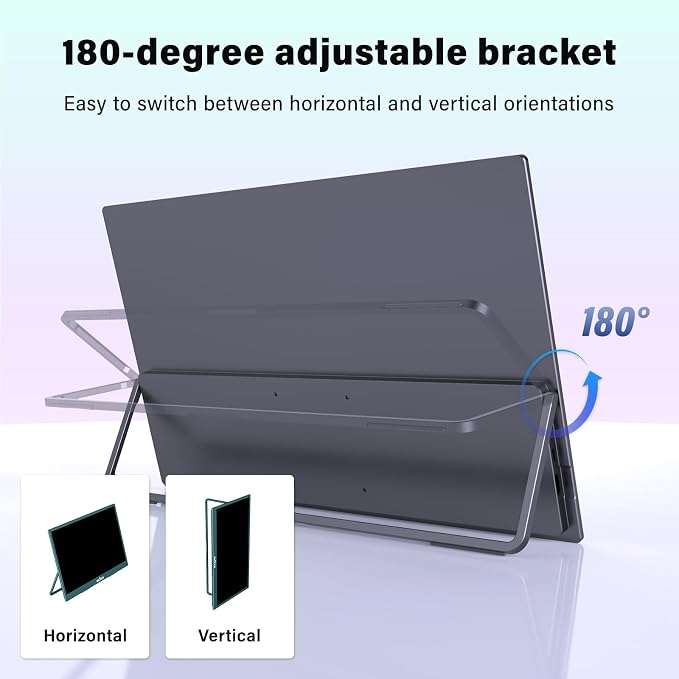
- Multiple Mounting Options: Allows you to mount it on desktop or wall via a monitor arm, adjustable for landscape or portrait mode. Set the portable monitor on desktop, 180° adjustable stand allows choose multiple viewing angles, high-quality thickened bracket, stable and not easy to slip. Or hang, no need to purchase an additional monitor arm. Save desktop space, 3 ways to meet all your needs
- Plug and Play, Wide Compatibility: Equipped with 2 full-function Type-C ports and 1 standard HDMI port. Excellent port stability and compatibility, seamlessly connect game console, laptop, PC, tablet and mobile phone. Power Supply is Required, which will solve the problem of flickering caused by insufficient output power of your device
Product description
Connect the Mac mini M4 series
What can I do if my portable monitor flickers?
What should I pay attention to before buying?
Is this a touch screen portable monitor?
How to connect my device?Why it doesn't work when I connect the monitor with my devices by my our USB-C cable?
Why is the screen stretched?
INNOVIEW PORTABLE MONITORS
What can I do if my portable monitor flickers?
This may be due to insufficient power output from your device. Use our original power adapter to power the monitor. If you have any questions, please let us know (displayed on the back of the monitor)
What should I pay attention to before buying?
1.Read the size information (15.73x10.5x0.2") carefully before purchasing. This will help you make a more suitable choice and reduce unnecessary return and exchange troubles
2.Your device output refresh rate needs to reach 260HZ
Is this a touch screen portable monitor?
No, this is a non-touchscreen monitor. And it has no built-in battery, nor does it support Bluetooth or wireless
How to connect my device?Why it doesn't work when I connect the monitor with my devices by my our USB-C cable?
1. If the device has a full-featured USB C port,make sure the USB-C port is a Thunderbolt 3/4 port or supports display, use a full-featured USB C cable + power cable to connect
2. If has HDMI port, please use an HDMI cable + power cable to connect
Why is the screen stretched?
The monitor has a default 16:10 ratio, if your device output is 16:9, please adjust the monitor to 16:9 as well.
The adjustment method is as follows: Select Menu > Other Settings > Size Ratio Settings > Automatic Matching.