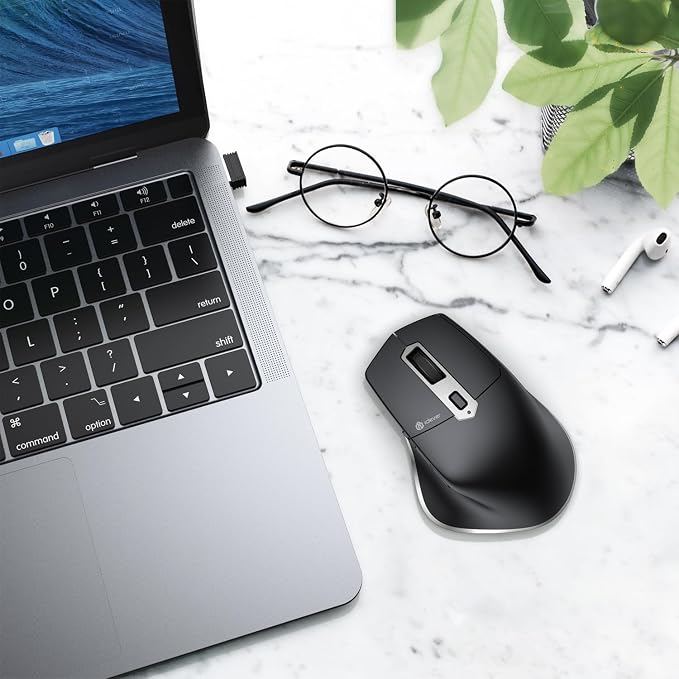
- 【Seamless 3-Device Switching】Connect via Bluetooth or 2.4GHz wireless USB receiver and switch seamlessly between up to 3 devices with one click. Designed for smooth multitasking across laptop, MacBook, tablet, and PC without reconnecting. Forward and back buttons enable quick page navigation for improved browsing efficiency and productivity.
- 【Ergonomic Comfort Design】Ergonomic design provides a natural hand position for comfortable everyday use. Built for long hours of work, it helps reduce hand strain and supports a more relaxed browsing and office experience.
- 【USB-C Rechargeable】Recharge quickly via USB-C for reliable daily use. A built-in rechargeable battery eliminates the need for disposable batteries, making it a practical choice for both home and travel use.
- 【Silent Click for Quiet Work】Quiet-click technology significantly reduces noise for a more focused environment. Perfect for offices, libraries, meetings, and late-night work without disturbing others.
- 【5 Levels Adjustable DPI】5 adjustable DPI settings (800?2400) deliver smooth and accurate cursor control for everyday productivity and professional use. Designed for reliable tracking on most surfaces, it provides a consistent wireless mouse experience across laptop, MacBook, and PC.
Product description
iClever MD172 Wireless Mouse
Does this mouse support wireless 2.4G and Bluetooth connectivity?
If charging does not respond, what should I do?
About DPI settings.
About docking stations and Bluetooth adapters.
Does this mouse support wireless 2.4G and Bluetooth connectivity?
Both are possible. The connection method can be selected with the button on the bottom of the mouse.
If charging does not respond, what should I do?
The charging indicator light is red under normal conditions, the red signal light will change to green signal light when the battery is fully charged. Note: Before charging, please make sure that the voltage of the adapter is lower than 5V.
About DPI settings.
1. This mouse has 5 levels of DPI adjustment, choose from 800/1200/1600/2000/2400 DPI.
2. When the DPI button is pressed, the indicator light on the side of the mouse will blink 1/2/3/4/5 times to indicate the current DPI is 800/1200/1600/2000/2400.
About docking stations and Bluetooth adapters.
Docking stations and Bluetooth adapters are third-party devices and there is a possibility of incompatibility with the product. Therefore, we do not recommend using the docking station or Bluetooth adapter to connect to the device.