- 【Pocket-Sized Foldable Bluetooth Keyboard】Turn your phone or tablet into a full workstation in seconds. This foldable Bluetooth keyboard is 20% smaller than standard travel keyboards, making it easy to carry in your pocket, backpack, or travel pouch. Perfect for on-the-go professionals.
- 【Wireless Keyboard with Built-in Touchpad】Navigate, scroll, and click effortlessly with the precision touchpad?no mouse needed. This Bluetooth keyboard with touchpad transforms into a compact mobile workstation for tablets, laptops, and smartphones. (Note: Touchpad not compatible with Samsung DeX mode.)
- 【Durable Aluminum Design for Travel】Crafted from aircraft-grade aluminum with reinforced hinges, this portable folding keyboard withstands bumps and drops during travel. Weighing just 7.05oz, it’s built to last while remaining ultra-light for business, travel, or remote work.
- 【Multi-Device Bluetooth Connectivity】Connect and switch between up to three Bluetooth-enabled devices?from your phone to tablet to laptop?with a single tap. Enjoy seamless productivity across devices with this multi-device Bluetooth keyboard for Windows, macOS, iOS, and Android.
- 【USB-C Rechargeable Long Battery Life】Get up to 60 days of use on a single 2-hour charge. This USB-C rechargeable keyboard features auto-sleep when folded and eliminates the need for AA batteries. Ideal for commuters, travelers, and digital nomads who value portability and efficiency.
- 【Important Compatibility Notes】The iClever BK08 is a 65-key foldable Bluetooth keyboard with touchpad, designed for phones and tablets. It supports Bluetooth only (no USB receiver, no wired mode). Keys are non-backlit and not spill-proof. Compatible with Windows, macOS, iOS, Android, and Chrome OS.
Product description
14mm Compact Keys
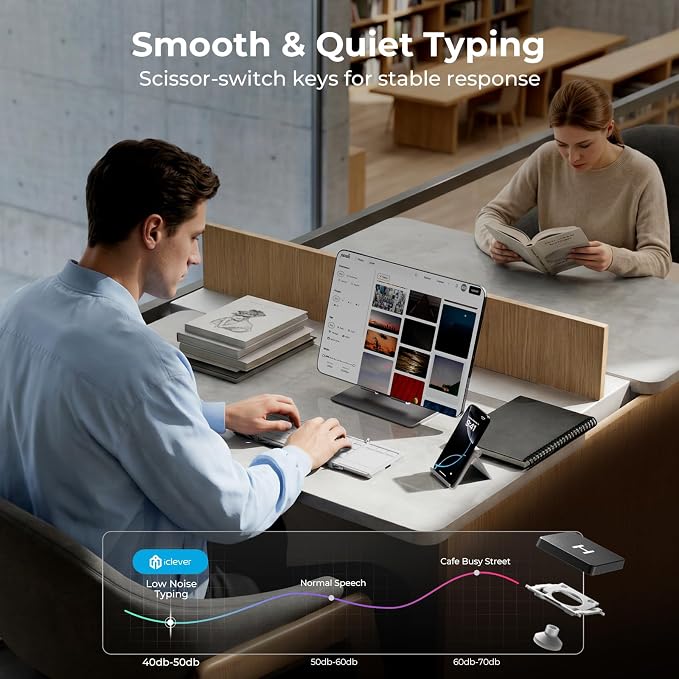
Quiet Scissor Switch Keys
USB-C Power Efficiency
Durable Foldable Hinge
Why can’t the touchpad click or select on my iPad?
Why does the keyboard feel smaller than a regular keyboard?
The keyboard won’t turn on. What should I try?
Bluetooth disconnects or won’t pair with my device.
Why does the keyboard disconnect or stop working?
Space-saving layout optimized for seamless work on the go.
Low-profile structure delivers smooth and comfortable keystrokes.
Charge less and stay productive longer without interruptions.
Engineered to withstand repeated folding and daily use.
Why can’t the touchpad click or select on my iPad?
The touchpad supports cursor movement on iPadOS. Tap-to-click and gestures depend on system settings. You can drag by double-tapping and holding on the pad, or by holding the left button. (Note: Touchpad not compatible with Samsung DeX mode.)
Why does the keyboard feel smaller than a regular keyboard?
BK08 uses 14 mm keycaps for a compact folding design. Full-size keyboards use about 15.5 mm. The tighter spacing helps keep the keyboard portable for travel and tablet use.
The keyboard won’t turn on. What should I try?
The BK08 uses a hall-switch design. It turns on when fully unfolded and turns off when folded. If no light appears, charge for 15 minutes and unfold it again. A full charge lasts about 90 days.
Bluetooth disconnects or won’t pair with my device.
Nearby Bluetooth devices may cause interference. Turn off other Bluetooth items such as speakers and keep the keyboard within 1?1.5 meters. Low battery can also affect stability, so charge it first.
Why does the keyboard disconnect or stop working?
This can happen when your device goes to sleep or after long idle time. Tap the same channel key to reconnect. If it keeps happening, reset by holding Fn plus Left Shift plus Backspace for 3 seconds.