CoreDrive
HUION Inspiroy Dial 2 Bluetooth 5.0 Drawing Tablet Dual Dials10.5 x 6.56 | PenTech 3.0 Battery-Free Stylus for Digital Art and Design Works with Mac Windows Linux and Android
HUION Inspiroy Dial 2 Bluetooth 5.0 Drawing Tablet Dual Dials10.5 x 6.56 | PenTech 3.0 Battery-Free Stylus for Digital Art and Design Works with Mac Windows Linux and Android
Couldn't load pickup availability
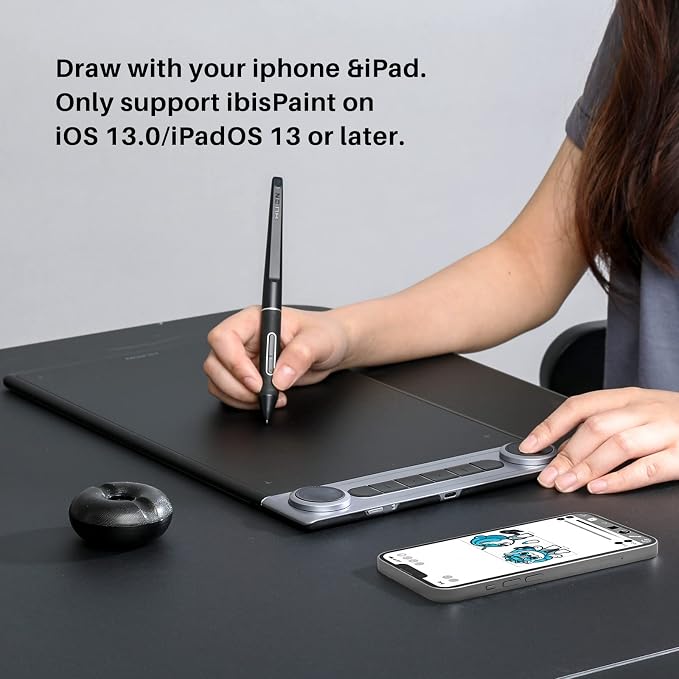
- Dial into Efficiency: The intuitive design of dual dials gives you instant control over brush size, zoom, or other shortcuts you need. Along with 6 easy-located press keys, you can program up to 12 different functions per software. Drawing and editing will be faster and more efficient. - Like Pen on Paper: Powered by PenTech 3.0 and high-friction textured surface, this graphics tablet makes the drawing experience as nature as pen on paper with precise control and industry-leading low latency. - Wireless Freedom: Enjoy the convenience and cable-free workspace of wireless creating with reliable, long-range Bluetooth 5.0 technology. Work all day and into the night with up to 18 hours of battery life. You also can connect the pen tablet to your pc via the included USB-C cable. - All-New Design: Thanks to the symmetrical design, Inspiroy Dial 2 is perfectly suitable for both right-handed and left-handed users. 10.5 x6.5" large active area is ideal for use with large or multiple monitors. 0.3" ultra-thin desin helps to reduce the fatigue of high-intensy creative work. - Strong Compatibility: It is compatible with Mac OS 10.12 and above, Windows 7 and above, Android OS 6.0 and above, and Linux (ubuntu), ChromeOS 88 or later(Wired&Bluetooth). And it works with nearly any creative software like Adobe Photoshop, Clip Studio Paint, SAI, Lightroom, Affinity Designer, ZBrush, etc. Inspiroy Dial 2 is a versatile choice for art students, pro artists, and creators. - New features: compatible with ibisPaint on iOS 13.0/iPadOS 13 or later. (Only for ibisPaint Version 9.4.10 or later)
Product description
HUION Inspiroy Dial 2 Bluetooth Drawing Tablet
Dual Dials Design
Get More Done, More Efficiently
Highly Customizable
Customize Your Workflow
Windows Radial Supported
Give You More Control
Wired or Wireless?
Connect The Way You Want
Compatibility
Multi-Device And Multi-OS
Softwares
Compatible With Various Softwares
Design
Perfect Symmetry
What's in the box
HUION Inspiroy Dial 2 Bluetooth Drawing Tablet
What's the range of the bluetooth?
How do I connect the Inspiroy Dial 2 to my phone?
How does the dial controller work?
What Software does Huion Linux Driver support?
Warm Tips
Use the dual dials and 6 shortcut keys to control volume, adjust brush size, zoom in and out of photos - all easily achieved with a quick tap or turn of the finger. The 6 press buttons are improved with raised dots on the surface, so that you can blindly selected the buttons you want at ease. Inspiroy Dial 2 is designed to speed up your work flow, and give you more control to get things done.
All the dials and press keys can be customized to your desired shortcuts of keyboards or mouse in Huion Driver to meet the operating needs of various software. You can program different shortcuts for different software which allows up to 12 different functions per software. And the custom settings can be named, imported and exported.
Without Huion driver installed, you can map your own tools to the dial controllers for specific applications through Windows Radial. The following are the premises to run the Radial Controller Protocol:
*Radial function only works on Windows 10 or later versions.
* The program in operation supports the Protocol.
Connect the Inspiroy Dial 2 to your device via Bluetooth 5.0 Low Energy Technology and enjoy a cable-free workspace of wireless creating. You also can connect it with the bi-direction USB-C port and included USB-C cable.
* Battery life will vary based on user and computer condition.
* If your device does not support Bluetooth, you can buy a bluetooth receiver for connection.
Inspiroy Dial 2 works seamless with Mac, PC and Android devices. You can connect it to the device you want.
System Requirement: Windows 7 and above, MacOS 10.12 and above, Android 6.0 and above, Linux (ubuntu),ChromeOS 88 or later(Wired&Bluetooth)
Device Requirement: avaliable USB port required or bluetooth function supported
Inspiroy Dial 2 is compatible with graphics design software such as Photoshop, Lightroom, Illustrator, drawing software like Clip Studio Paint, SAI and Comic Studio, and vidoe editing software like After Effects, Premiere, C4D, etc.
Featuring a perfect symmetrical design, Inspiroy Dial 2 is great for both left-handed or right-handed user. 10.5 x6.5" large active area is ideal for use with large or multiple monitors. It is crafted for efficiency, stability and precision.
1x Pen Tablet, 1x Battery-free Pen PW517, 1x USB-C Cable, 1x Pen Holder PH05F, 5x Standard Nibs, 5x Felt Nibs, 1x Nib Clip, 1x Quick Start Guide
What's the range of the bluetooth?
The Bluetooth range for this drawing tablet is 10 meters in a clean environment, and 5 meters in a office environment.
How do I connect the Inspiroy Dial 2 to my phone?
You can connect it to your Andriod phone or tablet via Bluetooth wireless connection. Please press the first button and the fourth button on the tablet to adjust the imaging on your phone in case of display distortion.
How does the dial controller work?
You can program the dials functions for different applications in Huion driver. There are 3 customizable modes availiable for each dial. Tap the center button to change function, and turn to change the selected function’s value.
What Software does Huion Linux Driver support?
Huion Linux Driver supports creative application like Krita, GIMP, Blender, Inkspace, Lightworks, Mypaint, Pinta, RawTherapee, Libre Office, etc.
Warm Tips
To get better experience, we suggest you upgrade the firmware before the first use.
Share