CoreDrive
HDMI+Displayport KVM Switch 2 Monitors 2 Computers 8K@60HZ Dual Monitors KVM Switcher for 2 PC/Laptops Share Mouse Keyboard and 2 Screenswith USB3.0 Ports/Wired Controller EDID Adapative
HDMI+Displayport KVM Switch 2 Monitors 2 Computers 8K@60HZ Dual Monitors KVM Switcher for 2 PC/Laptops Share Mouse Keyboard and 2 Screenswith USB3.0 Ports/Wired Controller EDID Adapative
Couldn't load pickup availability
- 【8K Ultra-HD Visual Quality】Our dual-monitor KVM switch delivers stunning 8K@60Hz/4K@144Hz visuals with crystal-clear details on your monitors,The KVM works seamlessly with HDMI 2.1 and DP 1.4, allowing playback of protected content without interruption. It’s flexible for many display needs, supporting 8K@30Hz, 4K@240Hz/144Hz/120Hz, 2K, 3D, and 1080P. Note: Please use high-quality HDMI 2.1 and DP1.4 cables to achieve 8K@60Hz performance. - 【4 USB3.0 Ports Share USB Device】The 8K@60Hz HDMI KVM switch is equipped with three USB 3.0 ports and 1 USB-C ports, with a transfer speed of up to 5Gbps, which is 10x faster than USB2.0. It enables 2 computers to share USB devices, such as a mouse, keyboard, USB flash drive, camera, etc. - 【2 Switching Methods】This KVM switch supports button switching and desktop wired keypad remote switching.Two switching methods enhance operation: panel button switch needs no extra devices-simple and intuitive; wired keypad switching allows hiding the main unit, keeping the desktop tidy. One-click seamless switching makes multi-device control easier and more efficient.Note: The device does not support hotkey switching. - 【Adaptive EDID & Plug And Play】With EDID adaptive technology, the KVM switch automatically identifies and synchronizes each computer’s display settings, maintaining stable and clear image transmission without screen flicker or distortion. Installation is effortless?simply plug in all cables and power on. No drivers or configuration are needed. Start enjoying smooth dual-monitor control across two computers in seconds.
Product description
8K HDMI+DP KVM SWITCH FOR 2 COMPUTERS 2 MONITOR
2 COMPUTERS SHARE ON 2 MONITORS
How many HDMI and USB cables are required for a complete setup?
Only One Monitor Displays
No Display on Both Monitors
USB Not Working
Can I connect a headset to the front USB port of the KVM switch?
How many HDMI and USB cables are required for a complete setup?
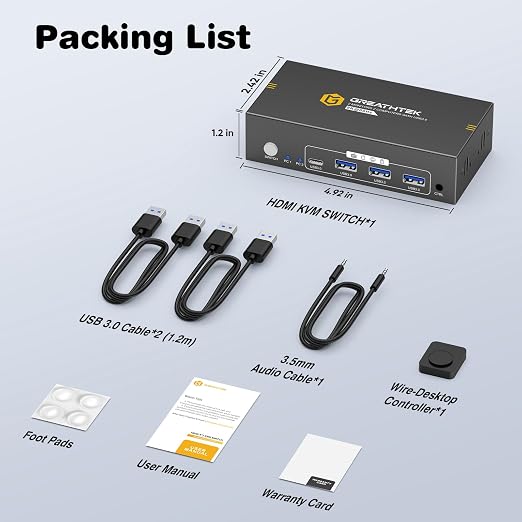
A total of 3 HDMI cables and 3 Displayport cables and 2 USB cables are required, plus one power cable. Please use a 5V power adapter for power supply (power adapter and HDMI&Displayport cables not included).
Only One Monitor Displays
1)Please check the HDMI&Displayport cables connections. Make sure both PC1 and PC2 are each connected to the switch with one HDMI cable and one Displayport cable.
2) Ensure the switch is powered properly using a 5V power adapter.
No Display on Both Monitors
1)Please check the HDMI&Displayport cables connections. Make sure both PC1 and PC2 are each connected to the switch with one HDMI cable and one Displayport cable.
2) Ensure the switch is powered properly using a 5V power adapter.
USB Not Working
1)Make sure both USB cables between each PC and the KVM switch are securely connected. Missing connections may cause the USB devices not to be recognized.
Can I connect a headset to the front USB port of the KVM switch?
Yes, you can. The front USB port of this KVM switch supports audio output, allowing you to connect USB-C or USB-A headsets or other audio output devices.
Share