CoreDrive
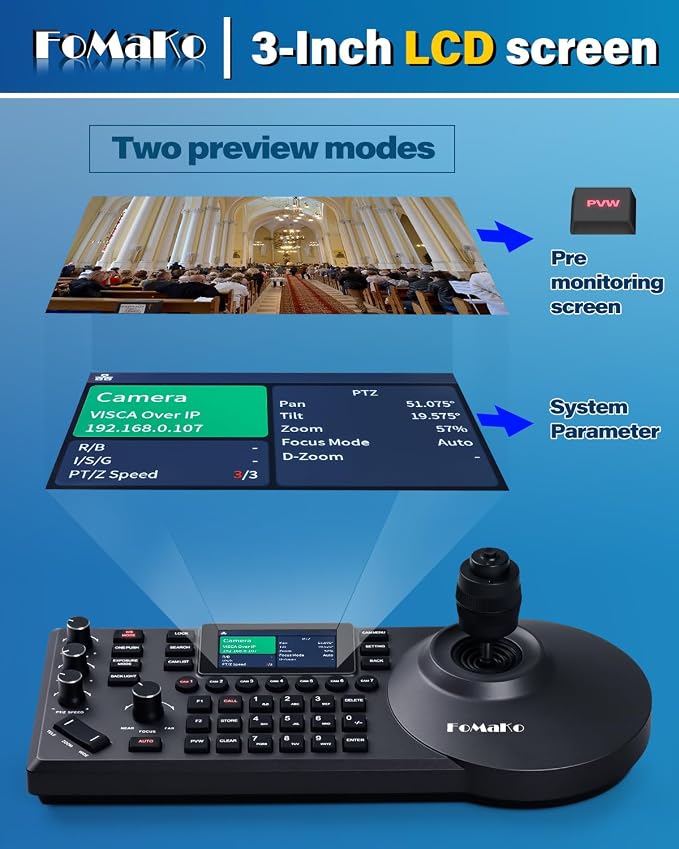
FoMaKo PTZ Camera HDMI 1080P60 AI Auto-Tracking PTZ Camera 20X Optical Zoom PTZ Controller PoE 3 LCD Screen Preview for Church Worship Education Conference Events PTZ Bundle K20+ KC608
FoMaKo PTZ Camera HDMI 1080P60 AI Auto-Tracking PTZ Camera 20X Optical Zoom PTZ Controller PoE 3 LCD Screen Preview for Church Worship Education Conference Events PTZ Bundle K20+ KC608
Couldn't load pickup availability
- 【 FoMaKo HDMI PTZ Camera HD 1080P 20x Optical Zoom】. HDMI/LAN/3G-SDI/USB PTZ Camera. Using 1/2.8-inch high-quality HD CMOS sensor with effective 2.07 million pixels. Supports HDMI 2.0 interface and Output HDMI 1080P at 60fps Uncompressed Ultra High Definition Video, Made for Church Services, house of Worship, Teaching and Education, Broadcast, High-Tech Conference, Summit Forum, Events. PoE supported. *Note: NDI Upgradeable, NDI License Key requires additional purchase. - 【 Advanced AI Auto-Tracking Gen 3 Version 】. FoMaKo third-generation AI Tracking enables more customized tracking features, such as you can adjust the tracking modes, tracking sensitivity, figure size, AI-Track Speed, Horizontal tracking only,character position,lost target action, etc. simply press F3 on the remote control to turn on AI Auto tracking and Press the left and right buttons on the remote control to switch tracking target. - 【 FoMaKo NDI PTZ Controller 】. PoE NDI PTZ IP Controller Keyboard with 4D Joystick for Church & Worship, Education, Teaching Broadcast, Conference, Esports, Events etc. , completely compatible with VISCA, PELCO- P & D protocol , Supports RS232, RS422, RS485 and Ethernet IP connections. Control over IP. ( KC608 Pro ) - 【 POE supported 】. very easy to use, just one cable to connect to your LAN. Compatible with FoMaKo Video Mixer Switcher and FoMaKo PTZ Camera. - 【 3-Year Limited Warranty 】 - Shop with confidence. 30-Day No-Questions-Asked Money-Back Guarantee. Risk-free purchase. ?Free Online Training - Get started easily. 24/7 Expert Assistance and - Responses within 24 hours (please include your Order ID). If necessary, we can provide remote assistance in setting up. Enjoy our lifetime customer technical support. Your satisfaction is our priority, we have got you covered!
Product description
FoMaKo PTZ Camera HDMI
Visual PTZ Control App
Compatible with vMix/OBS
FoMaKo Fiber HDMI Cable
PoE Supported
Multi-Cam live streaming
FoMaKo PTZ Camera
How do I keep the image sharp after zooming in manual focus mode?
How do I achieve slow, smooth PTZ movements?
What type of drive mechanism does the camera use?
Does it have a built-in microphone?
What are the different ways to control this PTZ camera? Can I use a joystick, web interface, or mobile app?
Digital Zoom: Off, 2x, 4x, 8x, 16x.
Automatically recovers tracking if the subject leaves and re-enters ? ideal for unattended services.
Automatically pans, tilts, and zooms to keep every shot perfectly composed.
Presenter Tracking ? Follow the speaker. Hands-free.
Zone Tracking: Ideal for distant stage shots
How do I keep the image sharp after zooming in manual focus mode?
Zooming shifts the optical focal length, so the preset focus position no longer holds. After zooming, simply refocus to restore sharpness(this applies to all PTZ cameras). Digital zoom (16x) engages after optical 20x ends and also requires refocusing
How do I achieve slow, smooth PTZ movements?
The pan speed ranges is 1.7° ~ 100°/s, supporting smooth slow pans. Physical remote may feel rough at low speeds due to short joystick.
For the smoothest control, use Web UI: log in, drag speed slider to min. PTZ joystick also works.
What type of drive mechanism does the camera use?
The camera(K20 KN20 K30 KN30 K820N K820S) uses a belt-drive system. This design ensures ultra-quiet pan and tilt operation, ideal for noise-sensitive environments like churches and classrooms.
Does it have a built-in microphone?
The camera provides a 3.5mm line-in port for an external powered mic (not included). The built-in mic is for future use, not for professional live streaming due to limited audio quality. For reliable sound, we strongly recommend a powered mic
What are the different ways to control this PTZ camera? Can I use a joystick, web interface, or mobile app?
Yes. Control methods:
PTZ joystick (VISCA over IP) ? most precise for live production.
Web UI ? good for setup/config, less responsive for live control.
Mobile app ? convenient for quick on?site adjustments.
Remote ? simple for basic PTZ.
Share