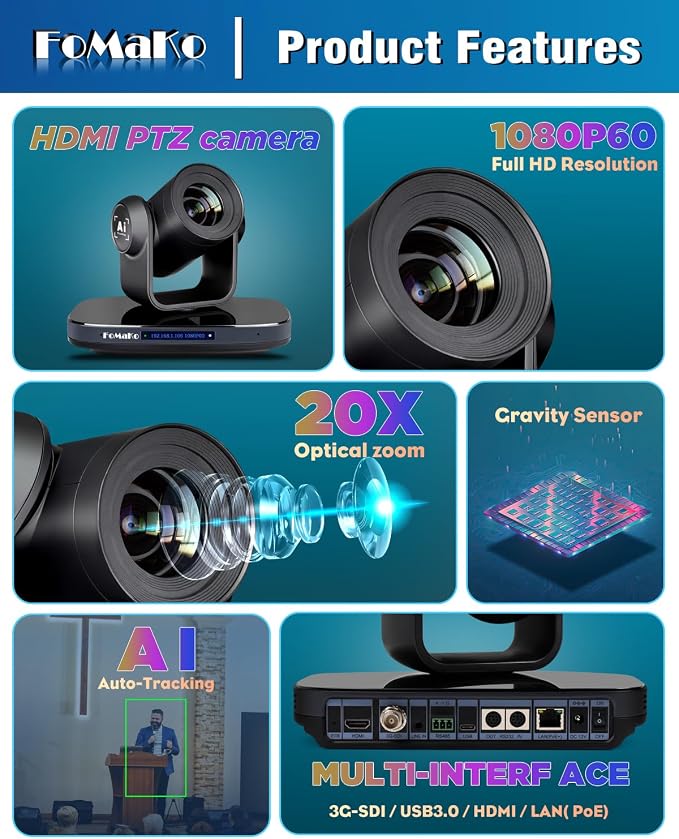
- 【30x Optical + 16x Digital Zoom ? 1080p 60fps for Church & Education】 1/2.8-inch CMOS sensor delivers uncompressed 1080p 60fps full HD video. 30x optical zoom with 60° wide-angle lens captures full-room worship views and distant chalkboard detail. Backed by a high-tolerance image processor(ISP), 16x digital zoom stays sharp at extreme magnification(most ptz stops at 8x)?extends reach for large venue projection screens, distant whiteboard close-ups, and multi-angle single-operator productions ? ideal for large sanctuaries, lecture halls, and conference venues. 2D/3D noise reduction and a 55dB SNR ensure clean, sharp images even in low-light church or classroom environments
- 【AI Auto-Tracking & Auto-Frame + 255 Presets, Hands-Free Production】Gen-3 AI tracking smoothly follows the speaker in real time, while Auto-Frame intelligently adjusts pan, tilt, and zoom to keep the subject perfectly composed ? no manual adjustments required. High-speed autofocus keeps the image sharp throughout motion and zooming. Supports up to 255 presets for one-click switching between podium, whiteboard, or wide shot with millisecond precision. Together with 16x digital zoom, a single operator can create varied multi-angle shots without cutting to additional cameras ? a true hands-free production solution for conference rooms, classrooms, and worship spaces
- 【Silent 3G-SDI ? Broadcast-Ready Integration】Ultra-quiet PTZ motor runs near-silently, never disrupting church services or classroom sessions. Simultaneous 3G-SDI, HDMI 2.0, USB 3.0, and LAN outputs cover broadcast frame rates up to 1080p60. Compatible with VISCA and Pelco-D/P control protocols for seamless integration with Blackmagic ATEM, vMix, and Wirecast. Built-in gravity sensor auto-flips the image when ceiling mounted. One install, professional workflow ready
- 【IP Control & PoE One-Cable ? LCD IP for Instant Setup】Built-in LCD screen displays the camera's IP address directly ? no digging through router settings. A single Ethernet cable handles remote PTZ control and PoE power. 3G-SDI, HDMI, and USB 3.0 handle simultaneous video output at 1080p60. Fully compatible with vMix, OBS, Propresenter, Zoom, and Teams on Windows and Mac. NDI upgradable ? contact us for NDI activation
- 【Dual Stream: Record & Live Stream Simultaneously 】H.264/H.265 encoding ensures smooth, clear live streaming even under limited bandwidth. Main stream for local HD recording, sub-stream for platform live streaming ? independent bitrate settings let you optimize quality for worship, education, or conference broadcasts. Two tasks, one camera, one shoot
- 【SHOP WITH CONFIDENCE】30-Day no-hassle return and refund. 1-Year manufacturer warranty with free replacement for quality defects. 3-Year optional trade-in program for upgraded models. Lifetime free firmware updates, plus technical support with 24-hour response. Free setup guidance and remote assistance available with your order ID
- 【What's in the box】PTZ 30x Optics Camera with 16x Digital zoom, Omnidirectional Remote (Max 50 meters), Wall Mount, Ceiling Bracket, USB Cable, Power Adapter 12V 2A, User Manual. Supports desktop, wall-mount, and ceiling-mount installation
- 【Broadcast Frame Rates & Multi-Protocol IP Workflow ? ONVIF, RTSP, RTMP, SRT】All 4 video outputs ? 3G-SDI, HDMI 2.0, USB 3.0, and IP/LAN ? simultaneously support full broadcast frame rates: 1080P60, 1080P59.94, 1080P50, and 1080I60. Fully compatible with IP protocols ONVIF, RTSP, RTMP/RTMPS, and SRT for flexible integration into any professional AV, live streaming, or surveillance workflow. NDI upgradeable via license key (contact us for activation). True multi-protocol, multi-format compatibility for professional AV systems
- 【High-Speed AF & AI Tracking Modes ? Total Precision Control】High-speed Auto-Focus locks onto subjects instantly and maintains sharpness during movement and zoom ? no focus hunting, no blur. AF modes include Auto, Manual, and One-Push Focus. Flexible AI tracking: Presenter Tracking follows the main speaker; Zone Tracking triggers when someone enters a user-defined area. Target leaves ? camera returns to preset and resumes tracking, ideal for unattended church services and classrooms. Pan, Tilt, Zoom, and preset recall speeds fully adjustable. Default DHCP with LCD IP display for instant network setup
- 【Built for Demanding Professional Environments ? 30X Reach, Total Flexibility】The 30X optical zoom delivers unmatched reach for large sanctuaries, auditoriums, lecture halls, and broadcast studios. Supports multi-camera IP workflows with FoMaKo IP controllers and video switchers for scalable live streaming to YouTube, Facebook, and custom RTMP servers. NDI upgradeable for expanded IP production capabilities. Compatible with Windows, Mac, vMix, OBS, Wirecast, and Propresenter. Complete your workflow with FoMaKo bundles ? controllers, switchers, and multi-camera kits available
Product description
FoMaKo PTZ Camera HDMI
Gen 3 AI Tracking
PoE+ Supported
Visual PTZ Control App
Compatible with vMix/OBS
Multi-Camera Video Production
Multi-Camera Production
FoMaKo PTZ Camera 30x Optical Zoom
What type of drive mechanism does the camera use?
How do I achieve slow, smooth PTZ movements?
How do I keep the image sharp after zooming in manual focus mode?
The camera shows “Zoom Error” and occasionally gets stuck at startup.
What are the different ways to control this PTZ camera? Can I use a joystick, web interface, or mobile app?
Automatically pans, tilts, and zooms to keep every shot perfectly composed.
Automatically recovers tracking if the subject leaves and re-enters ? ideal for unattended services.
Presenter Tracking: Follow the speaker. Hands-free.
What type of drive mechanism does the camera use?
The camera(K20 KN20 K30 KN30 K820N K820S) uses a belt-drive system. This design ensures ultra-quiet pan and tilt operation, ideal for noise-sensitive environments like churches and classrooms.
How do I achieve slow, smooth PTZ movements?
The pan speed ranges is 1.7° ~ 100°/s, supporting smooth slow pans. Physical remote may feel rough at low speeds due to short joystick.
For the smoothest control, use Web UI: log in, drag speed slider to min. PTZ joystick also works.
How do I keep the image sharp after zooming in manual focus mode?
Zooming shifts the optical focal length, so the preset focus position no longer holds. After zooming, simply refocus to restore sharpness(this applies to all PTZ cameras). Digital zoom (16x) engages after optical 20x ends and also requires refocusing
The camera shows “Zoom Error” and occasionally gets stuck at startup.
Power off the camera, then gently rotate the lens by hand to free the zoom mechanism. Reboot and the error should clear. If it persists, contact support.
What are the different ways to control this PTZ camera? Can I use a joystick, web interface, or mobile app?
Yes. Control methods:
PTZ joystick (VISCA over IP) ? most precise for live production.
Web UI ? good for setup/config, less responsive for live control.
Mobile app ? convenient for quick on?site adjustments.
Remote ? simple for basic PTZ.