CoreDrive
fairikabe USB C Hub with 3X DisplayPort 1.4 Triple Monitor 4K@60Hz USBC to DisplayPort Splitter MST Hub for Windows Only Compatible with Thunderbolt 4 USB4
fairikabe USB C Hub with 3X DisplayPort 1.4 Triple Monitor 4K@60Hz USBC to DisplayPort Splitter MST Hub for Windows Only Compatible with Thunderbolt 4 USB4
Couldn't load pickup availability
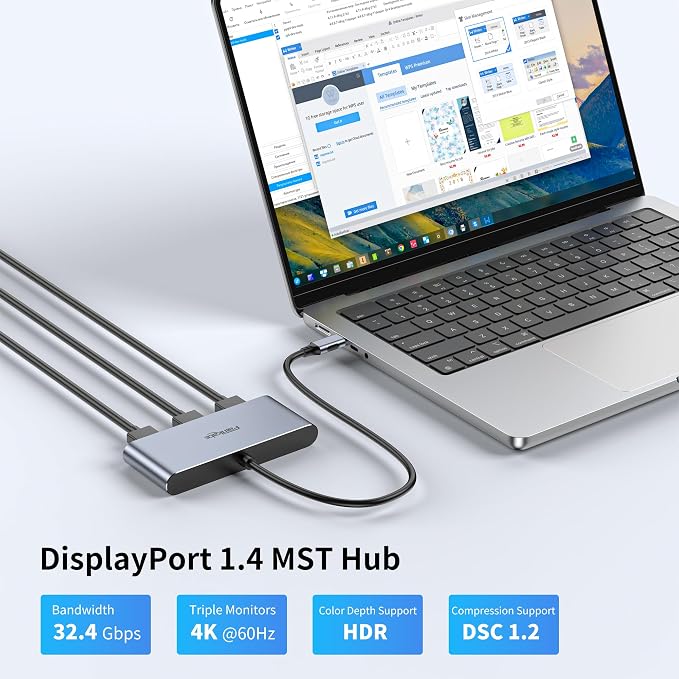
- TRIPLE MONITOR CONFIGURATION: fairikabe usb c hub displayport mst hub support triple DisplayPort monitors configurations for windows system. Connect laptop / desktop with USB-C DP Alt Mode, to achieve multitasking work station. Mst mode (ABC mode) only for Windows, not for mac - 3x DP 1.4 PORT: USB Type-C to Triple DisplayPort MST Hub drives up to 3x 4K60Hz displays from a USB-C DP 1.4 host with DSC; Display Port splitter also supports 2x 8K@30Hz, or 1x 8K@60Hz monitor with a compatible DisplayPort 1.4 host with the latest Display Stream Compression (DSC) and Multi-Stream Transport (MST) support - USB4 / THUNDERBOLT 4 COMPATIBLE: USB C to DisplayPort mst hub compatible with latest USB 4 and Thunderbolt 4. Please verify maximum number of displays supported by your GPU; Some GPU chips (such as Intel HD Graphics) are only capable of supporting a maximum of three displays (including laptop screen); GPU port and monitor must support DSC to get the max resolution - DRIVER FREE: This USBC to DisplayPort splitter mst hub no need any software or driver installation, plug and play on laptop/desktops/GPU support USB C DP ALT Mode. And MST mode will only works for Windows system - EXTRA LONG CABLE: fairikabe USB type C to DP splitter hub comes with extra long 1.5ft (45cm) cable, provide much flexible for work station, and ideal for work in office, work from home and business travel
Product description
Triple 4K 60Hz Setup via a Single Adapter
To get 3x 4K 60Hz Triple Displays or 8K Single Display:
Plug & Play
Step 1
Step 2
Step 3
Step 4
Use a single USB-C port to transform a laptop or desktop into a triple-monitor workstation with fairikabe USB-C to DisplayPort 1.4 mst Hub. Extend your desktop up to triple 4K monitors at 60Hz refresh rate for an expanded workstation or connect to the latest 8K monitors for extreme detail.
Connect USB-C end on laptop / desktop / GPU's USBC port, which support DP Alt Mode, or USB 4 / Thunderbolt 4 port on laptop/desktops.
Apply 3 DisplayPort 1.4 cable connect with the USB C to DisplayPort hub's DP port. (not included, sold separately)
Connect another DP end to DP input monitors, and choose the DP port as monitor's input signal.
Set the display mode in computer's display settings. Choose to extend display or mirror display. Extend mode only works for windows system.
Share