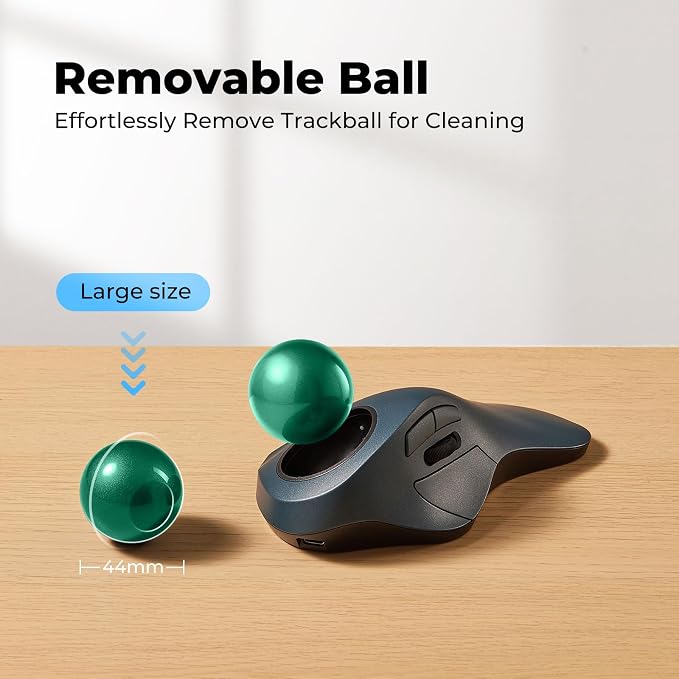
- WORK COMFORTABLY FOR HOURS: Designed to support a natural hand position, the Porlei ergonomic trackball mouse helps reduce wrist and forearm movement during long work sessions. The 44mm index finger trackball delivers precise cursor control while helping create a more comfortable workspace experience.
- PRECISE CURSOR CONTROL WITH 5 DPI LEVELS: Customize tracking speed with 5 adjustable DPI settings to match different tasks, from detailed spreadsheet work to everyday browsing. The large 44mm trackball delivers smooth and accurate cursor movement with minimal hand motion.
- IDEAL FOR SMALL DESKS AND FLEXIBLE WORKSPACES: Unlike traditional mice, the trackball stays in one place, making it perfect for compact desks, home offices, shared workstations, couches, and other limited-space environments where freedom of movement is restricted.
- RECHARGE LESS, WORK MORE: Built with a rechargeable battery that can last up to 120 days on a full charge. Spend more time working and less time searching for batteries, whether at home, in the office, or on the go.
- SWITCH BETWEEN UP TO 3 DEVICES EFFORTLESSLY: Connect through Bluetooth or the included USB receiver and easily switch between up to 3 devices. Compatible with Windows PCs, Mac computers, laptops, tablets, and Android devices for seamless multitasking.
Product description
RELAXED BODY, FOCUSED MIND.
GREAT FOR LARGE HANDS !
TWO EASY WAYS TO CONNECT.
COMFORT DESIGNED FOR YOU.
How to wake up the mouse?
Where is the 2.4G USB dongle?
How to reprogram mouse buttons?
How to charge the mouse and know its charging state?
How do the buttons on this mouse work? Is there a learning curve?
With less arm muscle strain and more productivity features at your fingertips.
Not sure of your hand size? Take measurements here.
Bluetooth & 2.4G Wireless Connection.
30% Reduction In Muscle Strain.
How to wake up the mouse?
* The mouse will automatically enter sleep mode after 30 minutes of non-use in wireless connection mode.
* You can wake it up by clicking the mouse button. (rolling the trackball or moving the mouse will not wake up the mouse)
Where is the 2.4G USB dongle?
* The USB dongle is stored on the bottom of the mouse.
How to reprogram mouse buttons?
* All buttons are not programmable.
* Forward/Backward buttons are not compatible with MAC OS.
How to charge the mouse and know its charging state?
* Please use the original charging cable for the mouse, do not use the fast charger.
* When the battery is low, the indicator light flashes until it goes out. The light shows red when charging and green when fully charged.
How do the buttons on this mouse work? Is there a learning curve?
Using your finger to control the cursor may feel different at first. Most people need a few days to get used to it, which is totally normal! Stick with it, and soon you’ll enjoy the comfort and precision it offers.