CoreDrive
Ergonomic Thumb Wheel Mouse Silent Wireless Mouse for Laptop | Comfortable Computer Mouse For Office Work An Ergonomic Silent Click Mouse Offering A Natural Hand Posture
Ergonomic Thumb Wheel Mouse Silent Wireless Mouse for Laptop | Comfortable Computer Mouse For Office Work An Ergonomic Silent Click Mouse Offering A Natural Hand Posture
Couldn't load pickup availability
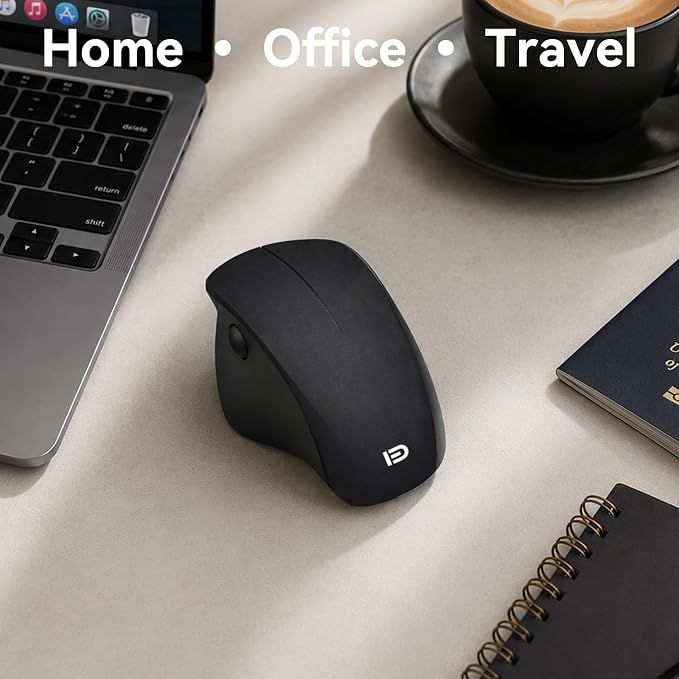
- Full-Contour Comfort & Core Specs: Measuring 4.57" x 3.03" x 1.91" (116x77x48.4mm), this mouse is equipped with a 1600 DPI optical sensor for precise tracking. It features a robust 65-foot wireless transmission distance via a 2.4G USB receiver. Weighing only 3.3 ounces, it is perfectly balanced and built to last with a key lifetime of over 3 million clicks. It operates on a single AA battery (not included) and connects seamlessly to both Windows and Mac OS systems. - Revolutionary Thumb Wheel Navigation: Navigate effortlessly with the highly requested thumb scroll wheel. This innovative side scroll design allows you to glide horizontally through wide Excel spreadsheets, massive documents, and web pages with seamless responsiveness. It eliminates the need to constantly drag the entire mouse across your desk, saving you time and drastically improving your daily workflow. - Genuine Ergonomic Handshake Design: Position your hand in a more natural, relaxed posture that feels just like a handshake. Thoughtfully designed to help minimize daily hand fatigue and provide a comfortable grip during long work sessions, this ergonomic computer mouse promotes a better wrist angle. The full-contour shape offers reliable palm support, making it a great choice for heavy laptop users and office workers looking to upgrade their daily comfort. - Silent Click for Quiet Workspaces: Maintain your focus and avoid bothering others with our quiet click design. The main buttons provide a satisfying tactile feel without the loud, annoying clicking noise. This makes it an ideal silent wireless mouse for working on late-night tasks at home, staying productive in quiet office environments, or taking notes while sitting in on virtual meetings. - Instant Plug and Play Setup: Simply plug the USB dongle into your device and start working instantly with zero lag. There is no interference, no extra software updates, and no complicated driver installations required. Furthermore, the internal power-saving technology efficiently manages energy consumption, which significantly reduces battery replacement frequency for completely hassle-free travel and commuting.
Product description
I have never used a side mouse before. Is it difficult to learn how to use it?
Where exactly is the scroll wheel located on this mouse?
Does this mouse have an actual power switch, or does it just go to sleep automatically?
Would this be a good mouse for playing fast-paced PC video games?
How does this mouse connect to my laptop?
I have never used a side mouse before. Is it difficult to learn how to use it?
It's an ergonomic hybrid between a conventional and upright mouse! It does have a slight learning curve, but once you adjust, many users find it incredibly comfortable for daily use and creative work.
Where exactly is the scroll wheel located on this mouse?
Unlike traditional mice, the scroll wheel is conveniently located on the side! It takes a little practice to stop reaching for the top middle, but it fits perfectly into the ergonomic grip of this model.
Does this mouse have an actual power switch, or does it just go to sleep automatically?
It has both! There is a physical power switch on the bottom so you can turn it completely off. It also features an auto-sleep mode with an ultra-low 50uA sleep current to save battery.
Would this be a good mouse for playing fast-paced PC video games?
We don't recommend it for competitive gaming. It features a fixed 1600dpi resolution and a unique ergonomic design that is much better suited for office tasks, photo editing, or music studio setups.
How does this mouse connect to my laptop?
It connects wirelessly using a USB receiver hidden in the battery compartment. Simply insert the receiver into your computer's USB interface, and you can easily use the mouse up to 20m away!
Share