- High-End Panel: 14.2"(single screen) 2.5K IPS LG panel with 100% sRGB color accuracy and 1500:1 contast ratio, 90Hz refresh rate, 400 Nit brightness, and 15:10 aspect ratio, bring you the most unforgettable vision experience.
- Stylus and touch-enabled portable display with Compatible with MacBook Pro/Air with full touch support. Responsive 10-point multi-touch for intuitive navigation, drawing, and productivity across devices. Stylus support for precise writing and creative work
- Universal Connectivity: USB-C and HDMI ports for plug-and-play setup with laptops, desktops, phones, and gaming consoles. Thunderbolt-compatible for seamless Mac integration
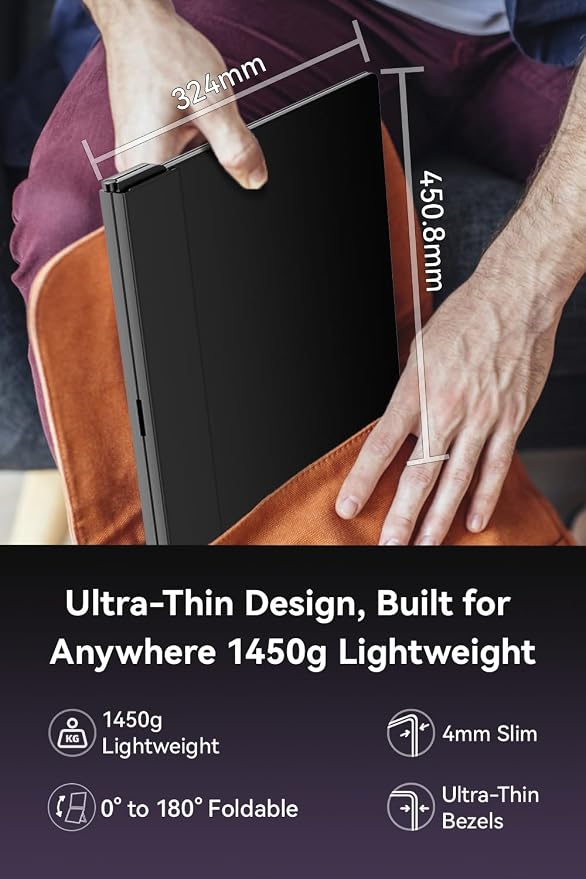
- Ultra-slim aluminum design at only 3.17 lbs (1440g). 15:10 aspect ratio with matte anti-glare screen reduces eye strain during extended use. Built-in stand for landscape and portrait orientation
- Versatile Second Screen: Extend your workspace for multitasking, mirror your display for presentations, or enjoy gaming and streaming
Product description
EHOMEWEI X2 Air Dual Monitor Screen
X2 Air video
Ehomewei Dual-Screen Comparision
Where can I download the self-developed Application?
I can't apply the protective film well.
I have just opened the package, but I can see air bubbles on the product.
What are the differences between the L, R, and X series?
What’s the difference between EHOMEWEI’s touch functionality and stylus?
Where can I download the self-developed Application?
On our Ehomewei Official website.
I can't apply the protective film well.
Please paste it slowly while checking the position after pasting. If dust gets in during the process, go back to where the dust was, peel it off, and roll up the cellophane tape to remove the dust.
I have just opened the package, but I can see air bubbles on the product.
Our products are covered with a factory protective film to protect the screen. You can use it as it is, but if you are concerned about air bubbles, please remove it and attach the attached protective film.
What are the differences between the L, R, and X series?
The L series is stable upside down, perfect for handwriting. The R series supports cable management, magnetic stylus, and is more stable in portrait mode. The X series is a dual-screen version of the R series.
What’s the difference between EHOMEWEI’s touch functionality and stylus?
EHOMEWEI exclusively supports touch functionality on macOS, including multi-finger gestures like a trackpad. The stylus also supports macOS and, with additional software, enables pressure-sensitive handwriting on Mac.