CoreDrive
CUQI 3.5 Inch Touchscreen for Raspberry Pi 5 480 x 320 Pixel 60 FPS Mini Monitor with Stylus and Mini Fan for Raspberry Pi 3/4/5
CUQI 3.5 Inch Touchscreen for Raspberry Pi 5 480 x 320 Pixel 60 FPS Mini Monitor with Stylus and Mini Fan for Raspberry Pi 3/4/5
Couldn't load pickup availability
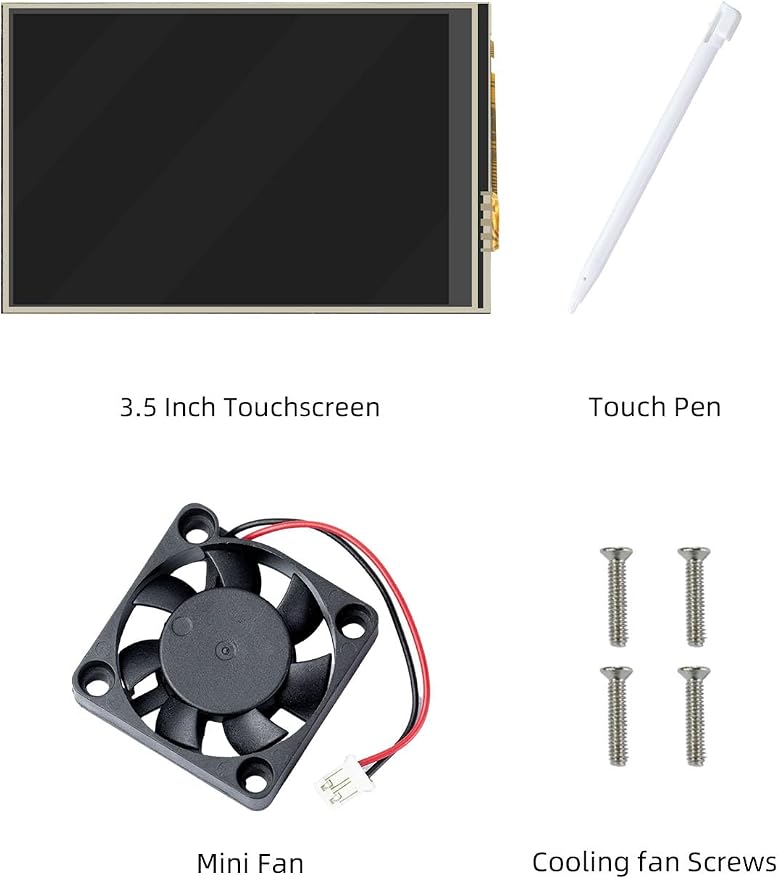
- Display for Raspberry Pi: 3.5-inch touch screen, compatible with Raspberry Pi 3/4/5, works perfectly with Raspberry Pi and is the best choice for Raspberry Pi display. - Mini Screen: 3.5-inch mini screen, 480 x 320 pixels, 60FPS, with stylus, perfect for small projects. The screen supports up to 60FPS, but the SPI of Raspberry Pi only supports 50FPS, and the HDMI port can support 60FPS. - Easy Installation: The touchscreen comes with a 26-pin SPI connector for direct connection to the Raspberry Pi. Note: Please connect the Raspberry Pi via the first connector, otherwise the touch function will be burned out. - Good Heat Dissipation: The back of the touch screen provides space and ports for installing a mini fan, which ensures that the screen and Raspberry Pi do not overheat while working. - Wide Compatibility: Compatible with Raspbain, Ubuntu, Kali and RetroPie systems, free driver installation and tutorials are available, please see the image below for details. Raspberry Pi 5 currently only provides Raspbian system, if you want to install another system, please contact us.
Product description
Specification
How to install Raspbian on a 3.5” screen (for Raspberry Pi 3/4/5)?
aplus content video
Step 1: Installing the Raspberry Pi image file
aplus content video
Step 2: Connecting to a computer screen
aplus content video
Step 3: Entering the driver code
aplus content video
Step 4: Connecting a 3.5” touchscreen
aplus content video
3.5 Inch Touchscreen for Raspberry Pi
3.5" Touchscreen
3.5" Touchscreen with Pi5 Case
3.5" Touchscreen with Pi4 Case
Screen Size
3.5 inch
Screen Size
3.5 inch
Screen Size
3.5 inch
Case
No
Case
Raspberry Pi 5
Case
Raspberry Pi 4
Heat Sink
No
Heat Sink
4 pcs
Heat Sink
3 pcs
Share