CoreDrive
Cam Link 4K USB Capture Card – HDMI to USB 3.0 Plug-and-Play for Microscopes DSLR Electronics Repair & Precision Work Live Streaming & OBS/Zoom Windows/Mac
Cam Link 4K USB Capture Card – HDMI to USB 3.0 Plug-and-Play for Microscopes DSLR Electronics Repair & Precision Work Live Streaming & OBS/Zoom Windows/Mac
Couldn't load pickup availability
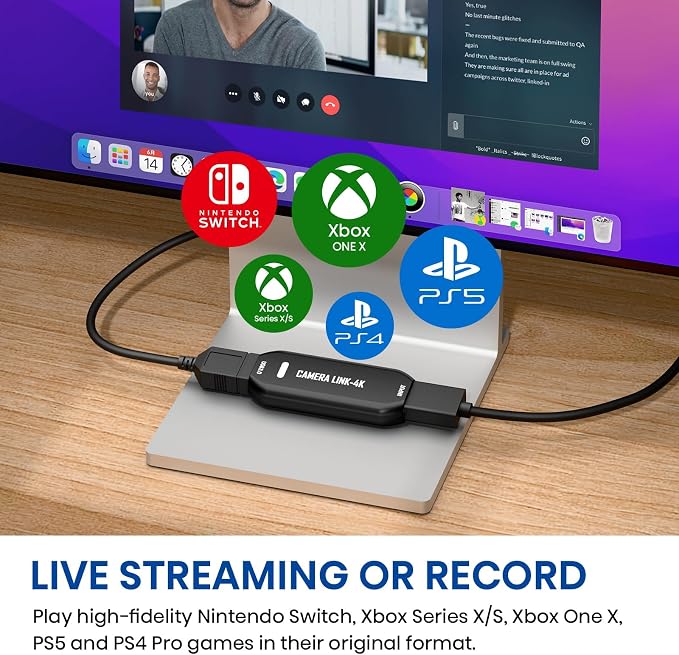
- Reliable & Stable Performance ? Ideal for electronics repair, microscope observation, and precision work recording - High-Resolution Capture ? Stream and record in smooth 1080p60 or even up to 2K50 resolution. Capture every detail with vibrant clarity for a professional on-screen presence. - Wide Device Compatibility ? Works with microscopes, DSLR cameras, action cams, and other HDMI devices. - Plug-and-Play Convenience ? No drivers required; instantly compatible with OBS, Zoom, and other streaming software. - Versatile Multi-Scenario Use ? Perfect for live streaming, teaching, coin or jewelry inspection, and detailed DIY projects.
Product description
Turn Your Camera into a Pro Webcam
Stunning Image Quality up to 2K50
Does Cam Link 4K support 4K video input or output?
Do I need any other equipment?
Can I use any USB port?
What should I do if the device fails to recognize/work when using Cam Link 4K?
Upgrade your DSLR, camcorder, or action cam for streaming, calls, and online events ? all with one simple HDMI connection.
Stream and record in smooth 1080p60 or ultra-detailed 2K50. Perfect for creators who demand sharp, vibrant visuals.
Does Cam Link 4K support 4K video input or output?
Cam Link 4K supports up to 4K HDMI input, but the maximum output resolution is 2K. It captures video at 1080p/60fps or ultra-detailed 2K50fps, delivering smooth, high-quality output that's perfect for live streaming, gaming, and video conferencing.
Do I need any other equipment?
To connect to Cam Link 4K, you may need a Micro HDMI to HDMI cable or a Mini HDMI to HDMI cable depending on your camera model. Depending on your computer's ports, you may also need a USB-C to USB-A adapter.
Note: HDMI to HDMI cable (included)
Can I use any USB port?
Cam Link 4K features a USB-A port and requires connection to a USB 3.0 or higher port to achieve optimal performance.
What should I do if the device fails to recognize/work when using Cam Link 4K?
Perhaps your drivers are out of date. After connecting via USB, check Device Manager to confirm that "USB 3.0 Video" appears under camera drivers. If you see a yellow exclamation mark, please use the Driver Update Tool to update.
Share