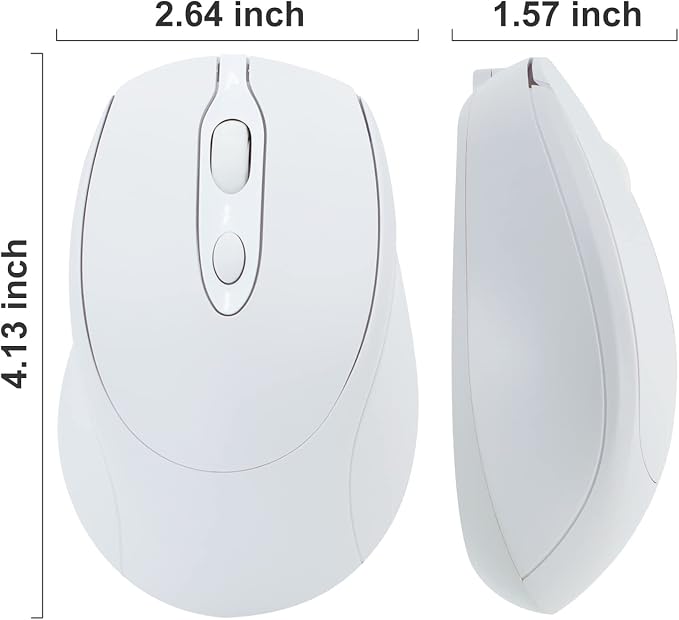
- 【BLUETOOTH MOUSE WITH DUAL MODE(BT 5.2 + 2.4GHz)】The Dual mode wireless mouse enables free switches between two devices using only one mouse by simply toggle switching.It can connecting one device via Bluetooth and another via 2.4GHz USB Receiver. It is important to note that you cannot use Bluetooth mode and 2.4G mode at the same time.
- 【UNIVERSAL COMPATIBILITY】2.4Hz Wireless Mode is compatible with any computer, laptop, desktop that has a USB port, simply plug in the USB receiver and play directly。Bluetooth Mode is compatible with Windows,Android,and MAC OS .NOTE: BT5.2System Requirement: Windows 8.0, Windows 10 or later; MacOSX 10.10 or later; iPad OS 13 or later/ Android 5.0 or later. Please check or update the operating system before using.
- 【Wireless Mouse】It can move freely within a range of up to 10 m using 2.4 GHz wireless transmission. Adjustable with three precision levels(800/1200/1600 DPI), which can be tracked more precisely and correctly, and the speed of the mouse can be controlled more freely, and allowing for more precise operation.
- 【SILENT CLICK 】The soundless design of the right and left buttons allows you concentrate on your work or play games without disturbing others.The classic design provides maximum support and comfort for your hand.
- 【AUTOMATIC ENERGY SAVING AND BUILT-INSIDE BATTERY】The mouse has a rechargeable battery and a charging cable. There is no need to change batteries.To save power, the mouse will sleep after 10 minutes of inactivity and can be woken up by clicking any button.
Product description
aplus content video
PLEASE NOTE:
This is a modal window.
Questions & Answers:
Q:Why can't the mouse connect to your iPhone/iPad? A: Very sorry! Please check if your version is updated to iOS 13.1..2 or later version.For IOS system, our mouse is only compatible with iOS 13.1.2 or later version.
Q:Why Bluetooth is connected and then disconnected after few minutes? A:1.Low bateery (please charge) 2.Computer hibernation (please set the power mode to 'balance' mode)
Q:Why is the cursor inaccurate or jumps around the screen, scroll wheel has a weird lag? A: 1.The mouse is at low battery status,please charge it. 2. Please use mouse pad
Q:When connected to mac, if appears: no mouse found, what should you do? A: Return operation--press the"connect" of mouse again--blue light flash--click the mouse logo in the mac--you will find "BT5.2 Mouse"again--click continue immediately Q:If found the 'BT5.2 Mouse', but can't connect, what should you do? A: Please delete 'BT5.2 Mouse '--turn off the mouse--turn on the mouse and click button--blue light flash--Reconnect 'BT5.2 Mouse' Q: The first time the mouse is connected to the 'tablet' and work well. I want to use it on my 'laptop' , but the mouse doesn't work anymore.Why? A: If you want to connect to the laptop, please delete the mouse's Bluetooth "BT5.2 Mouse" in the tablet, and then reconnect. If you don't understand, please refer to our manual, thank you very much! Q: What should you fo when the mouse suddenly doesn't work? A: 1.Reconnect the USB receiver. 2.Turn off and turn on the mouse by switching the bottom button. 3. Charge it.