CoreDrive
Bluetooth Mouse & Pad Combo | Dual BT/2.4G LCD Battery Indicator
Bluetooth Mouse & Pad Combo | Dual BT/2.4G LCD Battery Indicator
Couldn't load pickup availability
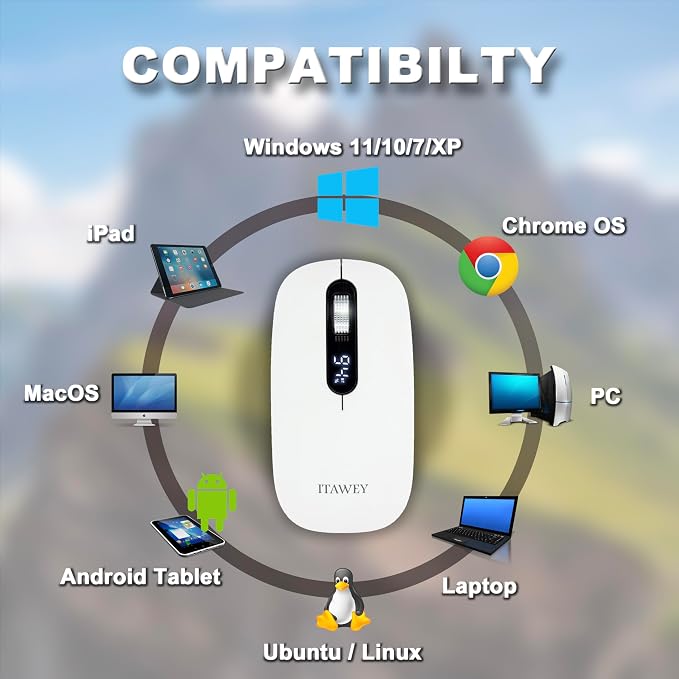
- COMPLETE WORKSTATION BUNDLE ? Features an LCD battery indicator, precise steel scroll wheel, and comes with a stitched-edge mouse pad - perfect for unstable surfaces, glass tables, or coffee shop setups. - TRI-MODE CONNECTIVITY: Pair with 2 Bluetooth devices and 1 USB receiver device with effortless switching between the 3 connections for versatile device management - UNIVERSAL USB-C COMPATIBILITY ? No extra dongles needed. The included premium USB-A to USB-C cable converter ensures instant connection to modern MacBooks, iPads, and thin-profile laptops. - RECHARGEABLE - Powered by a robust 500mAh rechargeable battery, provides up to impressive 60 days of use on a single charge. It fully recharges in 2 hours and comes with a longer 3.3 ft. (1m) cable, allowing easy recharging - even during use. - QUIET MOUSE - The mouse features quiet left and right clicks, making it ideal for use in environments such as late-night work or public spaces where noise reduction is essential. - DPI BUTTON - Easily switch between 1200, 2400, and 3200 DPI via the button located on the underside. Engineered for maximum accuracy in graphic design and detailed workflows. - SAVING ENERGY ? The mouse automatically enters sleep mode after 8 minutes of inactivity and wakes up with a simple click, optimising energy efficiency. - COMPATIBILITY - For Windows (11, 10, 7, XP), MacOS, iOS, iPad, Android Tablet, Chrome OS, and Ubuntu. For right-handed and left-handed users.
Product description
SMART, ENDURING & QUIET
LCD Battery Display
MOUSE PAD INCLUDED
premium mouse pad is included
NOTEWORTHY
OPERATING SYSTEMS
INSTRUCTIONS
Charging your mouse
USB-C & LCD display
Bluetooth
NANO USB
Is the pad compact to keep the mouse from running away?
Why do you include this USB cable-converter?
What benefits does a DPI rate of 3200 offer?
Why do you include a longer recharging cable?
Is it true rechargeable mice only last a few days of use per charge?
COMPARE OUR MICE
Plug the cable to the mouse’s USB-C port, then to a USB charger or USB-A port. A red light shows charging. Full charge in 2 hrs. Lasts up to 60 days.
The included USB-C converter ensures fast setup with modern laptops/tablets. To instantly check the LCD status, simply click onto the scroll wheel.
Connect up to 2 devices via Bluetooth. Hold MODE 1s to pick BT1 or BT2, then 3s to pair. Enable PC Bluetooth, select 'ITAWEY BT', click it to connect.
Insert the NANO USB (found under the mouse) into your PC’s USB-A port or use the USB-C converter. Press MODE for USB (red LED). Setup auto-configures.
Is the pad compact to keep the mouse from running away?
With its space-saving build and comfy, accurate mouse pad, this set is great for your desk?or wherever work takes you.
Why do you include this USB cable-converter?
The USB-A to USB-C cable-converter allows the mouse to be used AND recharged via both the widely-used USB-A and the more recent USB-C ports on your PC, laptop, or tablet, enhancing your adaptability. This is particularly beneficial for mobile work.
What benefits does a DPI rate of 3200 offer?
You can adjust the DPI (Dots Per Inch) rate from 1200 to 2400 to 3200. The higher 3200 DPI setting ensures precise, rapid movements, optimizing performance for editing and tasks.
Why do you include a longer recharging cable?
Our mouse allows simultaneous use and charging, ensuring uninterrupted productivity even during the charging process. The extended 3.3-foot charging cable provides added convenience and flexibility.
Is it true rechargeable mice only last a few days of use per charge?
Unlike other models, ours features smart power?saving technology and a robust 500 mAh battery for up to a whopping 60 days of use per charge!
Share