- 2 Computers, 1 Dock ? Total Control: Connect your USB C laptop and desktop PC (via USB-B + HDMI + 2 DisplayPorts, all required) to a single dock. Control both with one keyboard, mouse, and up to three monitors?no re-plugging or extra cables. Perfect for hybrid offices and dual-PC setups.
- KVM Switch 3 Monitors 8K Output: Supports up to three external displays through 2 DisplayPorts and 1 HDMI output, delivering up to 8K@30 Hz or 4K@120 Hz quality. Ideal for designers, coders, and traders who need crisp, immersive visuals and fluid multi-display performance.
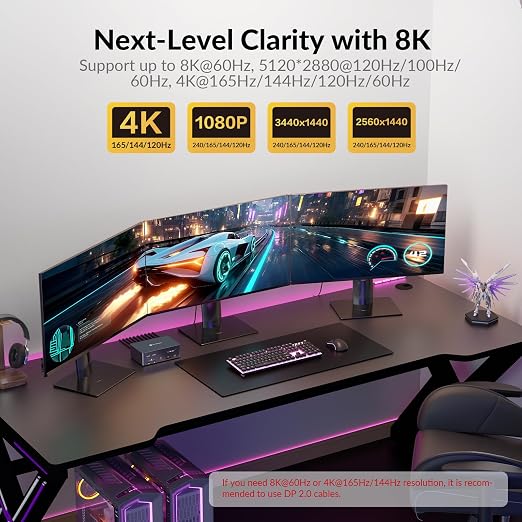
- Display Performance Note: Your desktop PC can extend to three screens at up to 8K@60Hz or 4K@165Hz. Your laptop can extend to two screens at 4K@60Hz and one screen at 4K@30Hz.
- Always-On 1 Gb Ethernet Connection: Stay connected on both computers at all times. The shared 1 Gigabit LAN port remains active even when switching control?so the other PC can keep downloading, syncing cloud files, or updating without interrupting your work.
- Power & Productivity in One Cable: The USB C laptop input supports up to 100 W Power Delivery while transferring video and data, ensuring your laptop stays charged and performant throughout long sessions without needing a separate charger.
- 10 Gbps SuperSpeed USB Hub: Two front USB-A 3.2 ports (10 Gbps), one USB C 3.2 port (10 Gbps, 1.5A ) and one rear USB-A 3.0 port (5 Gbps, 1.5A) handle high-speed SSDs and data devices, while the front two USB-A 3.0 ports (5 Gbps) connect keyboards, mice, or printers for seamless productivity.
- Media & Audio Made Easy: Quickly transfer photos and video via the built-in SDXC card slot (up to 2 TB, 104 MB/s). A 3.5 mm TRRS combo jack supports headsets with microphones for conference calls and media editing.
- Instant Switching Control: Toggle between laptop and desktop instantly with the front-panel button or included wired remote controller. Visual indicators clearly show which system is active, ensuring smooth, lag-free transitions.
- Universal Compatibility & macOS Note: Works with Windows, macOS, and Linux systems. macOS supports mirrored display only (due to OS limitations), while Windows supports extended triple-screen output for maximum workspace flexibility.
Product description
AV Access KVM Switch with Docking Station
Can I use iDock B23 with two monitors?
Does iDock B23 work well for gamers?
Can I use a MacBook with iDock B23?
Does the iDock B23 support G-Sync, FreeSync, and VRR?
Does iDock B23 support ultra-wide screens?
Can I use iDock B23 with two monitors?
Yes, you can just connect to two monitors. Just be careful how input ports and output ports work in pairs (eg, HDMI IN A with HDMI OUT A). If you are using one laptop, one desktop and two monitors, iDock C10 or iDock B10 is better for you.
Does iDock B23 work well for gamers?
Yes, iDock B23 is designed for gamers. There is no latency caused by the KVM switch and it supports up to 8K@60hz, 4K@165hz resolutions. With three monitors, you can multitask more easily - chat with groups, search for tips while you are playing.
Can I use a MacBook with iDock B23?
Not really. If you connect to a Mac device, you will get three duplicate screens.
Does the iDock B23 support G-Sync, FreeSync, and VRR?
Yes, the iDock B23 supports G-Sync, FreeSync, and VRR.
Does iDock B23 support ultra-wide screens?
Yes. iDock B23 supports ultra-wide resolutions such as 3840*1440@240Hz/120Hz, 3840*1080@240Hz/120Hz, 3440*1440@240Hz/120Hz.