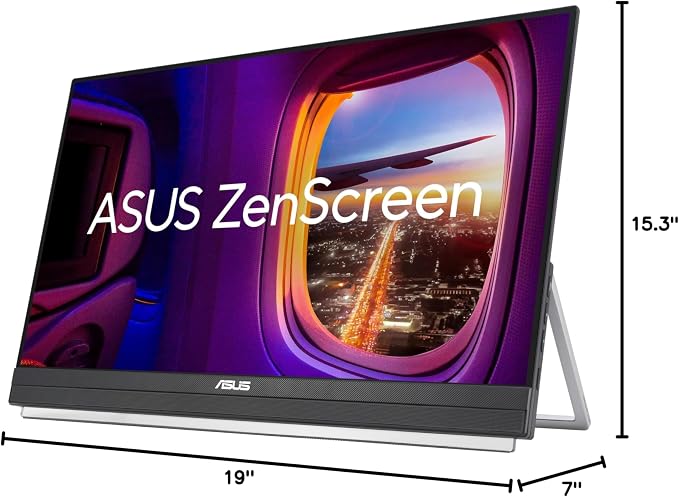
- 15.6" FHD IPS Anti-Glare Display: Enjoy crisp, vibrant visuals while working remotely from cafes or coworking spaces. This 15.6 inch portable monitor for laptop provides a flawless travel dual monitor setup without distracting screen reflections.
- Single USB-C Connectivity: Declutter your desk instantly with seamless plug-and-play simplicity. A premium usb c portable monitor that delivers both power and video through one cable, creating the ultimate clean and efficient travel monitor setup.
- 0.78kg Ultra-Slim Profile: Slip this monitor effortlessly into any standard backpack or briefcase for ultimate on-the-go freedom. At just 11.8mm thin, it is the ideal lightweight travel monitor and portable screen for remote workers and digital nomads.
- 360° Kickstand & Tripod Socket: Achieve the perfect viewing angle on any hotel desk or kitchen table. Create an ergonomic dual monitor setup anywhere using the versatile kickstand or easily attach it to a standard portable monitor stand mount.
- Auto-Rotate DisplayWidget Software: Read long documents or write code effortlessly without manually adjusting settings. Automatically switch between portrait and landscape modes on your portable screen for laptop to maximize your daily multitasking.
- TUV-Certified Eye Care Technology: Prevent eye strain and fatigue during those intensive late-night project sessions. Advanced flicker-free and low blue light tech makes this a highly comfortable eye care monitor for daily extended use and heavy reading.
- Wide Device Compatibility: Transform any small space into a powerful mobile workstation instantly. Whether you are gaming on the go or presenting to clients, this versatile external monitor for laptop enhances productivity across your devices.
- 3-month Adobe Creative Cloud: Receive complimentary access with the purchase of this product (valid until 8/31/2026)
From the manufacturer
ASUS ZenScreen MB169CK
One Cable Is All You Need
Sleek and Portable Design
Does MB169CK work with any USB-C laptop?
Does the monitor need a separate power adapter?
Can I mount it on a tripod or tabletop stand?
Does it automatically switch between portrait and landscape?
How does ASUS Eye Care technology work?
MB169CK features dual USB-C and mini-HDMI ports for flexible connectivity. A single USB-C cable handles both video and power for clean, plug-and-play setup. If your laptop does not support USB-C DP Alt mode, use mini-HDMI for video and USB-C for power input instead.
ASUS ZenScreen MB169CK is designed for life on the go. Its slim profile and lightweight build fit easily into any bag, so you can set up a dual-screen workspace at a cafe, hotel, or home office ? anytime and anywhere you need it.
360° Kickstand
The 360° kickstand screws into the rear tripod socket for tilt adjustments or tabletop mounting.
Auto-Rotate Display
DisplayWidget Center detects orientation and switches between landscape and portrait automatically.
Full HD 1080p IPS
The FHD IPS panel delivers vivid visuals and 178° viewing angles for accurate color at any position.
TUV Rheinland
Flicker-Free and Low Blue Light filters help reduce eye fatigue. Choose from multiple filter levels.
Does MB169CK work with any USB-C laptop?
Your laptop's USB-C port must support DP Alt mode for direct video output. If it does not, you can use the mini-HDMI port for video and connect a USB-C cable for power input instead.
Does the monitor need a separate power adapter?
No. When connected via USB-C with DP Alt mode support, MB169CK draws power directly from your laptop. No external adapter is needed for USB-C connections.
Can I mount it on a tripod or tabletop stand?
Yes. The rear includes a built-in tripod socket. The included 360° detachable kickstand screws into this socket, and you can also attach compatible tabletop mounts or tripods.
Does it automatically switch between portrait and landscape?
Yes. With the free ASUS DisplayWidget Center software installed on your laptop, MB169CK detects its orientation and switches the display mode automatically when you rotate the screen.
How does ASUS Eye Care technology work?
It combines TUV Rheinland Flicker-Free and Low Blue Light technologies. You can select from multiple blue light filter levels via the on-screen menu.